LISTEN MUSIC OFFLINE
MIXO allows you to sync your library across devices using cloud storage, enabling you to download your tracks for offline use on your desktop or mobile device.
Before you can listen offline, your music must be synced to the cloud:
- Go to Settings -> Cloud.
- Sign in to either Google Drive, Dropbox, OneDrive
- MIXO will automatically create a folder in your cloud storage and begin syncing your library.
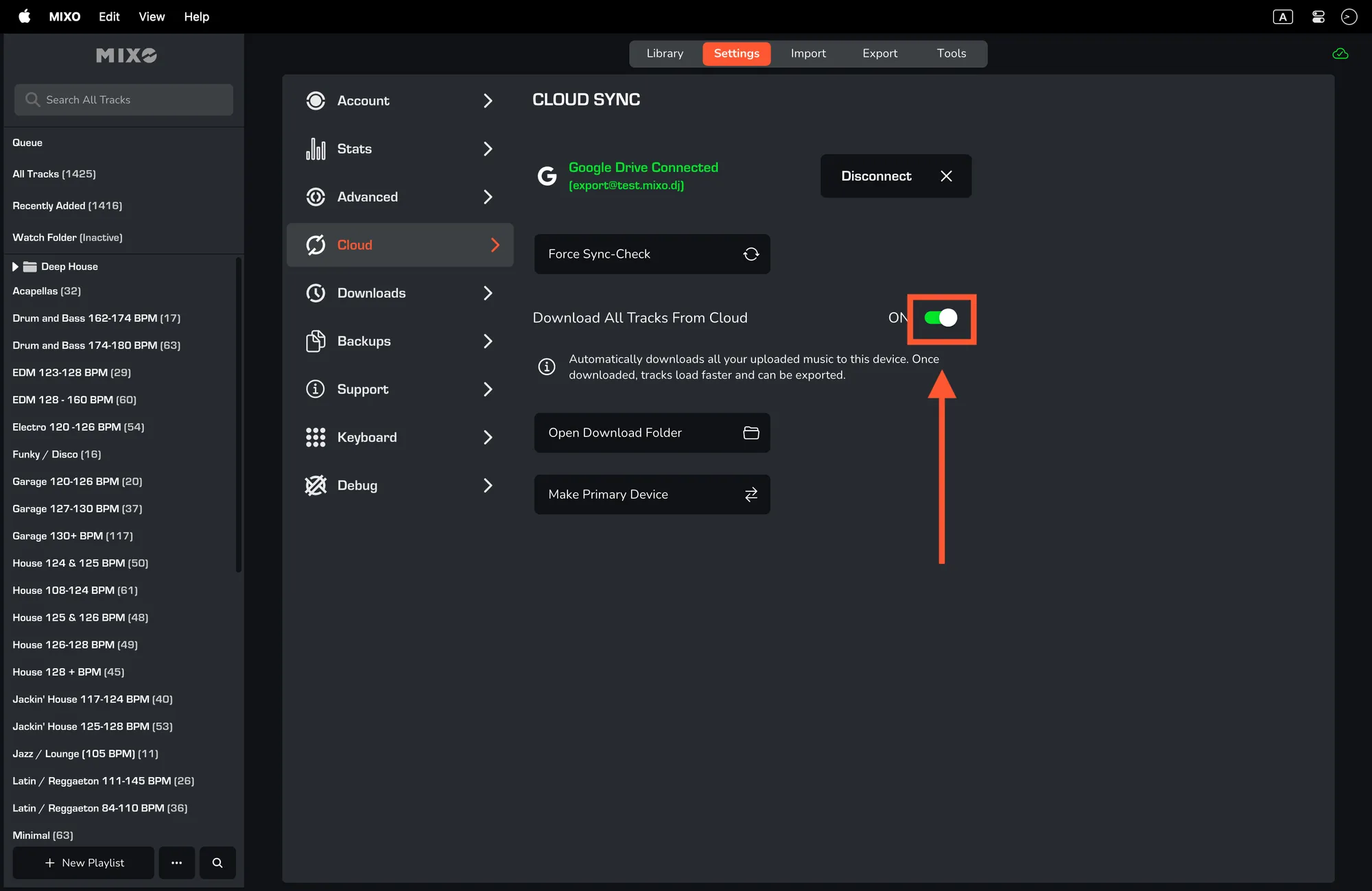
Download Your Entire Library
If you want your full collection available without an internet connection:
- Navigate to Settings -> Cloud.
- Toggle on 'Download All Music'.
- MIXO will begin downloading every track in your cloud library to your local machine.
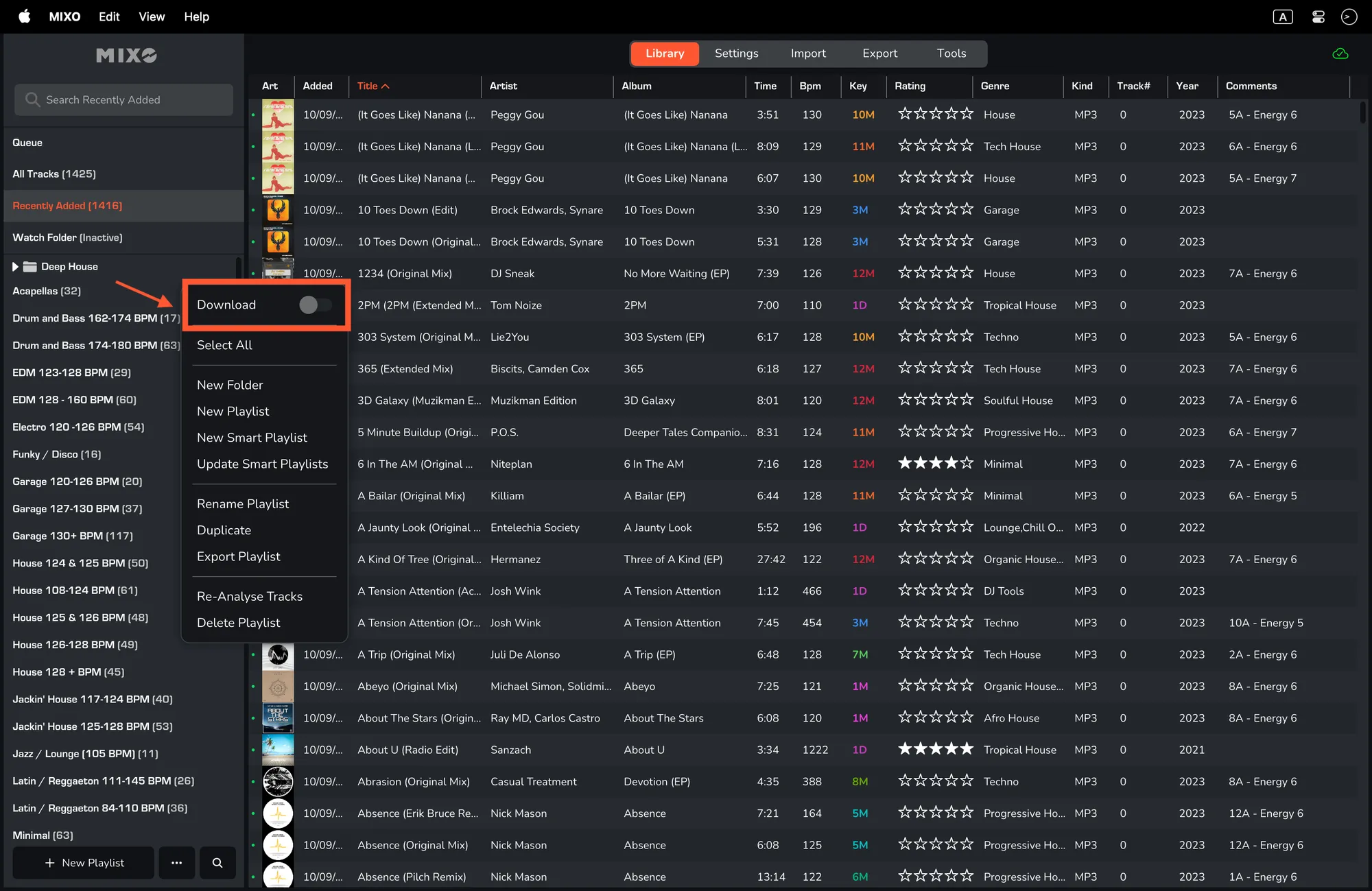
Download Specific Playlists
If you only need certain tracks (e.g., for a specific or to save space):
- Open the specific Playlist you wish to save.
- Toggle the 'Download' switch at the top of the playlist view.
- Only the tracks within that playlist will be saved locally.