DELETE MIXO APPDATA FOLDER ON MAC
If you want to reset or uninstall MIXO on your Mac, you should delete the contents of the MIXO AppData folder. Follow these steps:
1. Quit MIXO before deleting the application folder.
2. Open Finder, and from the 'Go' menu in the menu bar, select 'Go to folder...'

3. Enter ~/Library/Application Support/MIXO and press Go to open the folder.
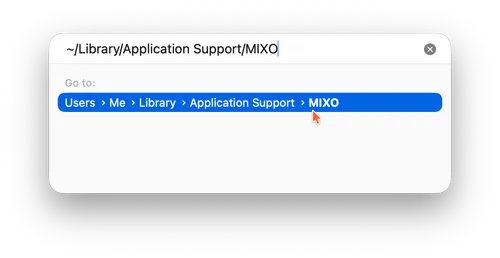
4. Delete everything inside that folder.

See detailed guides for each OS here: