WRITE TO TRACK ID3 TAGS
In MIXO, you can write metadata directly to your track files to ensure compatibility with other software.
1. Navigate to Export -> Track TAGS.
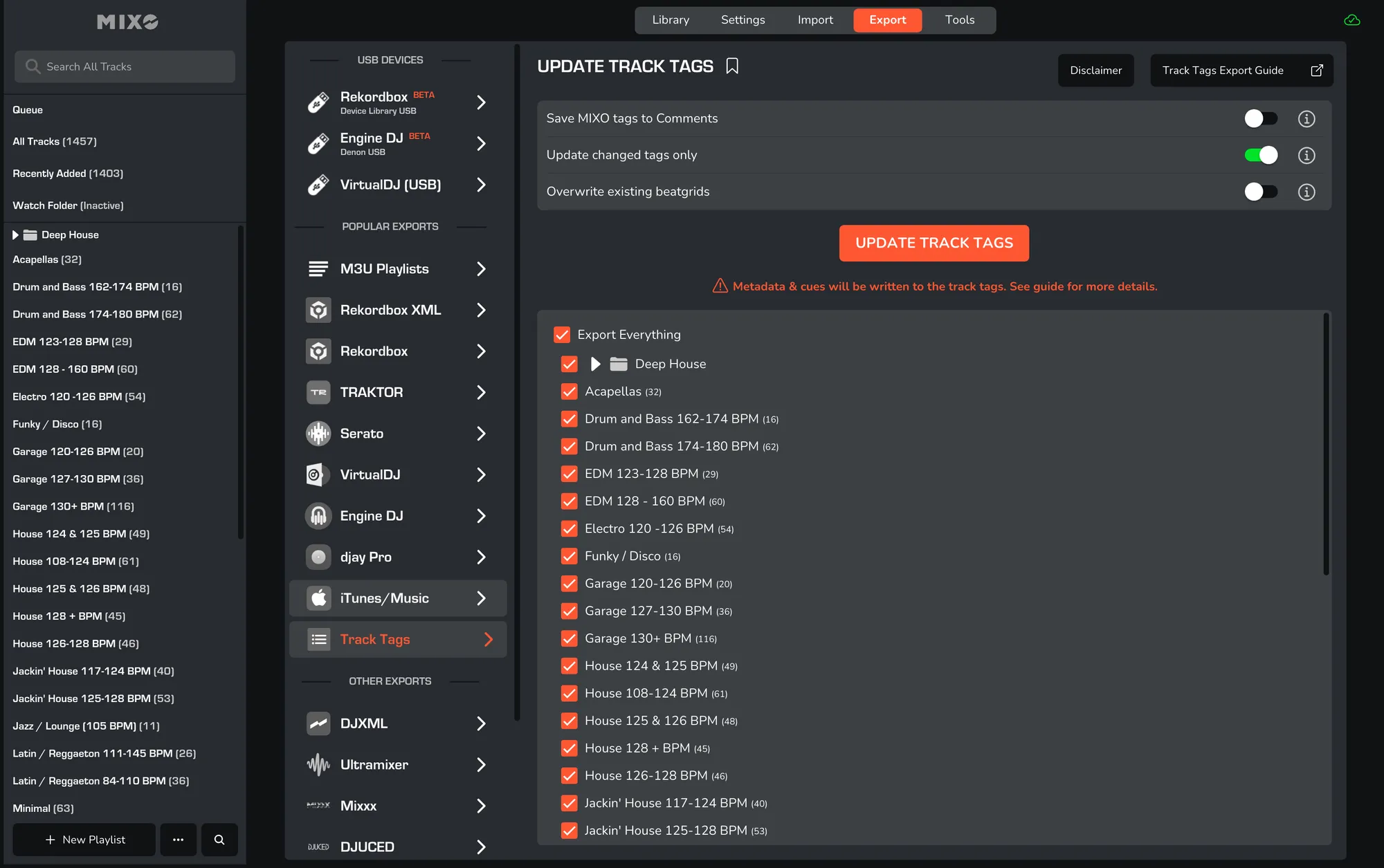
2. Optional Settings:
- Save MIXO tags to Comments: writes MIXO - specific metadata into the track's 'Comments' field for compatibility.
- Update changed tags only: skips tracks that haven't been modified since the last update.
- Overwrite existing beatgrids: replaces any existing beatgrids in the file.
3. Choose content: select either 'Export Everything' or the playlists you want to include in the file.
4. Click Update Track ID3 Tags.
5. Once the tags have been written, you must re-analyse them in your DJ software to see the changes.
Notes
Supported files: MP3, WAV, AIFF, OGG, AAC, FLAC (M4A, MP4 from v1.78).
We recommend you backup your library first as per our terms: TERMS
What are track tags? Track tags are metadata embedded into the file itself, which contain metadata information and can also contain cue points and beatgrids etc. The format varies depending on the file type. For example, MP3, AIFF, WAV and AAC store information in 'ID3' containers, whereas OGG/FLAC use 'Vorbis' and MP4/M4A use 'MP4' containers.
Why update these tags? Serato reads and writes directly to/from these containers, so if you use a different DJ app, the only way to transfer your data is to write it directly to the tracks themselves.