WHERE ARE DOWNLOADED TRACKS IN MIXO STORED V2
When syncing to your cloud storage, you can download the tracks in a playlist to a second device.
The default locations for downloaded tracks are as follows:
- Android: Device Storage -> Android -> data -> com.MIXO.app -> MIXO -> Music
- iOS: The path for iOS is hidden by the operating system
- Windows: C: -> Users -> [YOUR USER] -> Music -> MIXO -> Music (editable in Advanced)
- MacOS: Macintosh HD -> Users -> [YOUR USER] -> Music -> MIXO (editable in Advanced)
- Linux: home -> [YOUR USER] -> music -> MIXO -> Music (editable in Advanced)
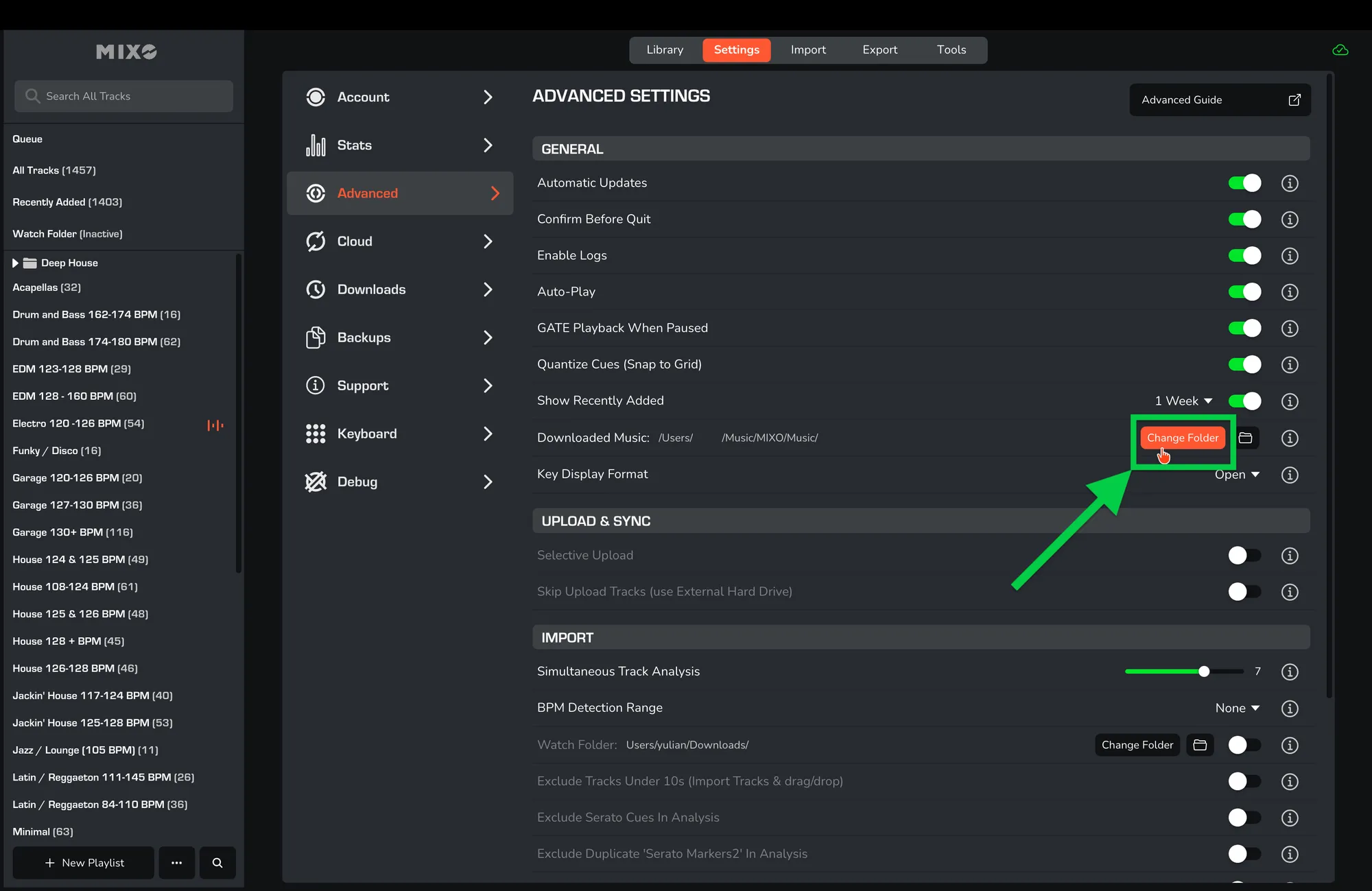
It is also possible to change the download location on a desktop.
- To edit the location for downloaded tracks on your computer/laptop, navigate to MIXO -> Settings -> Advanced -> General -> Downloaded Music -> ‘Change Folder’.