WATCH FOLDER
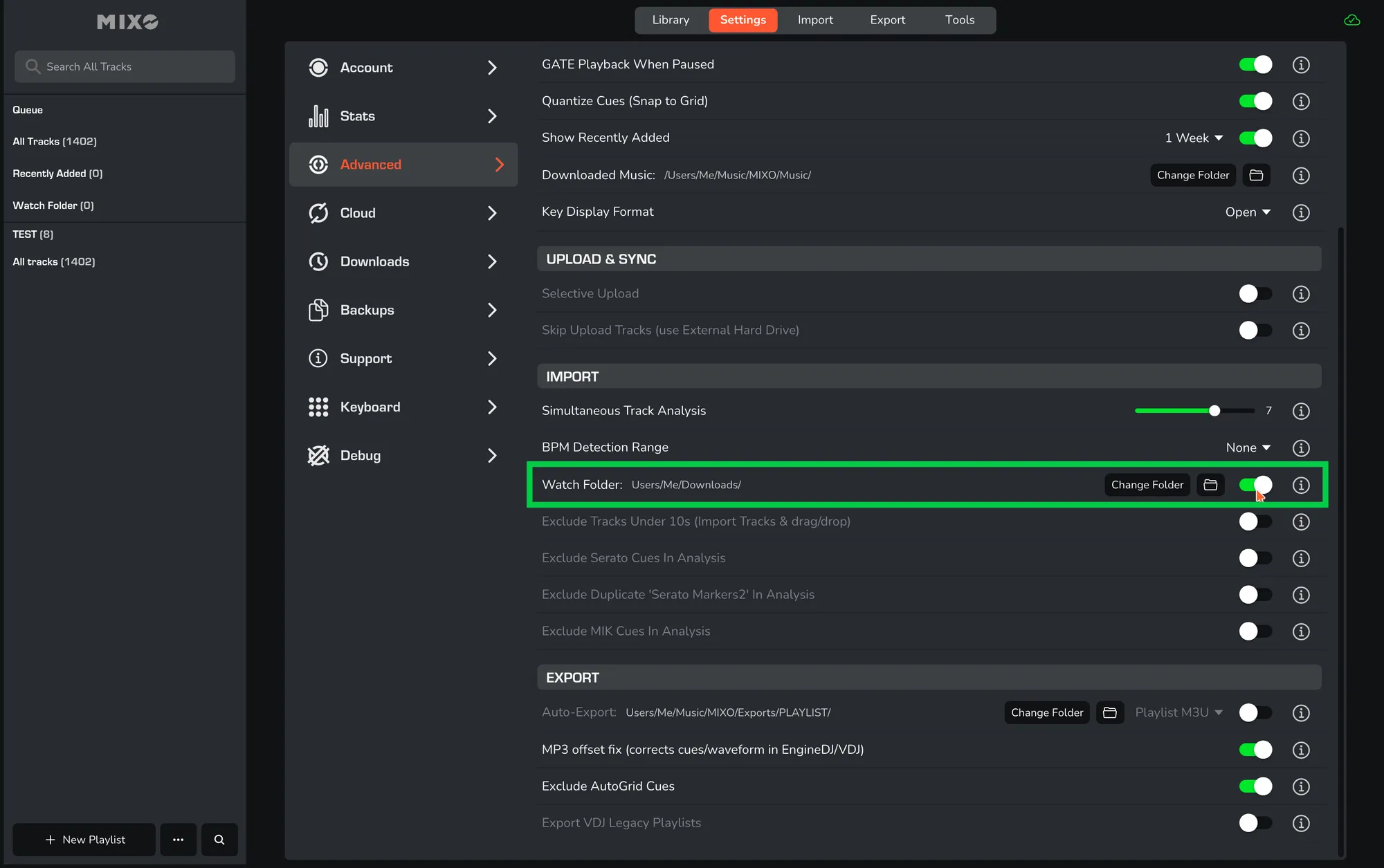
- In MIXO, navigate to SETTINGS -> ADVANCED -> IMPORT.
- Locate the WATCH FOLDER option.
- Turn this on to allow MIXO to automatically import any tracks added to your DOWNLOADS folder (or select a different folder).
- MIXO will automatically find, analyse, and upload/sync new files if you are connected.