TRAKTOR TO CROSS DJ
1. Import TRAKTOR playlists into MIXO
- Close your TRAKTOR application before import.
- In MIXO, navigate to the ‘IMPORT’ tab.
- On the left sidebar, select TRAKTOR.
- MIXO should automatically find your Traktor library. If it does not, use the 'Change File' button to manually select the database NML file.
- Press the 'START IMPORT' button.
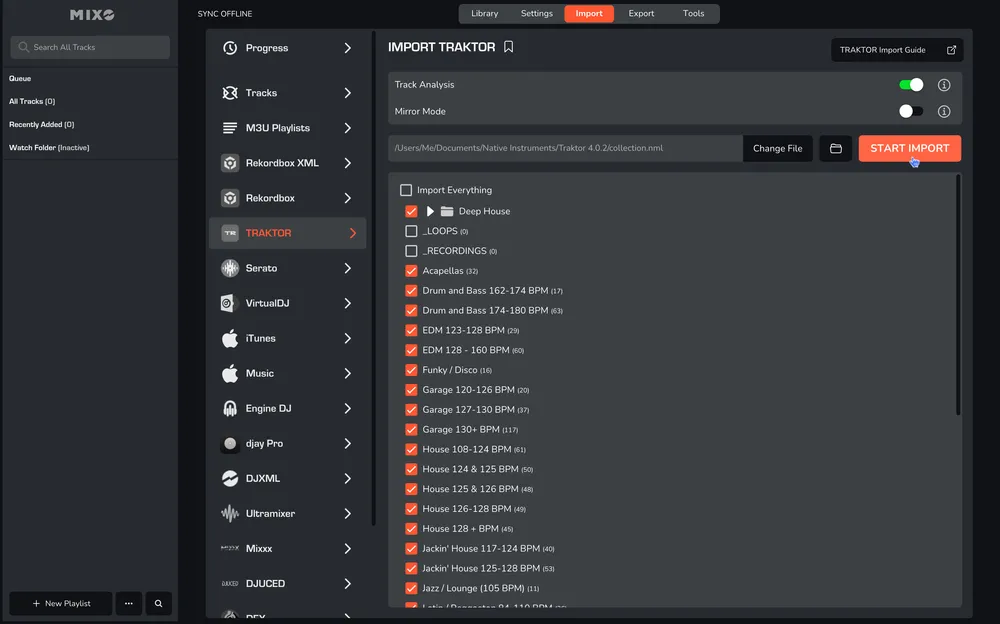
MIXO will import your tracks, custom metadata, loops, cues, and beatgrids directly from the TRAKTOR.
Additional settings:
- You can optionally turn off 'Track Analysis' at the top of the Import page. Keeping it enabled is recommended, as it gets album artwork, builds waveforms, and analyzes beatgrids for all tracks during the import.
- If you enable 'Mirror Mode', your entire MIXO library will be completely replaced by the imported library. If disabled, MIXO will merge the new import with your existing library.
2. Export playlists from MIXO to Cross DJ
- In MIXO, navigate to the ‘EXPORT’ tab.
- On the left sidebar, select Cross DJ.
- Select whether to export your entire library or choose individual playlists and press the 'START EXPORT' button.

3. Import playlists to Cross DJ
- Open your Cross DJ application.
- In the playlists section, right-click and select ‘Import playlist’.
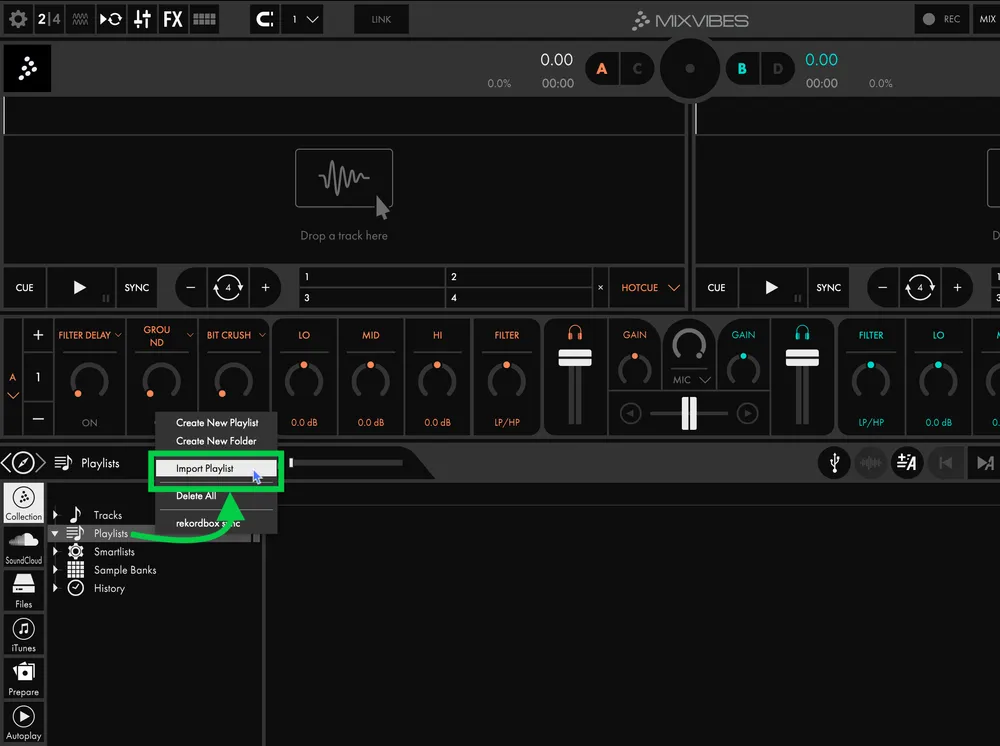
- Browse to the folder MUSIC -> MIXO -> EXPORTS -> CROSSDJ.
- Select the playlist file you want to import.
- The import process in Cross DJ requires importing each M3U playlist file individually. You will need to repeat these steps for every playlist.

Done! Selected playlists, tracks and metadata from MIXO will be available and ready to use in your Cross DJ library.
Note: Be aware, Cross DJ does not import beat grids & cue points from MIXO.