TRACKS TO REKORDBOX VIA XML V2
1. Import Tracks into MIXO
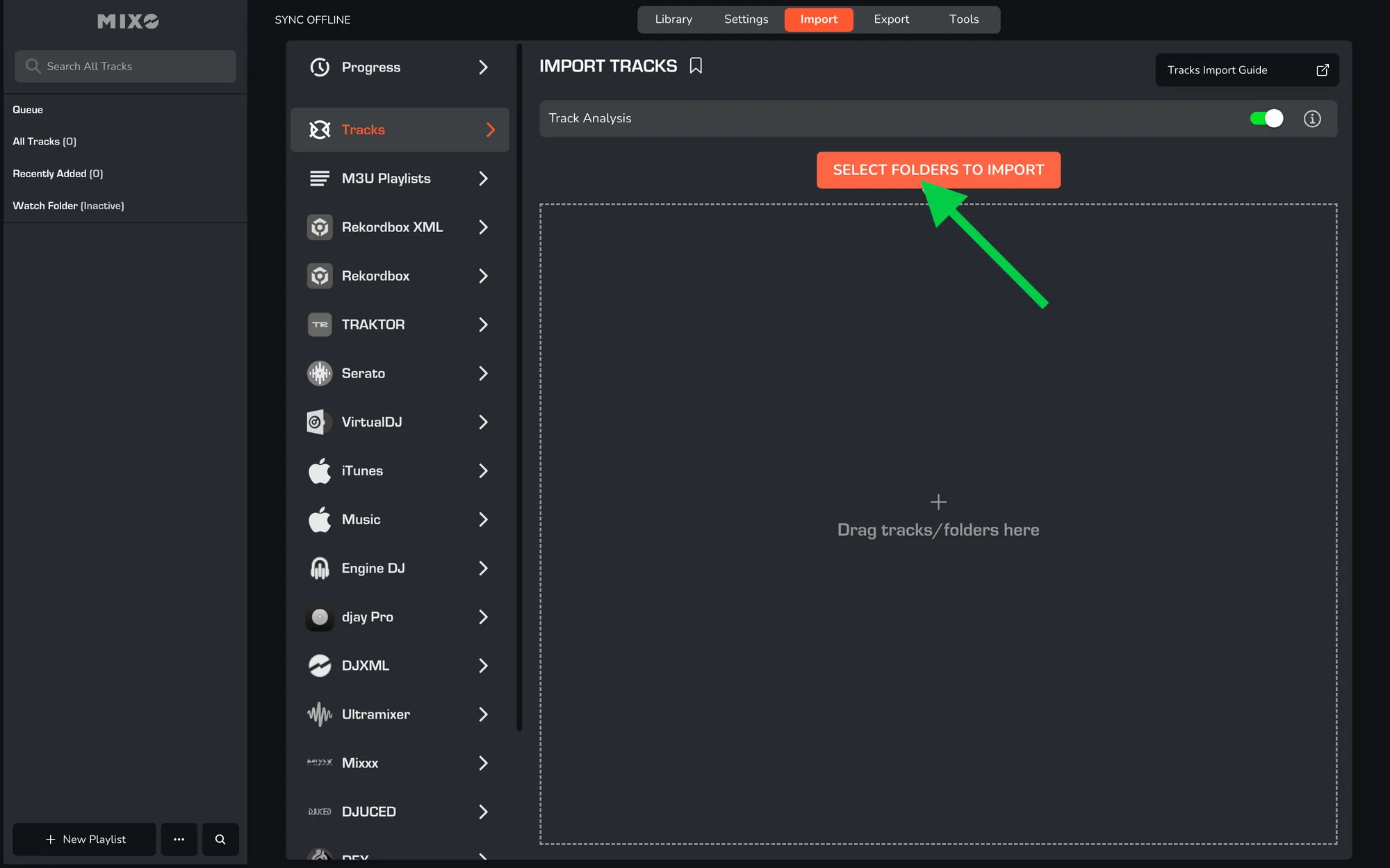
- In MIXO, navigate to the ‘IMPORT’ tab.
- On the left sidebar, select TRACKS.
- Click the 'SELECT FOLDERS TO IMPORT' button.
- You are also able to drag & drop folders and tracks into the import area.
- Browse to the folder(s) containing the music files you want to import, and select either folder or files.
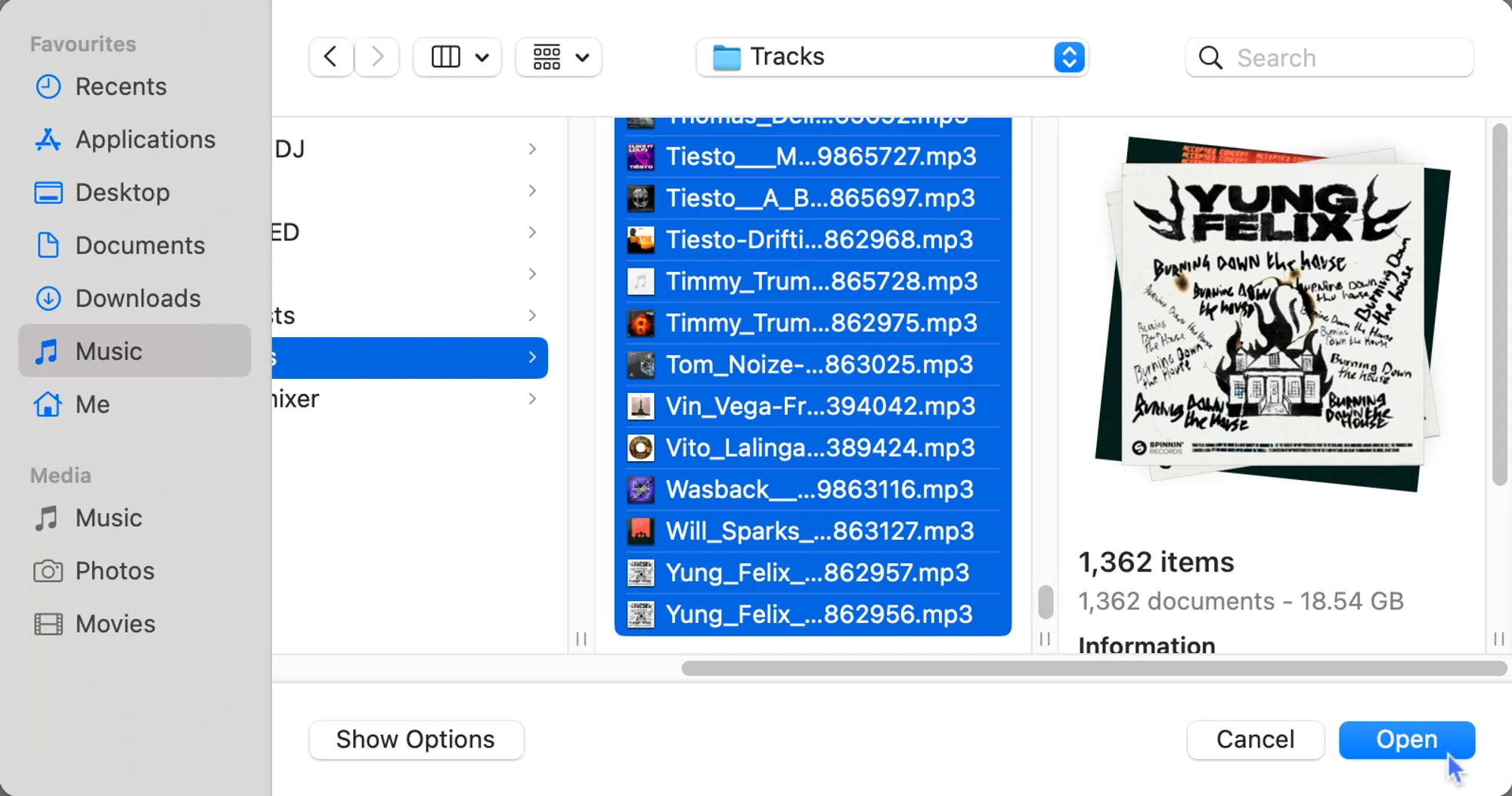
MIXO will import your tracks, custom metadata, and album artwork. Once complete, all your imported tracks will be available in MIXO.
After importing tracks you will be able to create and organise your library or just export tracks in general playlist (All tracks).
Additional setting: You can optionally turn off 'Track Analysis' at the top of the Import page. Keeping it enabled is recommended, as it gets album artwork, builds waveforms, and analyzes beatgrids for all tracks during the import.
2. Export playlists to REKORDBOX via XML
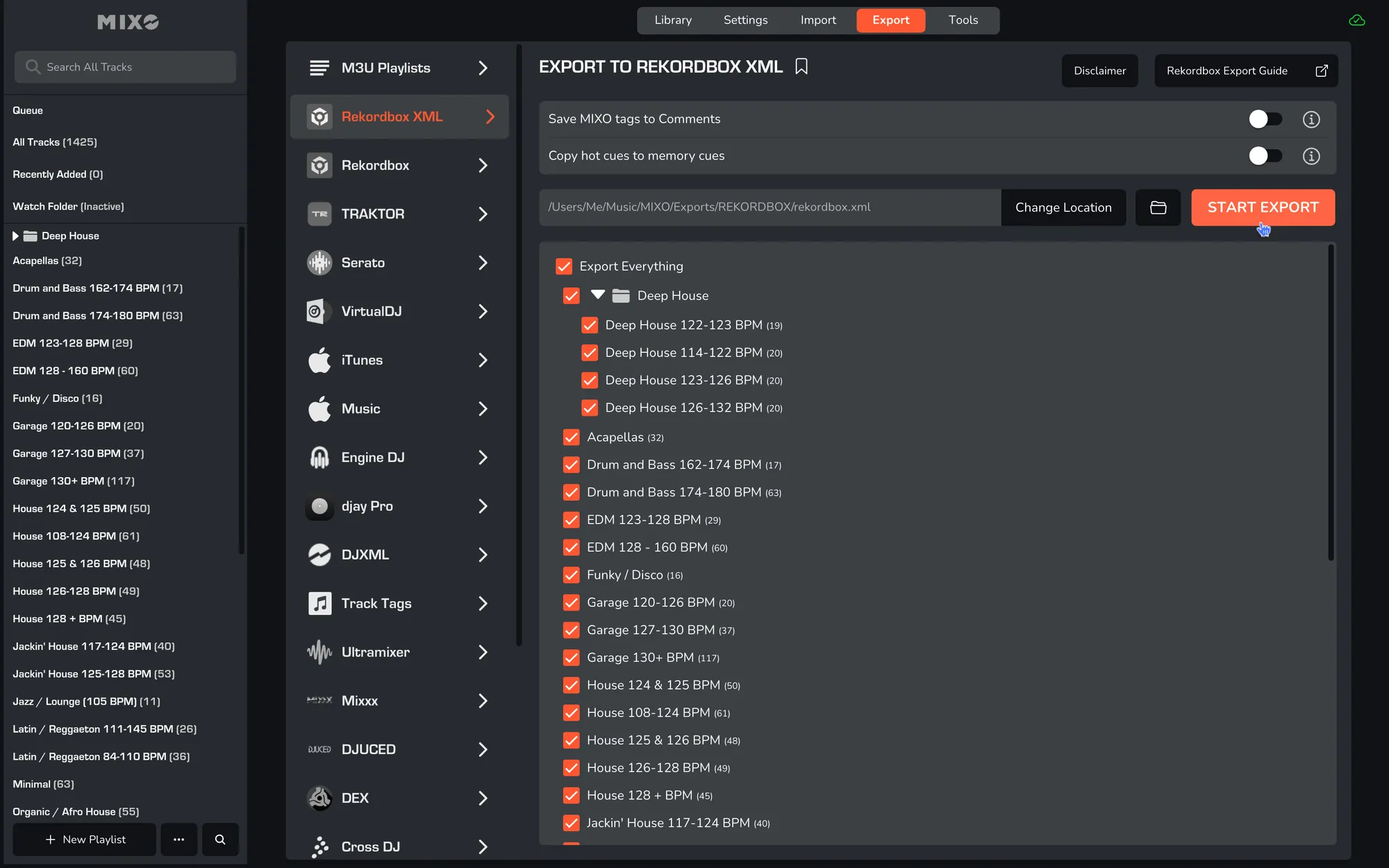
- In MIXO, navigate to the ‘EXPORT’ tab.
- On the left sidebar, select REKORDBOX XML.
- Select whether to export your entire library or choose individual playlists and press the 'START EXPORT' button.
3. Import XML into Rekordbox
- Open your Rekordbox application.
- In the left-hand column, press DISPLAY REKORDBOX XML
- If the XML is not showing, navigate to Settings -> Advanced
- Change the Rekordbox XML Imported library path to: MUSIC -> MIXO -> EXPORTS -> REKORDBOX and select rekordbox.xml.
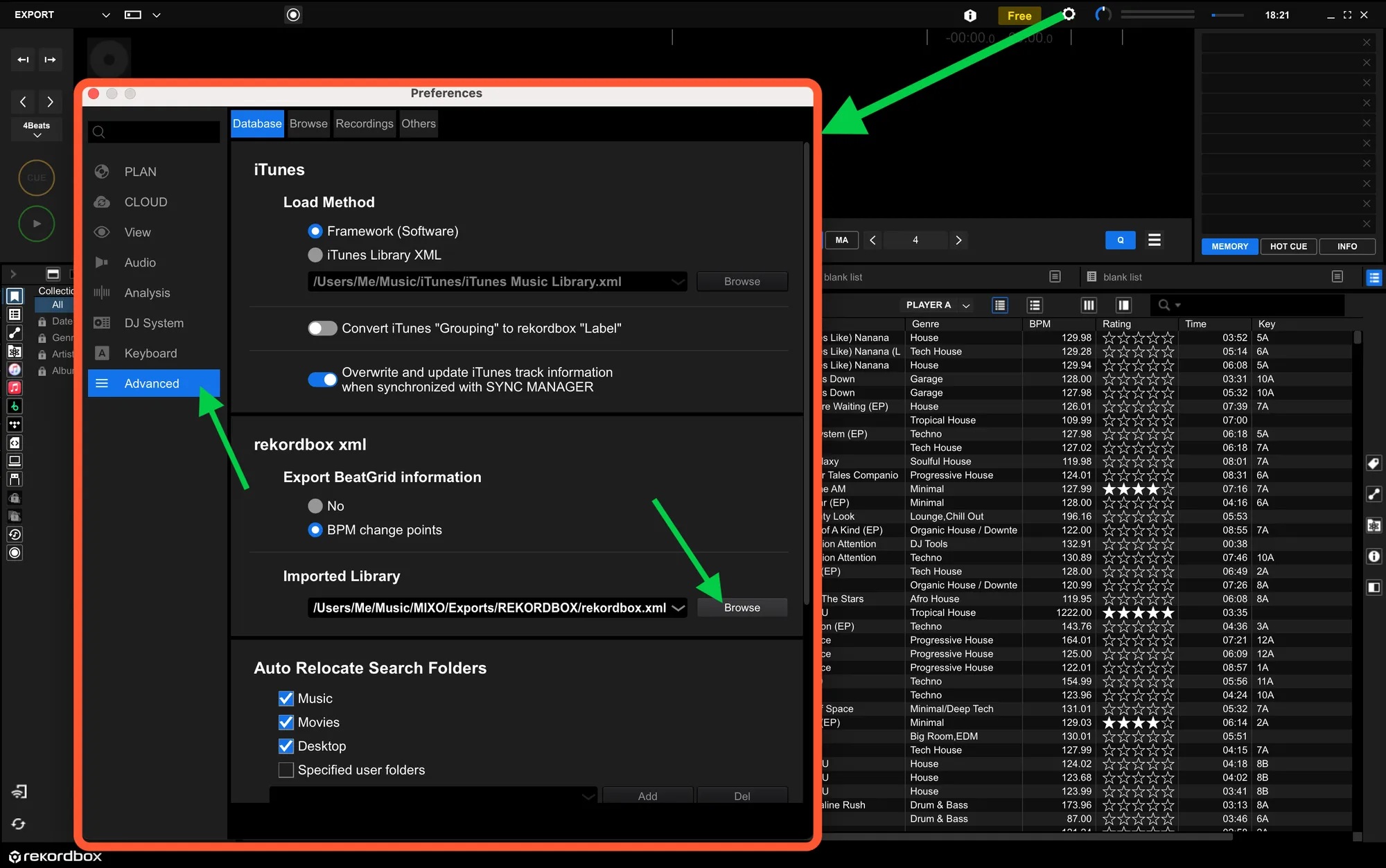
- Restart Rekordbox and refresh the XML - press DISPLAY REKORDBOX XML.
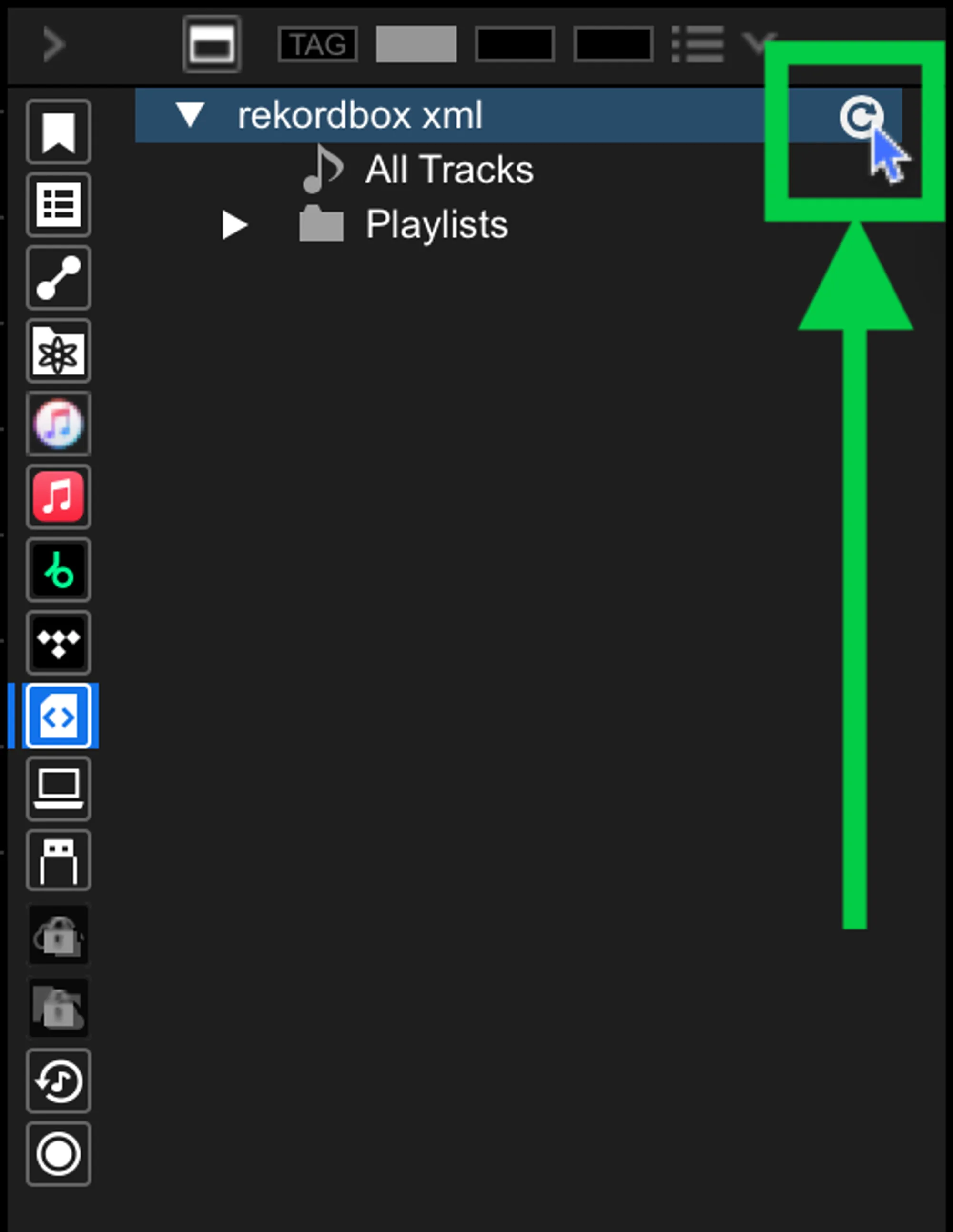
Done! Selected playlists, tracks and metadata from MIXO will be available and ready to use in your Rekordbox library.
Important note: If your Rekordbox collection has existing XML imports, ensure those tracks are dragged into your main Rekordbox library before importing, as the new XML from MIXO will overwrite the existing XML playlists.
Additional settings:
- Enable ‘Save MIXO Tags To Comments’ to overwrite the comments field on each track with tags added in MIXO.
- You can enable ‘Copy HotCues To Memory Cues’ to convert Hot Cues added in MIXO into Memory Cues for transfer to Rekordbox.