SHOW RECENTLY ADDED
This feature, when enabled, allows you to create a new playlist called ‘RECENTLY ADDED’. This playlist consists of tracks that have been imported into your MIXO account within a chosen time-frame.
HOW TO CONFIGURE
- Navigate to Setting -> Advanced -> General -> Show Recently Added.
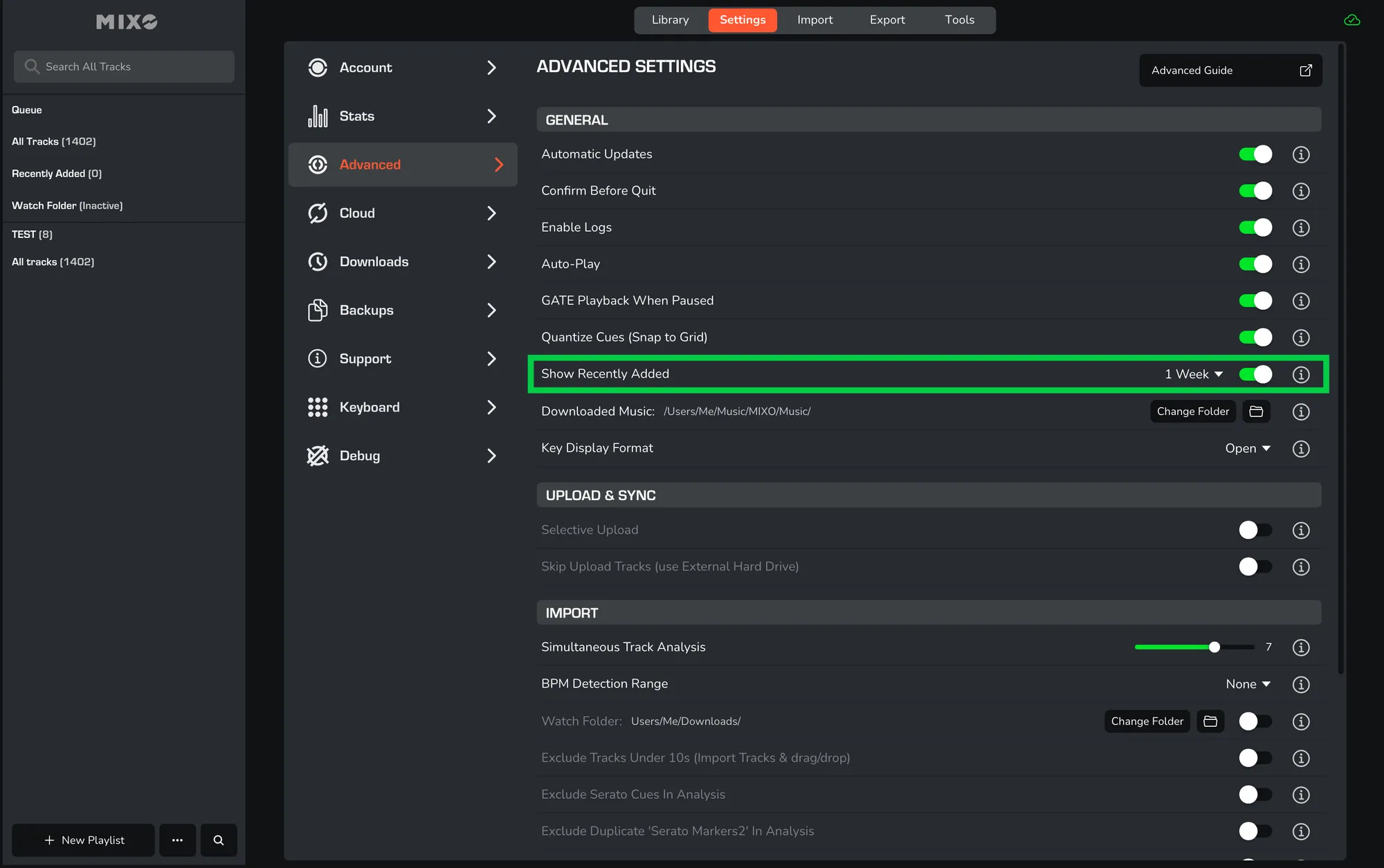
- Select the DROP-DOWN ICON to choose your preferred time-frame.
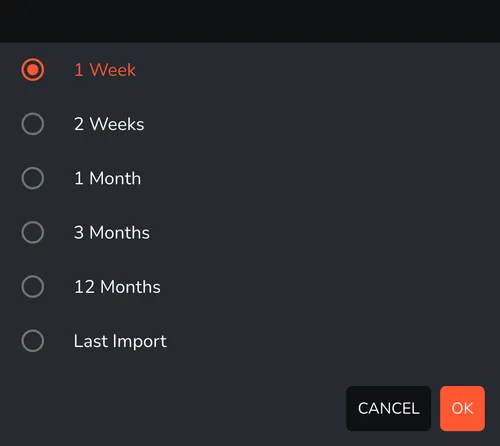
- The ‘RECENTLY ADDED’ playlist will automatically include tracks imported within that specific period.
- You can find this new playlist in the top-left hand corner of your screen, located directly under ‘ALL TRACKS’.