SHOW HIDDEN LIBRARY FOLDER IN MACOS
1. Open Finder.
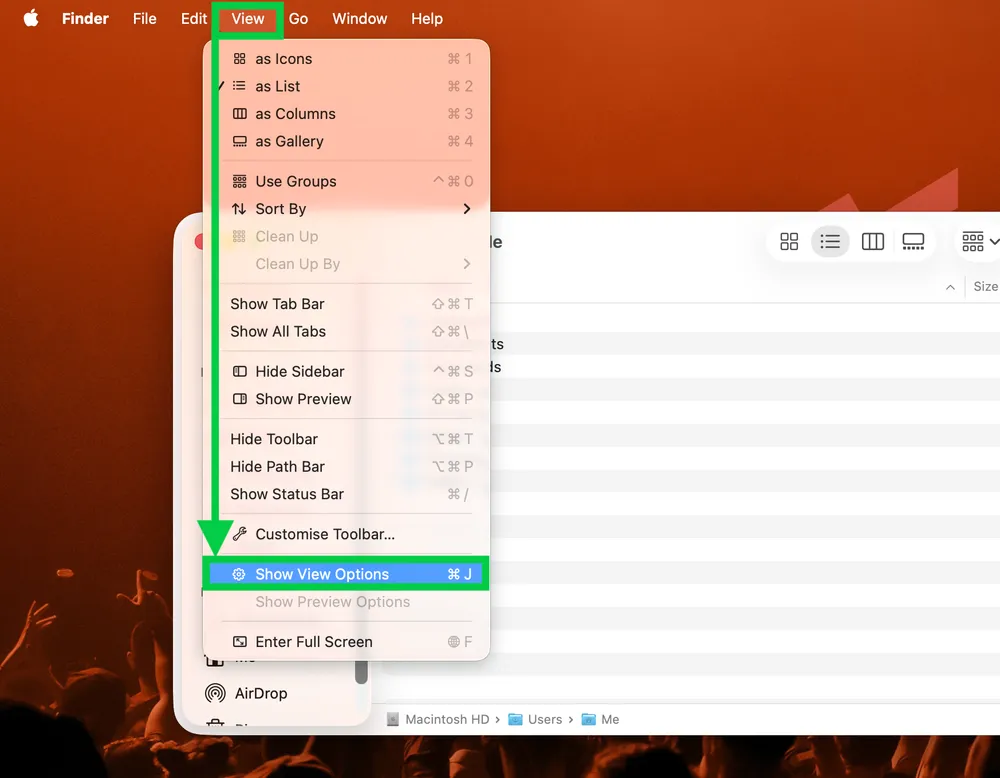
2. Right-click within the folder and select ‘Show View Options’.
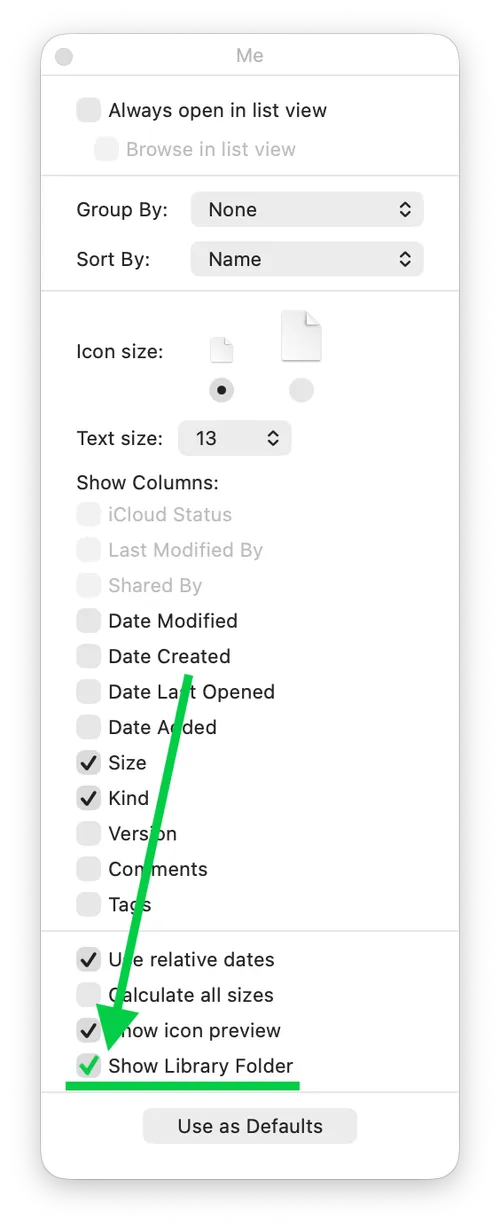
3. Tick ‘Show Library Folder’.
1. Open Finder.
2. Right-click within the folder and select ‘Show View Options’.
3. Tick ‘Show Library Folder’.