SHOW HIDDEN FOLDERS IN WINDOWS
1. Open Explorer
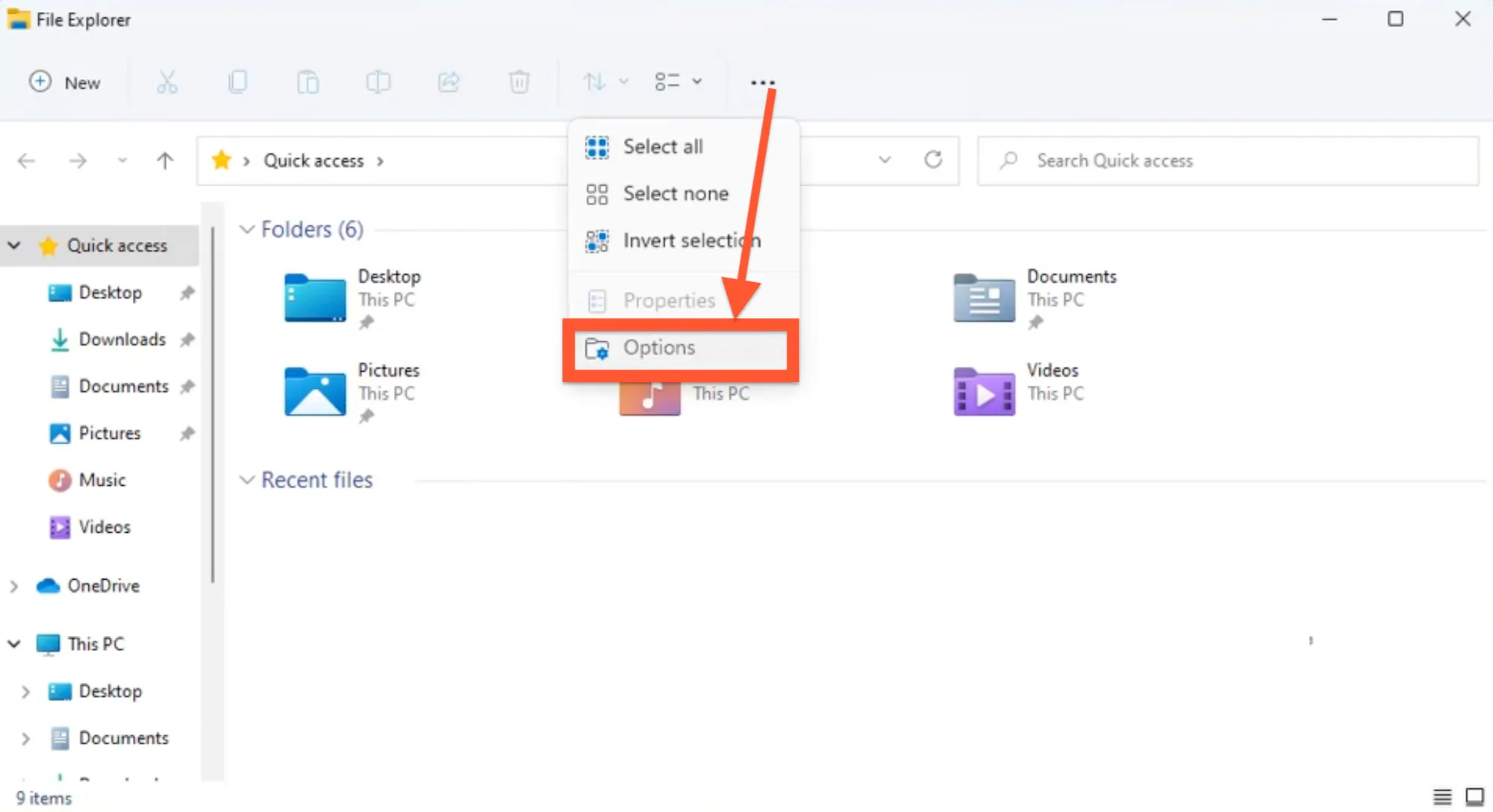
2. Under the ‘View’ tab, select ‘Options’.
3. Select ‘View’ in Folder options and turn on ‘Show hidden files, folders, or drives’.
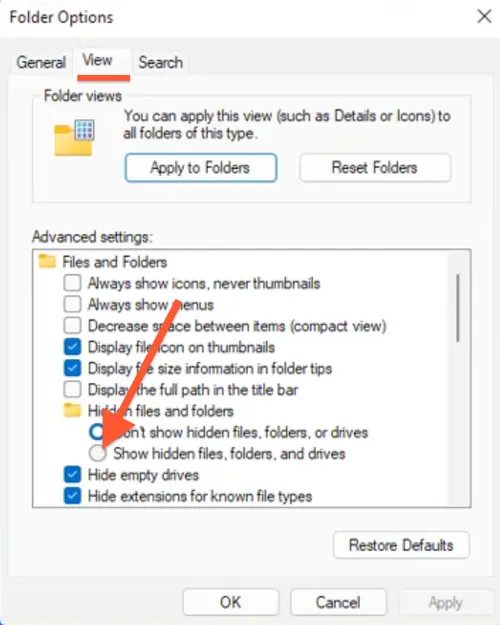
4. Click ‘Apply’ and then OK.