RETRIEVE YOUR LOGS
To enable logs in MIXO go to Settings -> Advanced -> General -> enable ‘Import Logs’ and restart MIXO.
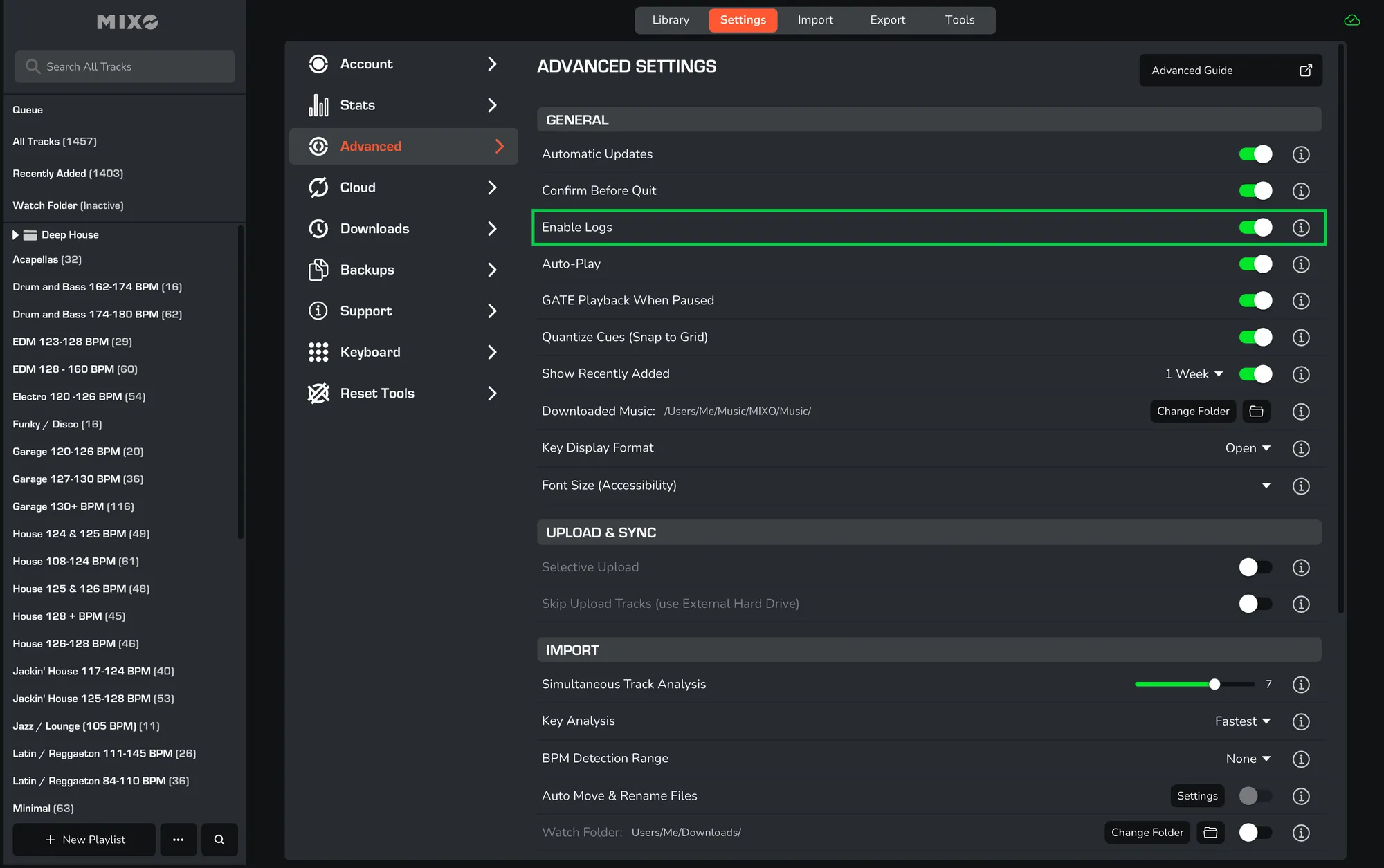
After enabling logs, you can retrieve them by going to your local MIXO folder:
Music -> MIXO -> Logs
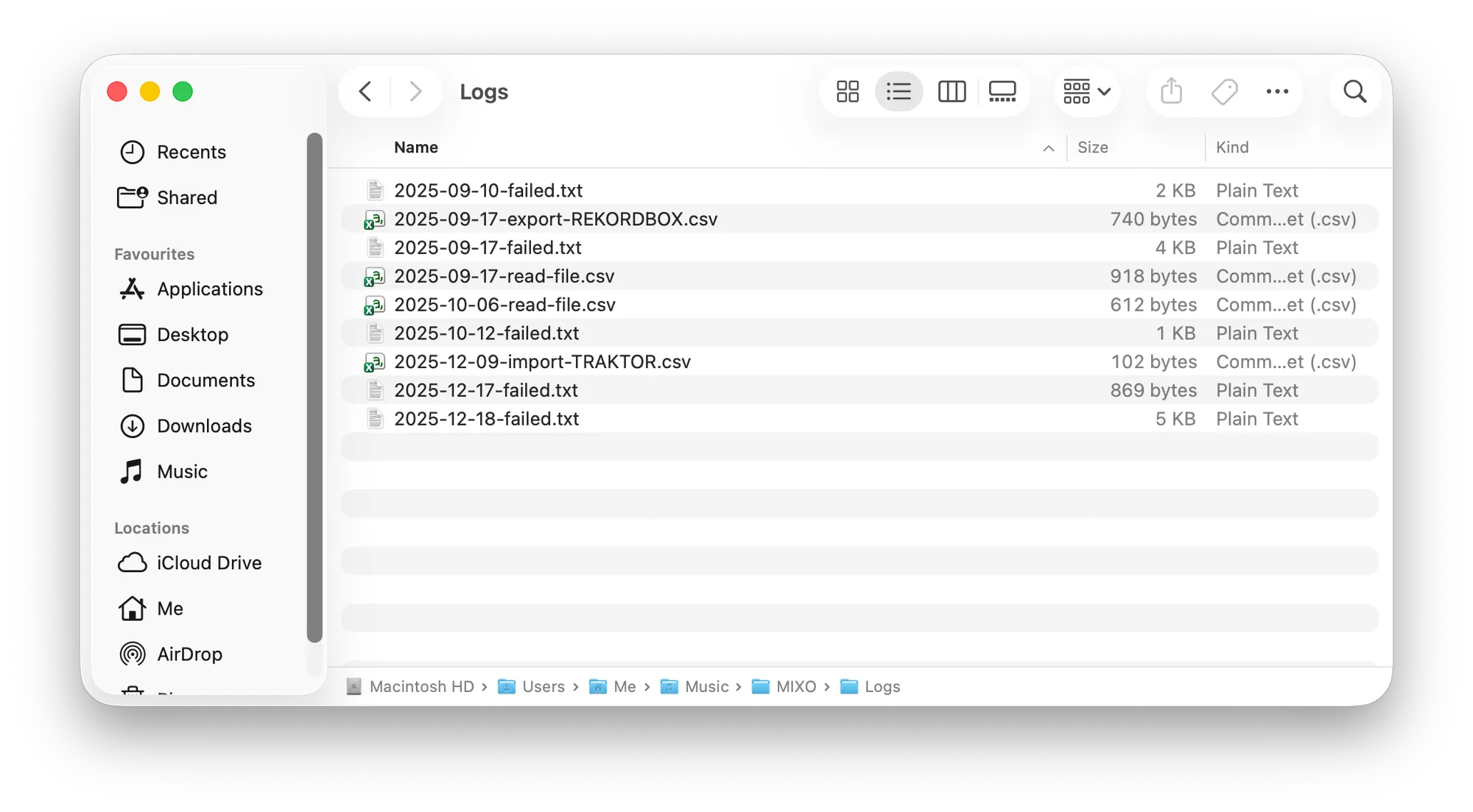 This information will show all import, export, sync and error information.
You can then email these files to us at team@mixo.dj, should you encounter any issues.