REKORDBOX XML TO ULTRAMIXER
1. Export playlists from REKORDBOX via XML
- Open your Rekordbox application.
- In the top left menu, navigate to File -> Export Collection in XML format.

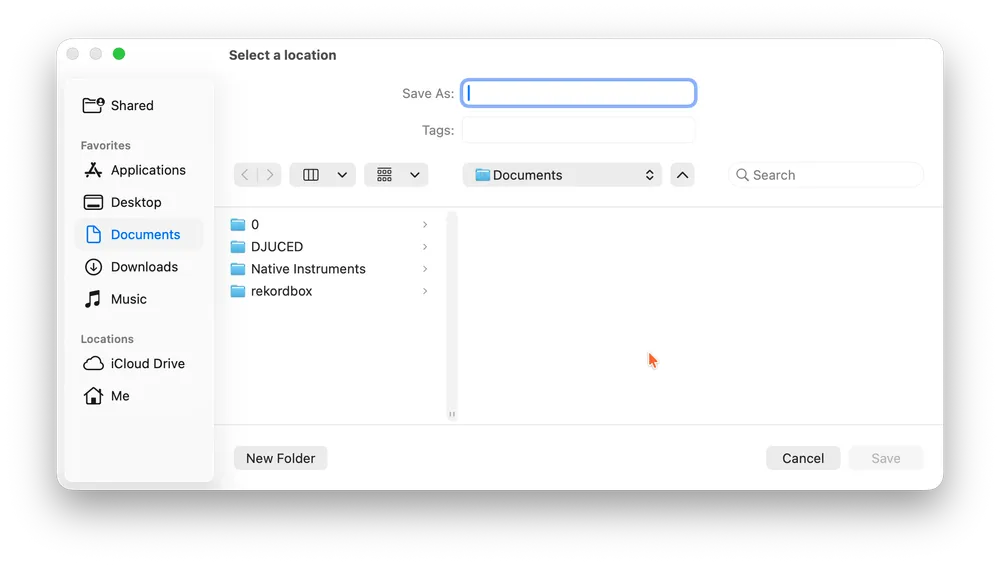
- Choose a memorable location (e.g., the Documents folder), and click Save.
2. Import REKORDBOX playlists into MIXO
- In MIXO, navigate to the ‘IMPORT’ tab.
- On the left sidebar, select Rekordbox XML.
- Click the 'Change File' setting to load the Rekordbox XML file that you just saved.
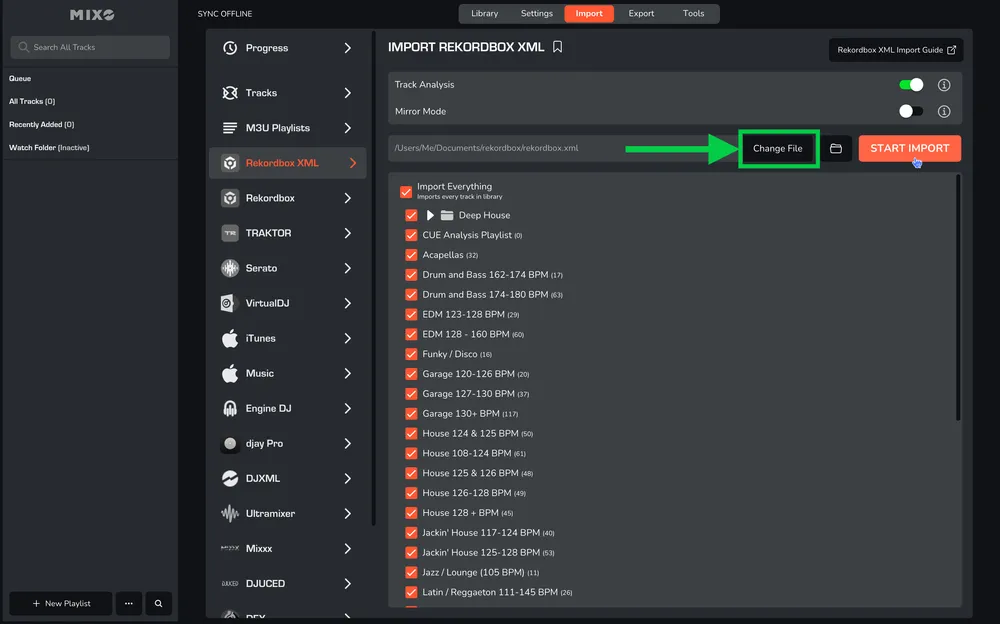
- If there is a default XML file already listed, you must change it to your recently exported file, as the default file may be outdated.
- Press the 'START IMPORT' button.
MIXO will import your tracks, custom metadata, loops and cues from the rekordbox XML.
Additional settings:
- You can optionally turn off 'Track Analysis' at the top of the Import page. Keeping it enabled is recommended, as it gets album artwork, builds waveforms, and analyzes beatgrids for all tracks during the import.
- If you enable 'Mirror Mode', your entire MIXO library will be completely replaced by the imported library. If disabled, MIXO will merge the new import with your existing library.
3. Export playlists from MIXO to ULTRAMIXER
- In MIXO, navigate to the ‘EXPORT’ tab.
- On the left sidebar, select ULTRAMIXER.
- Select whether to export your entire library or choose individual playlists and press the 'START EXPORT' button.

4. Import playlists to ULTRAMIXER
- Open your ULTRAMIXER application.
- In the left-hand column, right-click and then select ADD MUSIC -> ADD PLAYLISTS…

- Browse to the folder MUSIC -> MIXO -> EXPORTS -> ULTRAMIXER and select exported M3U playlist - ‘all tracks’.
Done! Selected playlists, tracks and metadata from MIXO will be available and ready to use in your ULTRAMIXER library.
Note:
All exported tracks will appear as a single list within the left or right columns of UltraMixer, even if multiple playlists were exported.
Be aware, UltraMixer does not import beat grids & cue points from MIXO.