RE-ANALYSE TRACKS IN MIXO
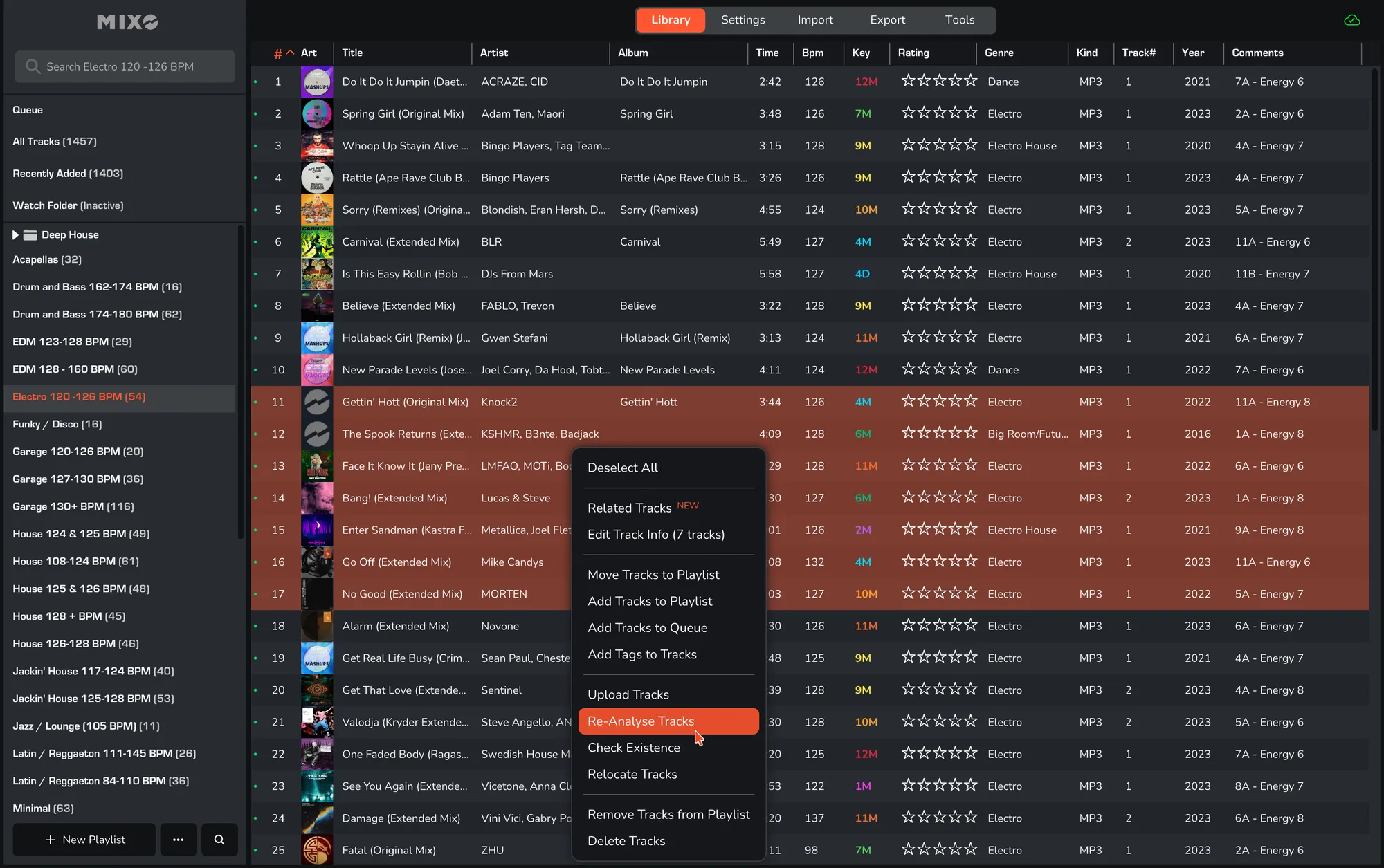
1. In MIXO, navigate to any TRACK or selection of tracks.
2. RIGHT-CLICK and select ‘RE-ANALYSE TRACK(S)’.
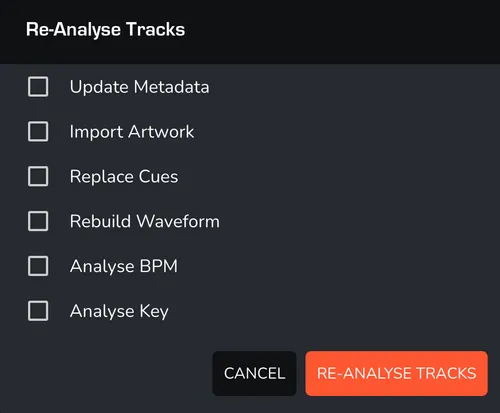
3. Choose as many of the following options as needed:
- UPDATE METADATA -> Refresh the track information from the file.
- IMPORT ARTWORK -> Re-import the album art from the file tags.
- REPLACE CUES -> Overwrite existing cue points with new data.
- REBUILD WAVEFORM -> Re-generate the visual waveform for the track.
- ANALYSE BPM -> Re-calculate the tempo (BPM) of the tracks.
- ANALYSE KEY -> Re-detect the musical key of the tracks.
4. Click ‘RE-ANALYSE TRACKS’ to proceed.