Qobuz Playlist Matcher
This tool accepts all public Spotify, Apple Music, Tidal, Beatport, Qobuz, Deezer, Soundcloud, Amazon Music and YouTube Music playlist URLs. To find playlist URLs, copy and paste the address from your playlist on the website or via a share link from the apps.
To match a playlist from Qobuz:
1. Copy the public URL of your selected playlist by clicking the three dots (...) menu, selecting "Share", and then copy link.

2. Go to the "Tools" tab and select "Playlist Matcher" from the left sidebar.
3. Paste the copied URL into the input field and click "Find Matching Tracks".

If the URL doesn't work, check if the playlist is public and the path is correct.
For example: https://www.qobuz.com/gb-en/playlists/
You can also try copying the playlist link directly from your browser's address bar instead of using the "Share" or "Copy link" button.
Streaming service has unique formatting for its track titles and artists, along with rounded durations, which can often be different to the same tracks in your MIXO library.
The default options provide the best results but you can tailor the results using additional options:
- Exact match: titles must match exactly
- Title only: match tracks using the title only
- Ignore brackets: remove anything in parentheses when comparing titles and artists
- Ignore duration: does not compare durations, which can be different by a few seconds

Unmatched
The Unmatched tab displays all the tracks from the provided playlist URL that were not matched to tracks in your library. MIXO uses advanced matching techniques to try to normalise title and artist formatting before comparing; however, the results are still dependent on the quality and structure of your metadata.
The unmatched tab allows you to view these unmatched tracks and provides direct links to Spotify, Apple Music, Tidal, and Beatport so you can easily purchase them.

Matched
On the Matched tab, you may see duplicate matches for certain tracks. By default, MIXO automatically selects the first match, but you can manually choose your preferred version (or select multiple versions) by checking the boxes next to the tracks

Creating Your Playlist
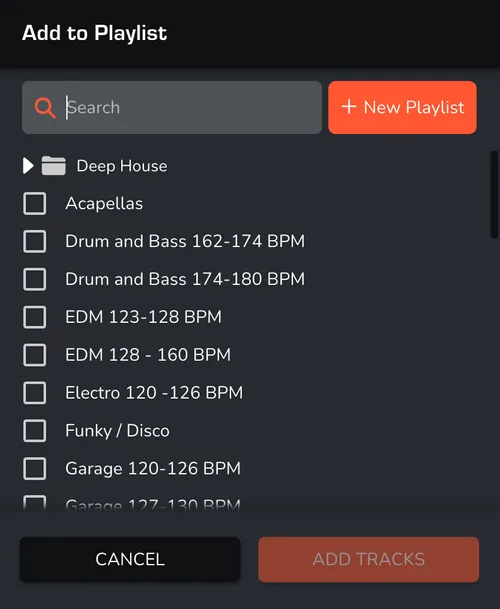
Once you confirm selection, click the “Add Playlist” button. Choose to add these tracks to an existing playlist or create a new one.