MIXXX TO DEX 4
1. Export playlists from MIXXX
- Open your MIXXX application.
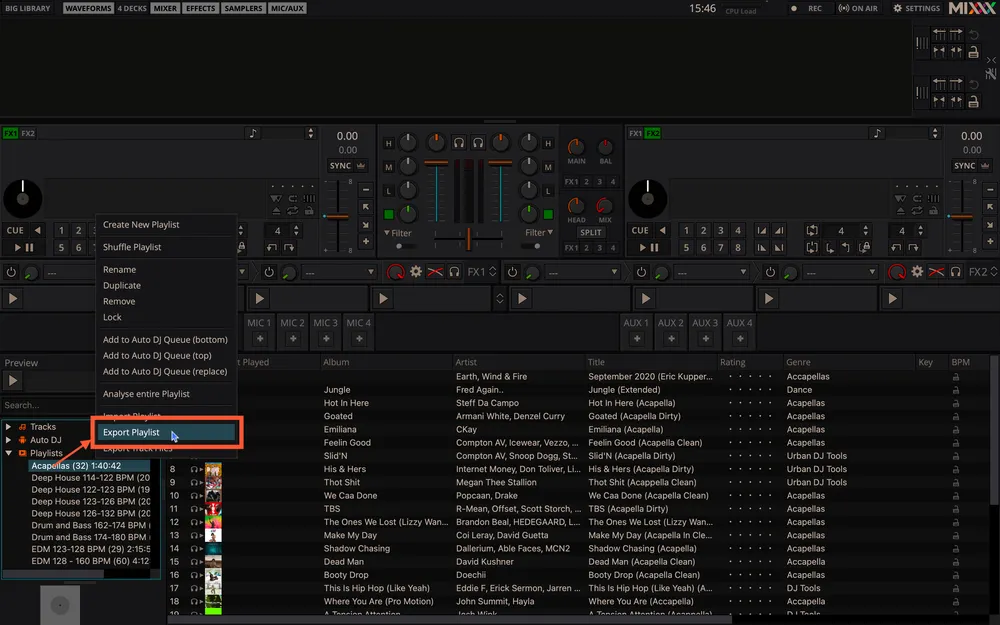
- In the library section, right-click on the playlist you wish to export.
- Select ‘EXPORT PLAYLIST’.
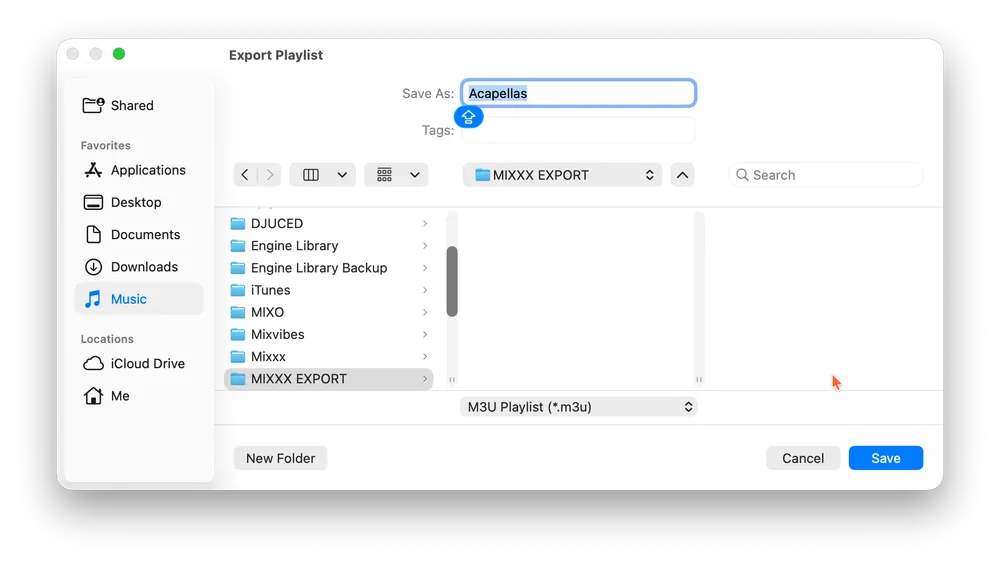
- Choose a memorable folder on your computer to save the M3U playlist file(s).
2. Import MIXXX playlists into MIXO
- In MIXO, navigate to the ‘IMPORT’ tab.
- On the left sidebar, select MIXXX.
- Click the 'SELECT M3U TO IMPORT' button.
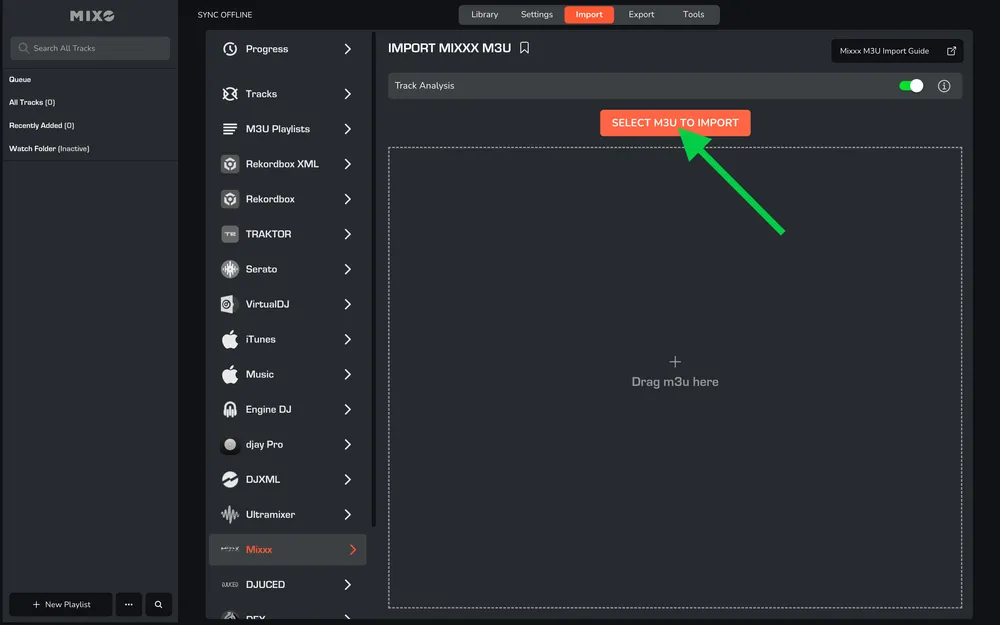
- Browse to the folder where you saved your M3U playlist file(s) (from the "Export Mixxx" part) and select the playlists you want to import.
MIXO will process the M3U files, import your tracks and playlists, and analyze the tracks (if analysis is enabled).
Note: Be aware, MIXO does not import beat grids & cue points from MIXXX.
Additional setting: You can optionally turn off 'Track Analysis' at the top of the Import page. Keeping it enabled is recommended, as it gets album artwork, builds waveforms, and analyzes beatgrids for all tracks during the import.
3. Export playlists from MIXO to DEX
- In MIXO, navigate to the ‘EXPORT’ tab.
- On the left sidebar, select DEX.
- Select whether to export your entire library or choose individual playlists and press the 'START EXPORT' button.

4. Import playlists to DEX
- Open your DEX application.
- Right-click on ‘User Lists’ and select ‘New Playlist’.
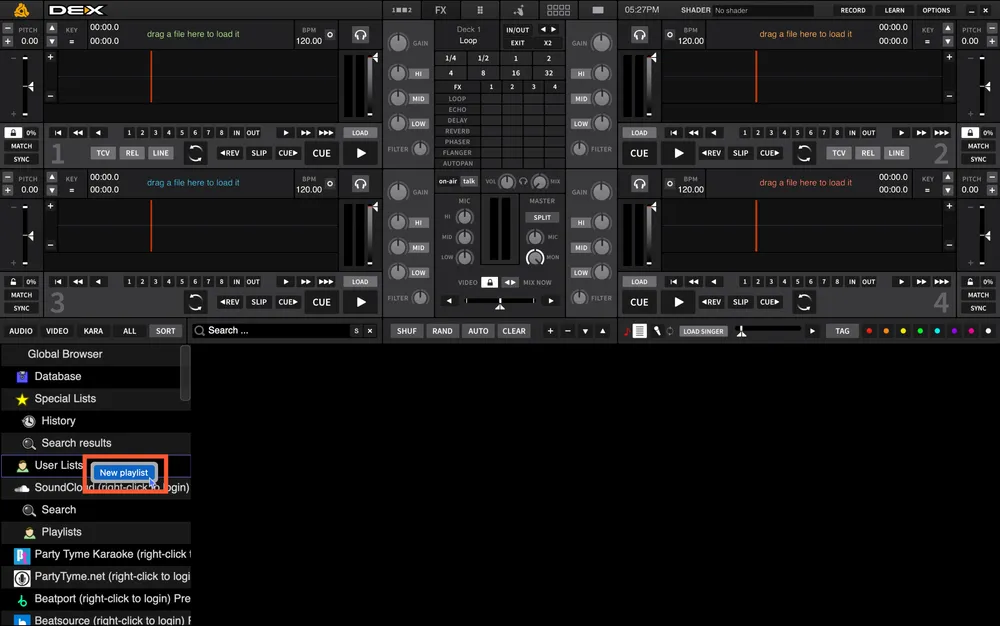
- Name it and press ‘OK’.

- Select the playlist and click the ‘Plus’ button.

- In the popup window, click “IMPORT PLAYLIST.”
- Browse to the folder MUSIC -> MIXO -> EXPORTS -> DEX.
- Select the playlist file you want to import.

- The import process in DEX requires importing each M3U playlist file individually. You will need to repeat these steps for every playlist.
Done! Selected playlists, tracks and metadata from MIXO will be available and ready to use in your DEX library.
Note: Be aware, DEX does not import beat grids & cue points from MIXO.