MISSING AND UPLOADED TRACK-LIST COLUMNS IN MIXO
You can add 'MISSING' and 'UPLOADED' columns to the track list.
To add these columns:
- Go to the ‘LIBRARY’ tab.
- Right-click the headers located at the top of your track list.
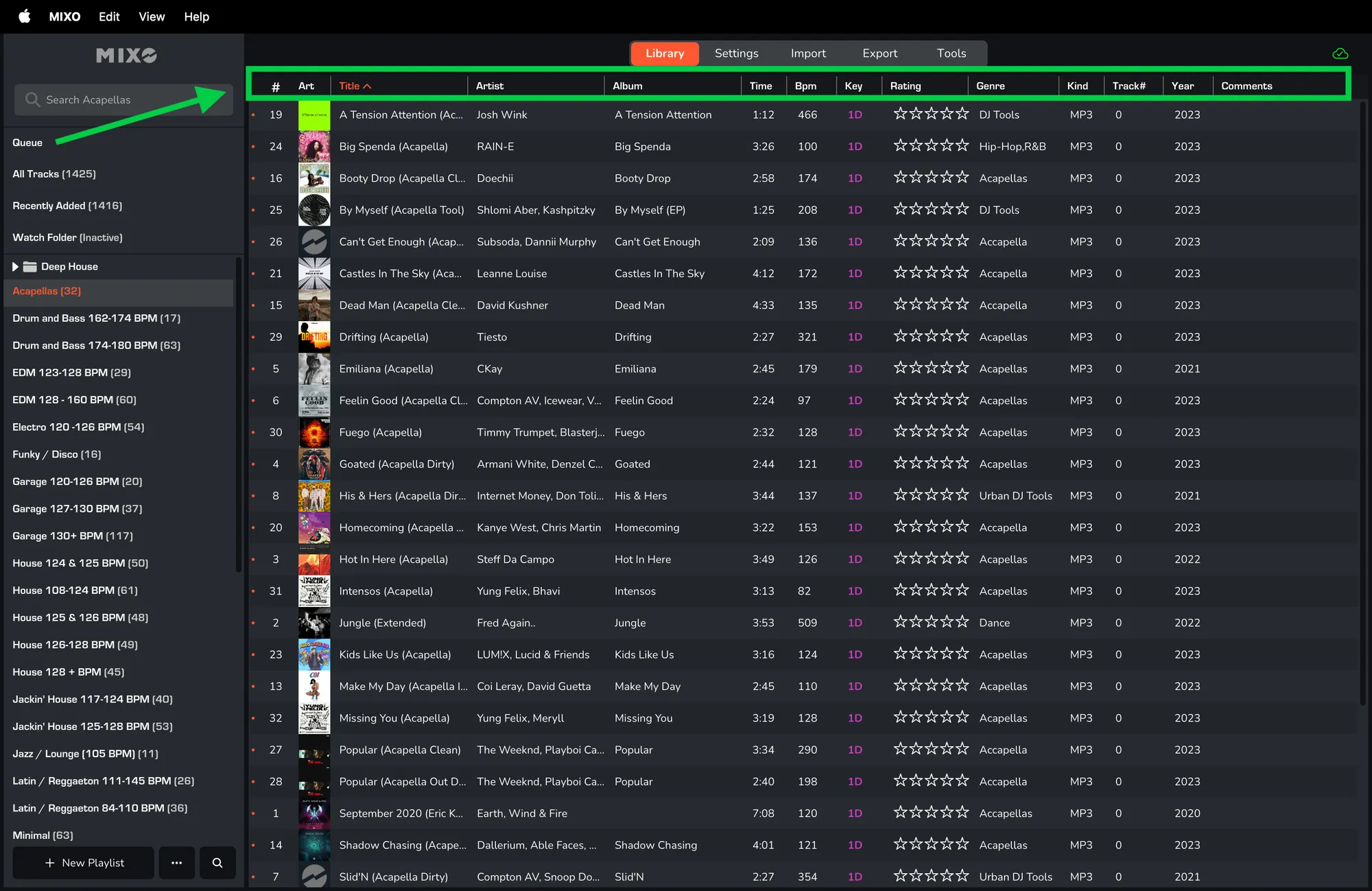
- If you don't see the new options, click 'RESET' first.
- Check the box for 'MISSING' and/or 'UPLOADED'.
- Click 'APPLY'.
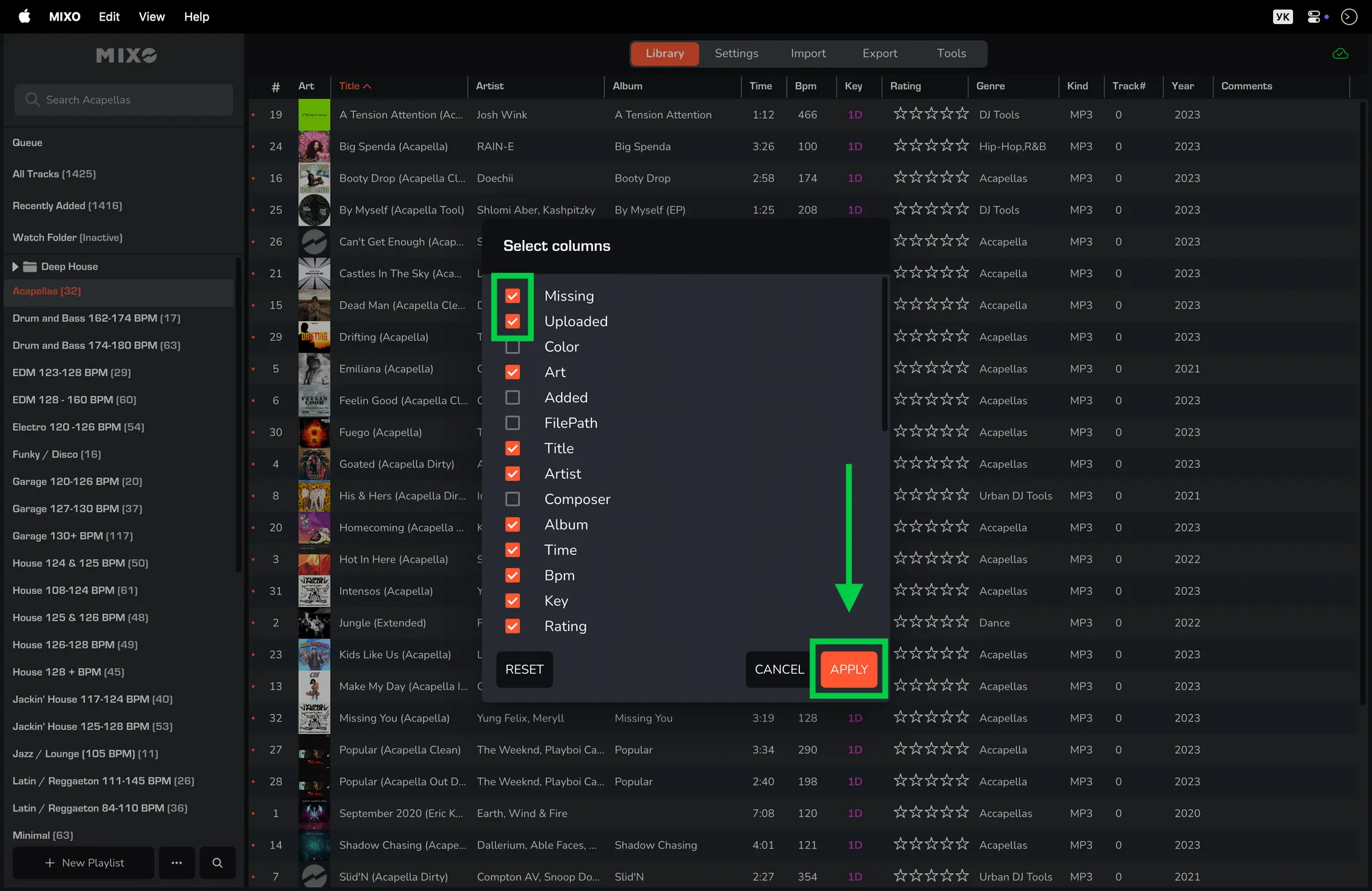
This allows the track list to be sorted, so you can easily select all missing tracks and 'DELETE' them, or all tracks that were not uploaded and 'UPLOAD' them.