MAGIX DIGITAL DJ 2 TO MIXXX
1. Exporting your playlists from Magix Digital DJ 2
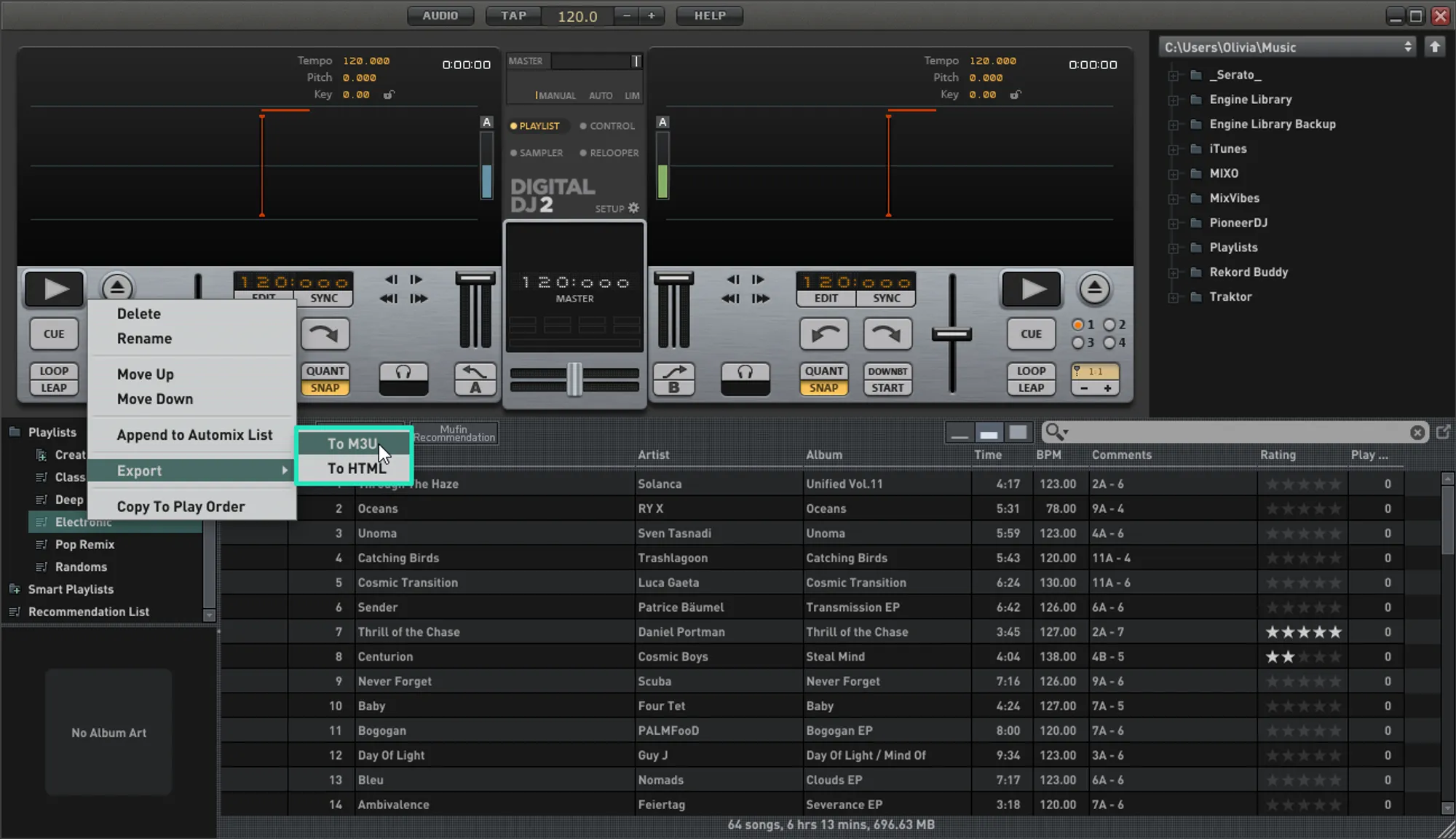
- Open Digital DJ and open the playlists folder
- Right-click the playlist you want to export
- Select Export > To M3U from the menu
- Choose a destination to export your playlist
Follow these steps for each playlist you want to import into MIXO
2. Importing your Magix Digital DJ 2 playlists to MIXO
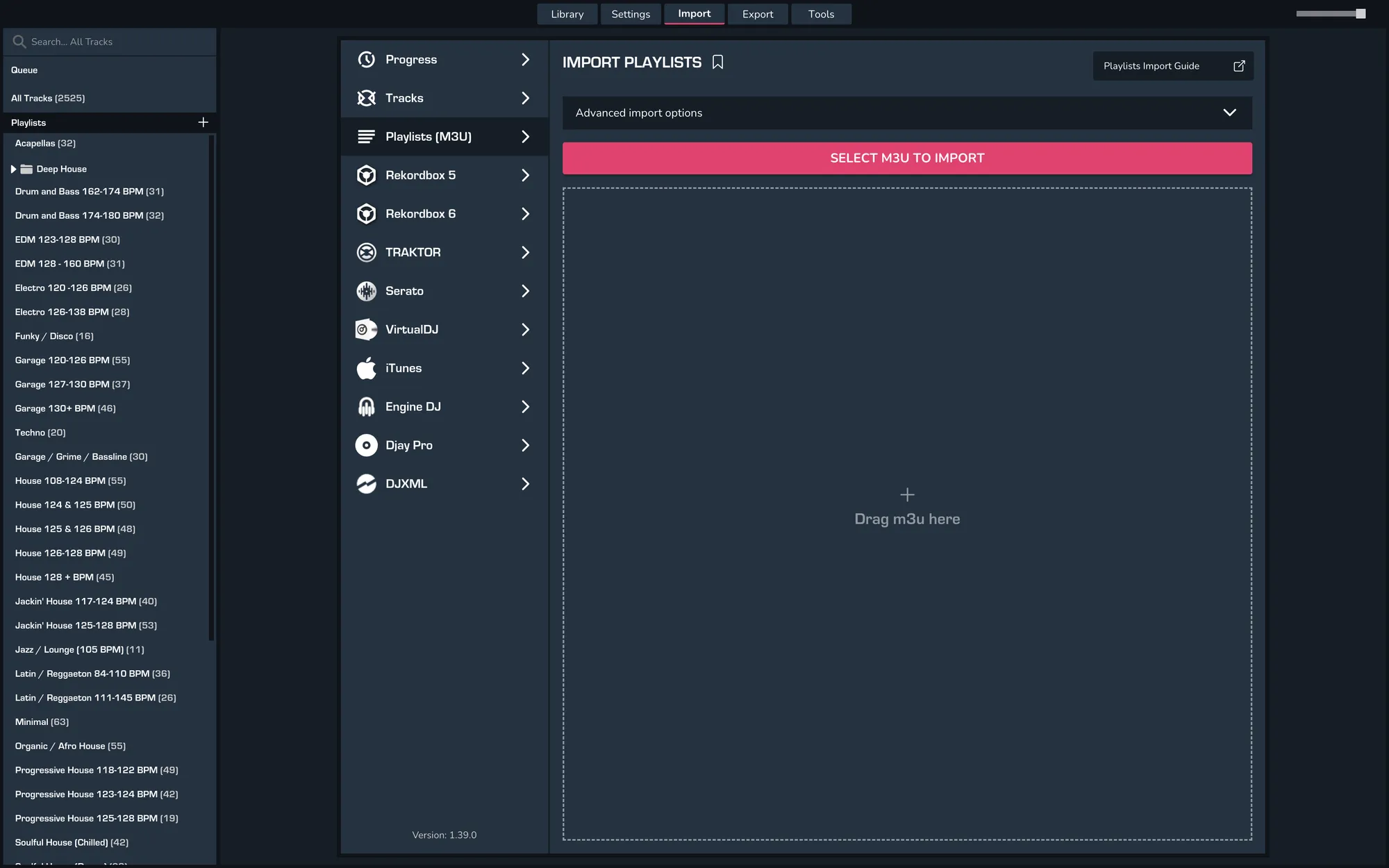
- IMPORT > PLAYLISTS
- Click IMPORT PLAYLISTS
- Select the playlists you exported from Digital DJ from the file browser
- Click Open to import the playlists
3. Exporting your collection & playlists from MIXO
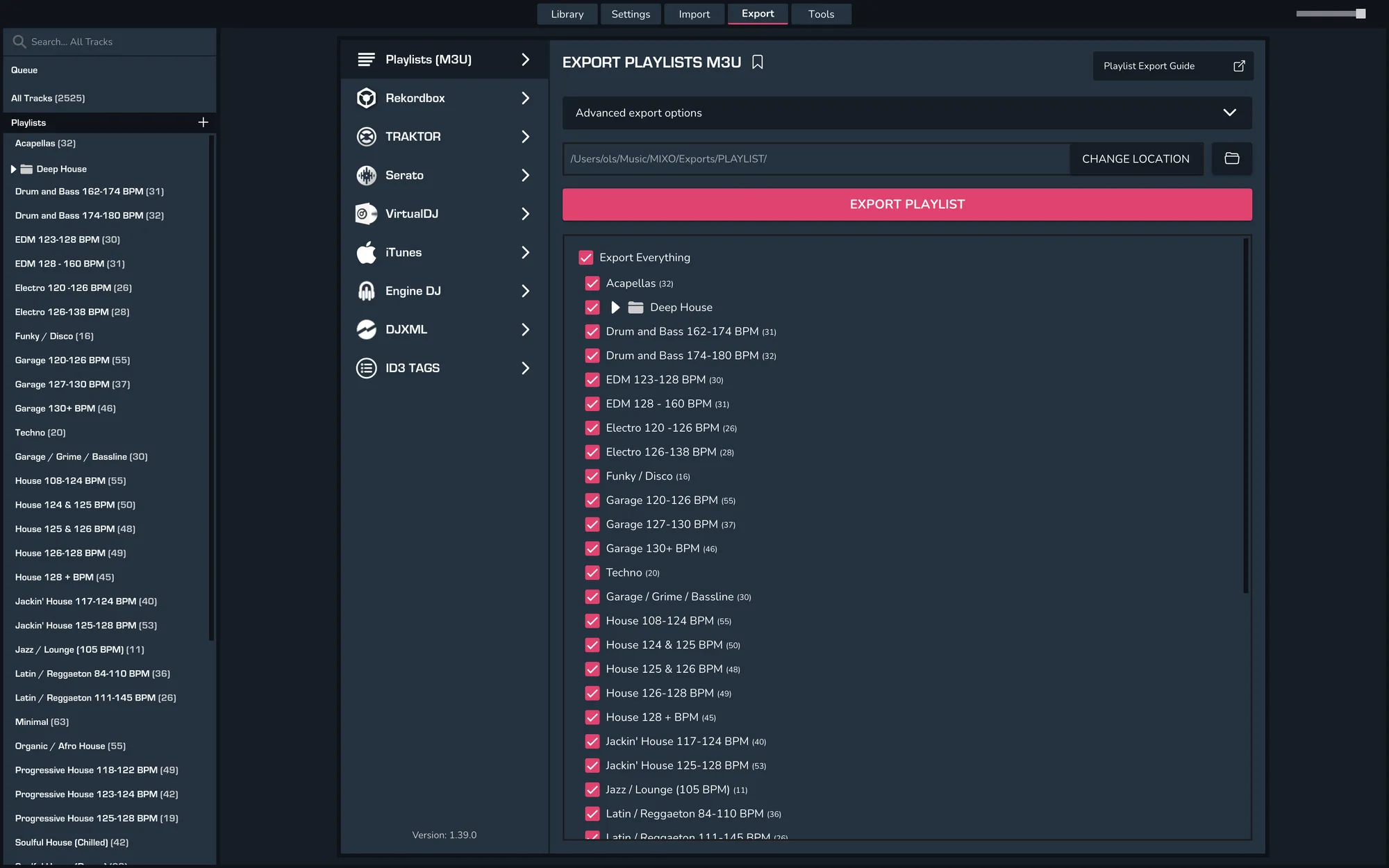
- EXPORT > PLAYLISTS
- Below you will need to confirm which playlists should be exported or if the whole library should be exported.
- Click EXPORT
4. Import your playlists into Mixxx
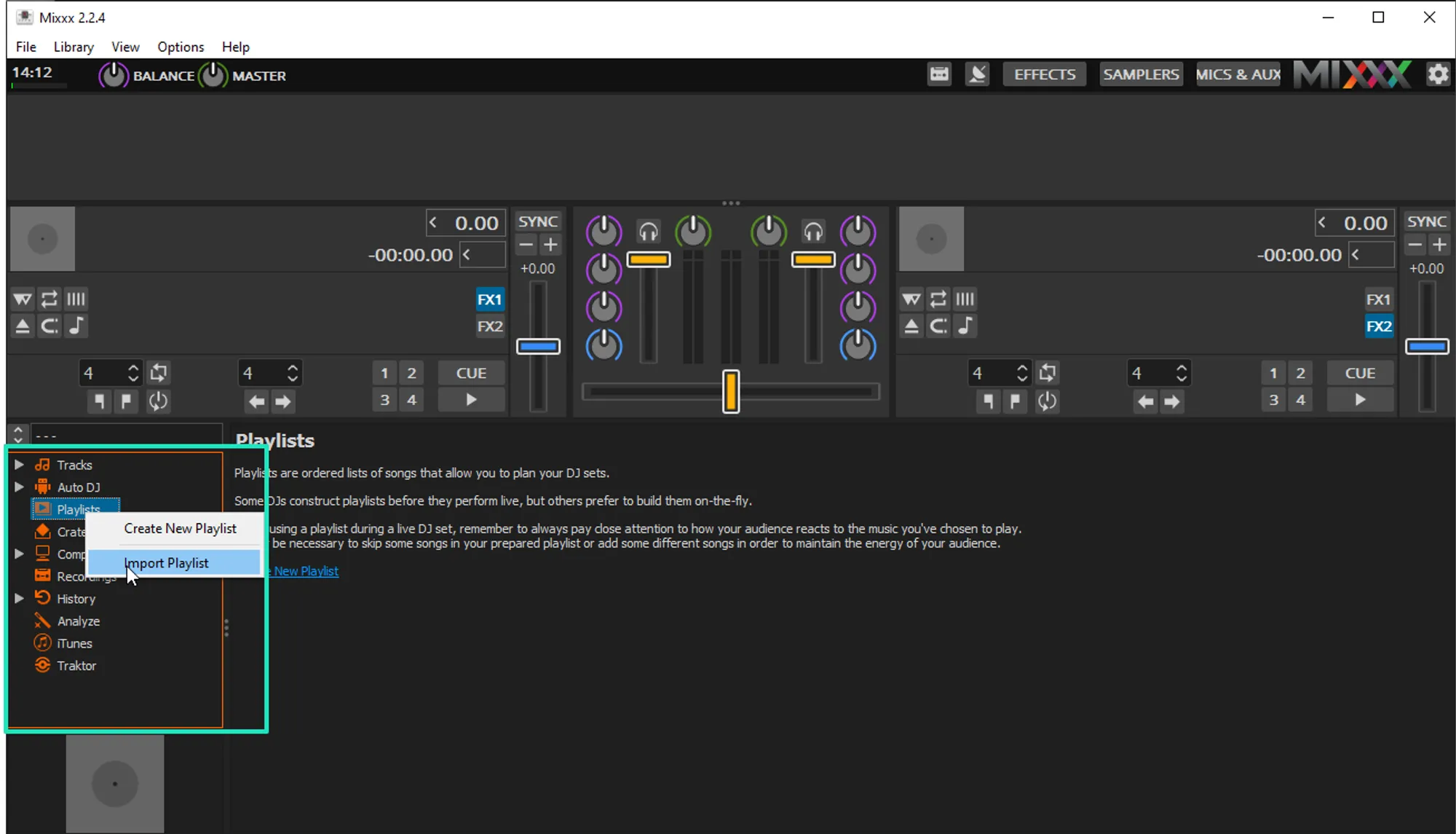
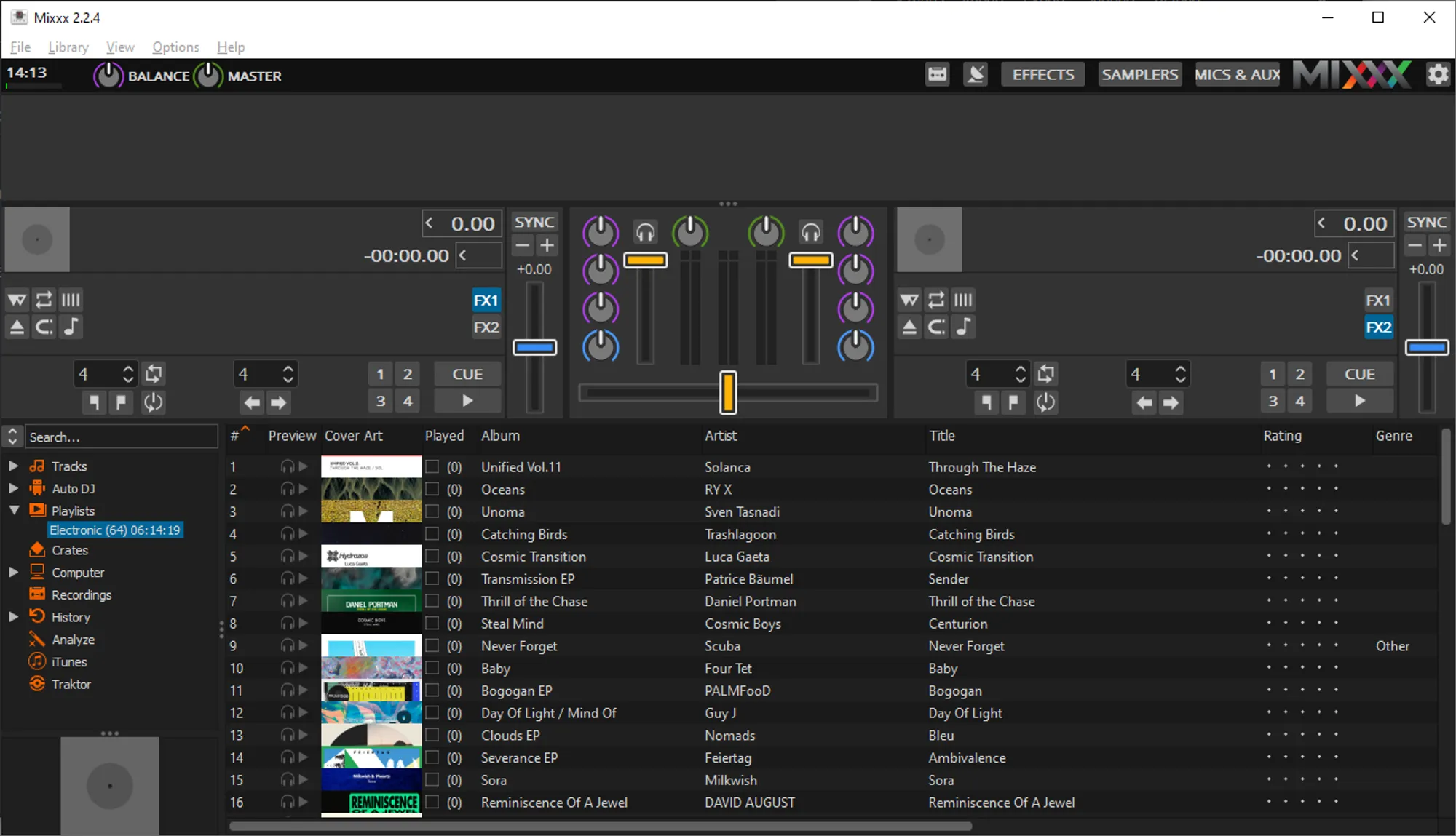
- Open Mixxx and right-click on Playlists in the tree view
- Select import playlist from the menu
- Select the playlists you exported from MIXO and click Open. By default these can be found in Music > MIXO > Exports > PLAYLISTS
Notes
MIXO does not import beat grids & cue points from Magix Digital DJ 2.
Backups
MIXO will automatically backup your DJ Libraries every time you export.
It's also a good idea to regularly backup your source library and computer.