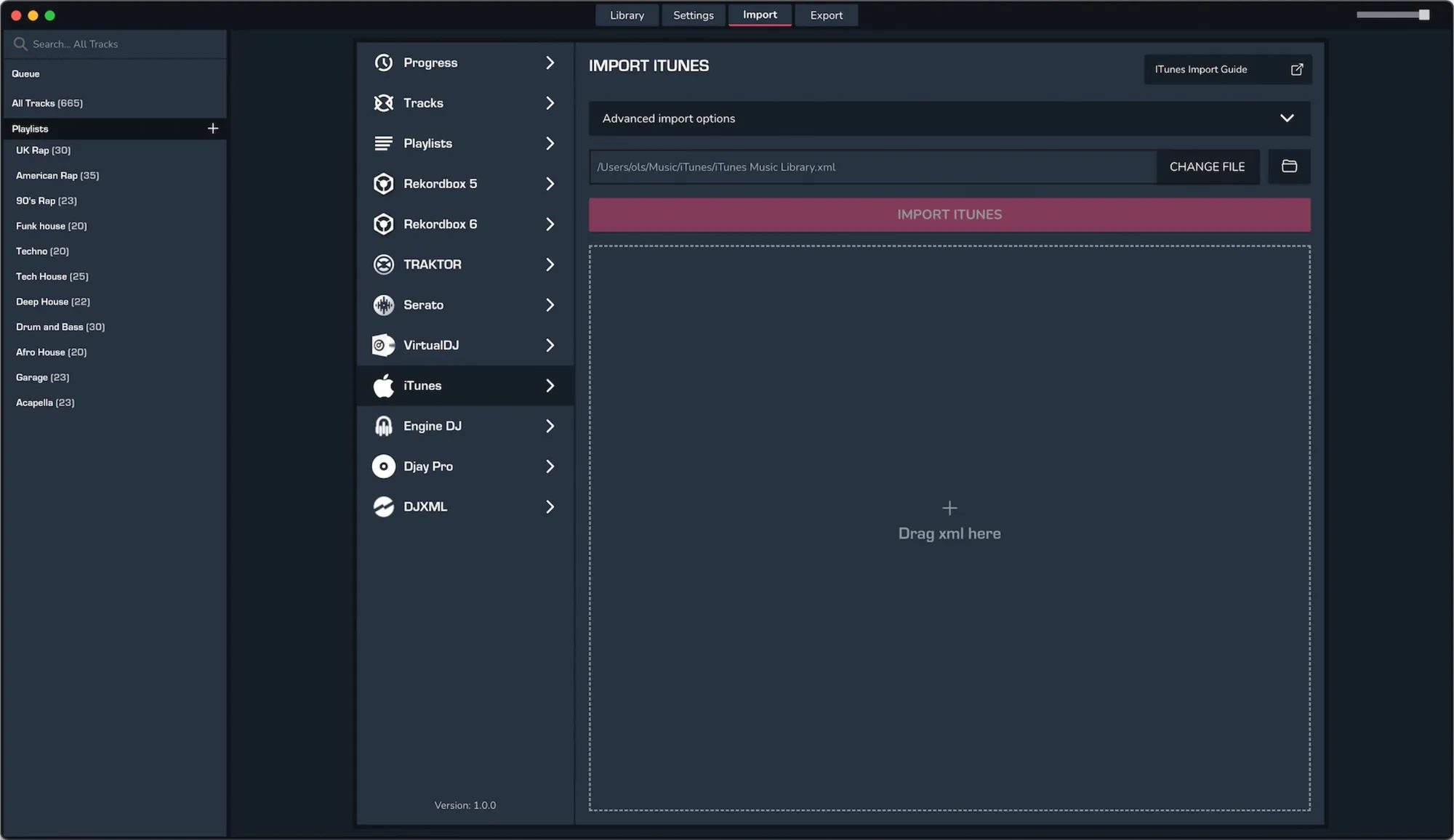
ITUNES AND APPLE MUSIC TO MIXO
Exporting from Apple Music app or iTunes (Windows)
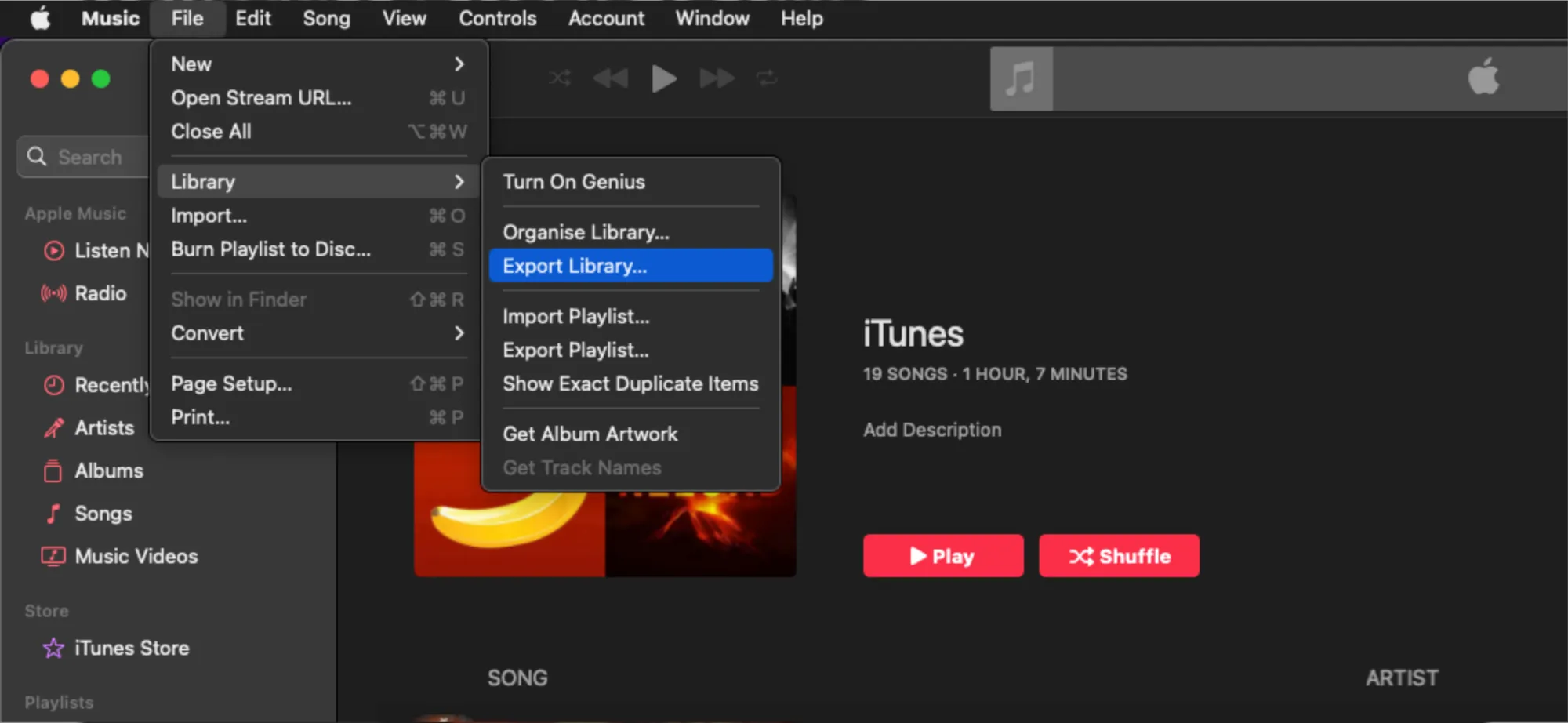
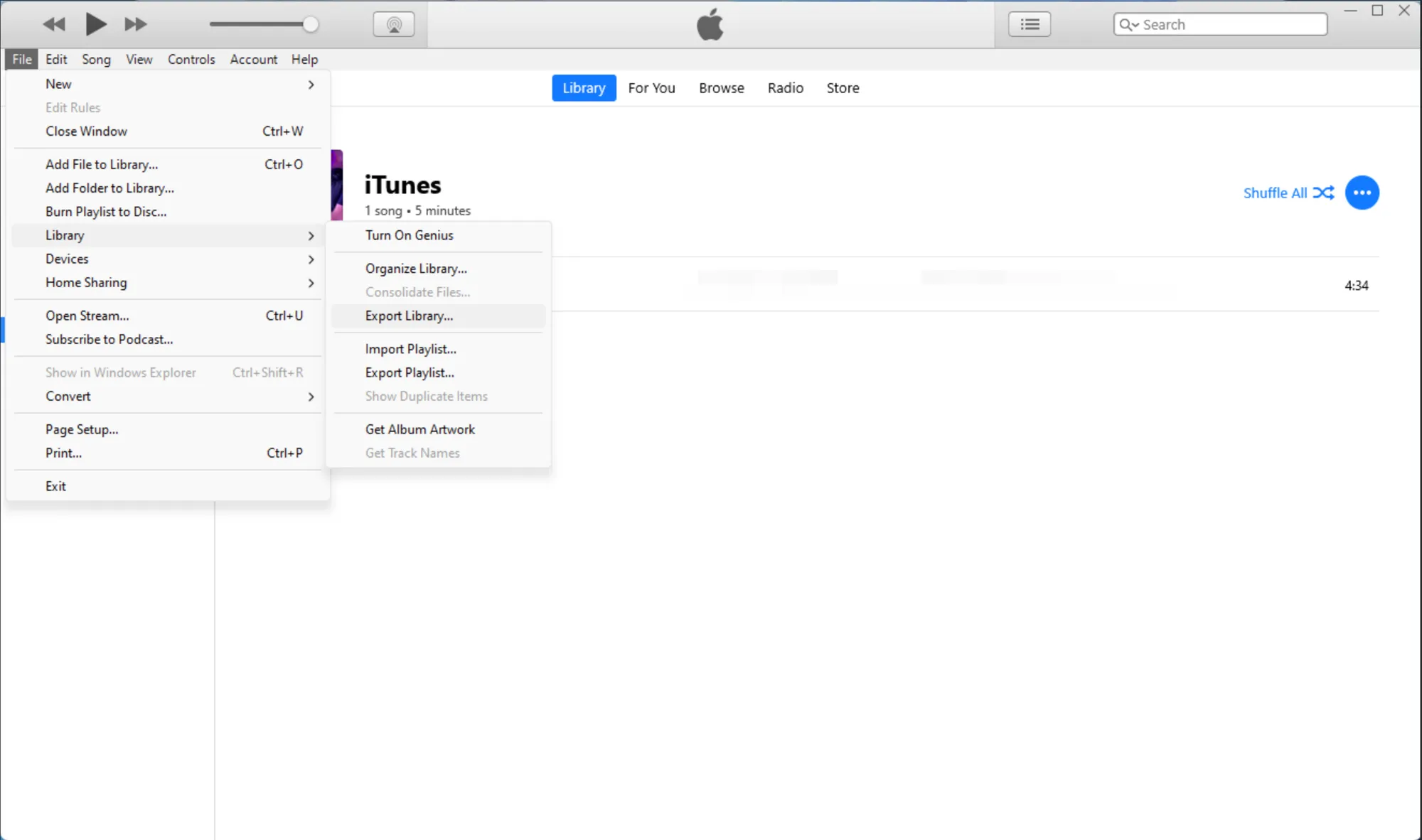
For both iTunes and Apple Music app, your entire Music library XML can be exported via:
File -> Library -> "Export Library..."
Individual playlists can also be exported via "Export Playlist..." in the same context menu.
Apple Music example:
iTunes example:
Import to MIXO
- Click the 'Import' tab in MIXO and go to 'Import iTunes'.
- Select your recently exported iTunes XML (if there's a default XML, don't import it since it might be out of date).
- MIXO will automatically update any existing playlists and tracks with changes, and import anything that's new.