HOW TO IMPORT REKORDBOX XML INTO MIXO
1. Exporting your collection file from Rekordbox
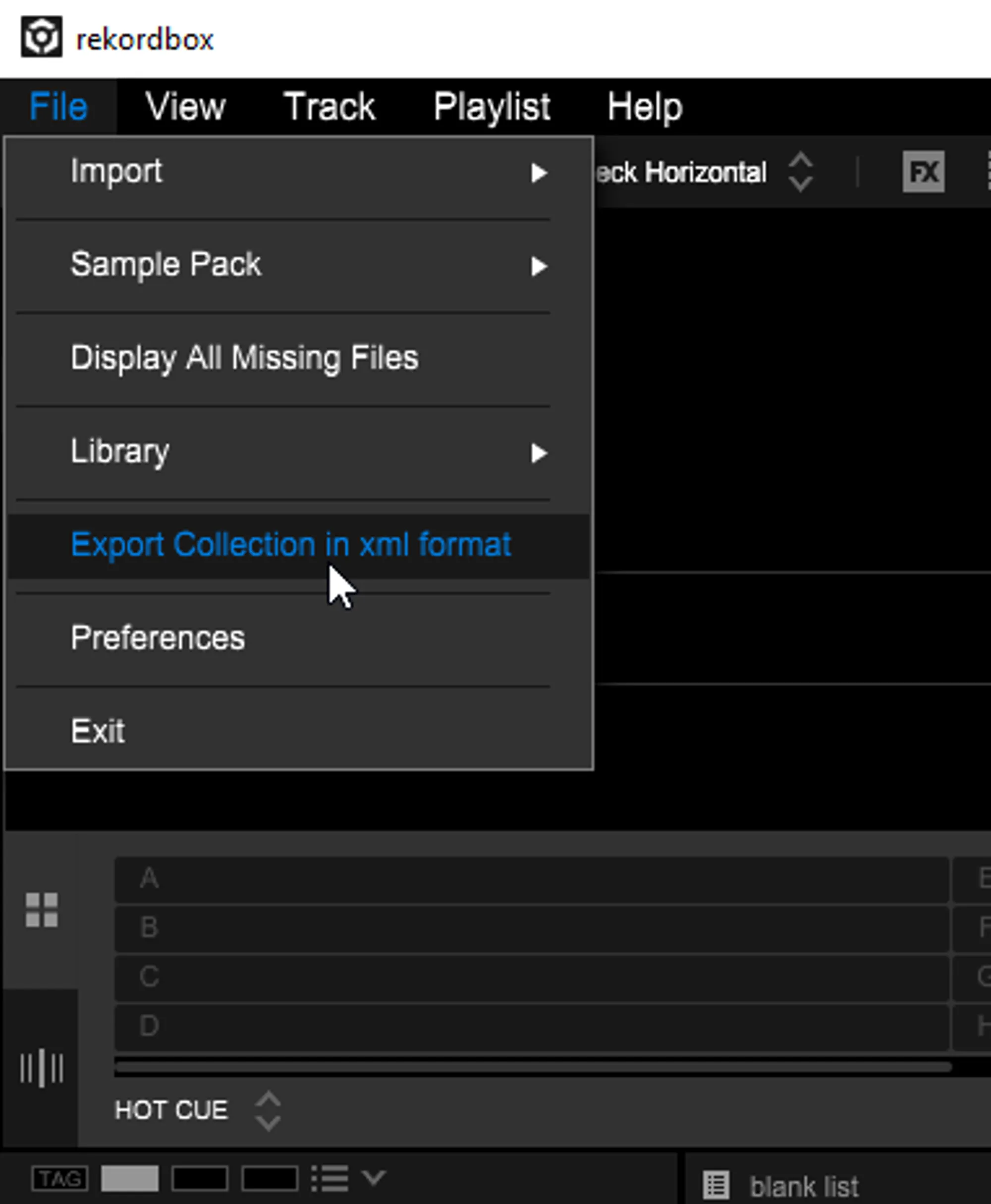
- Open Rekordbox and select File > Export Collection in xml Format
- Choose a location to save your collection file
2. Importing your Rekordbox collection & playlists to MIXO
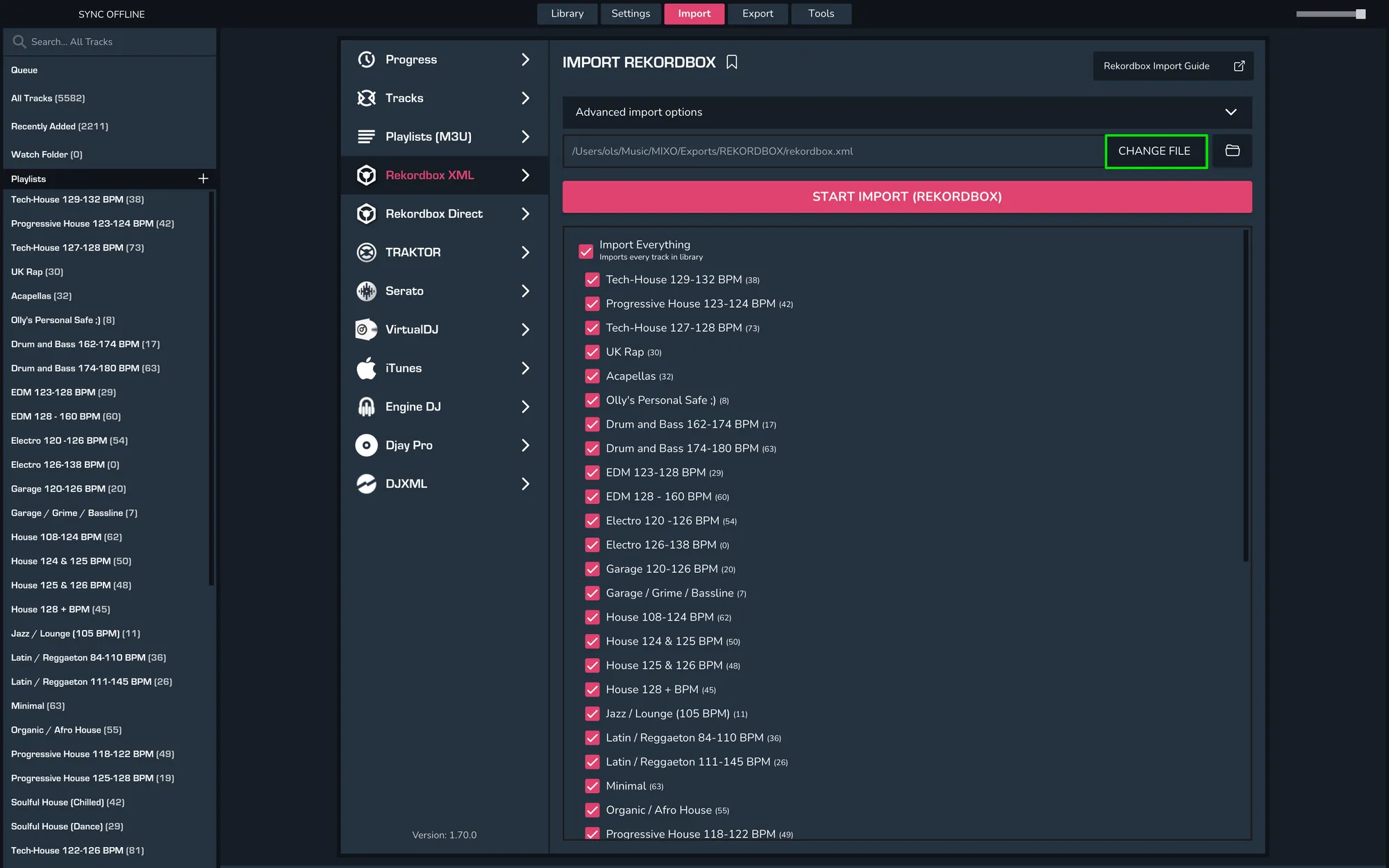
- IMPORT > REKORDBOX
- Click CHANGE FILE LOCATION to point MIXO to your exported .xml file
- Select the .xml file you exported from Rekordbox and click Open
- Click IMPORT REKORDBOX
Notes
We recommend you backup your Rekordbox library first.
Backups
MIXO will automatically backup your DJ Libraries every time you export.
It's also a good idea to regularly backup your source library and computer.