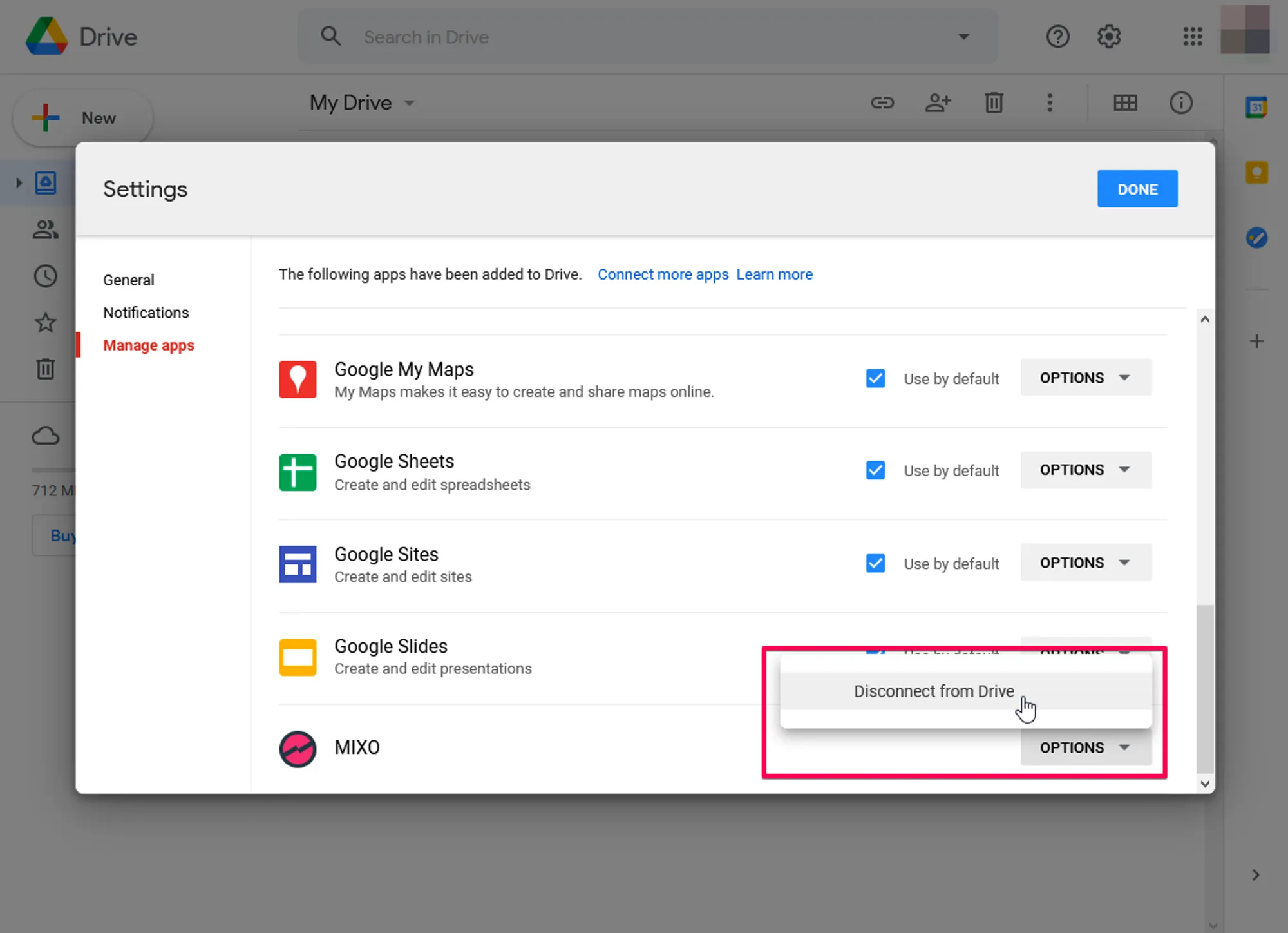
HOW TO DELETE THE MIXO FOLDER IN GOOGLE DRIVE
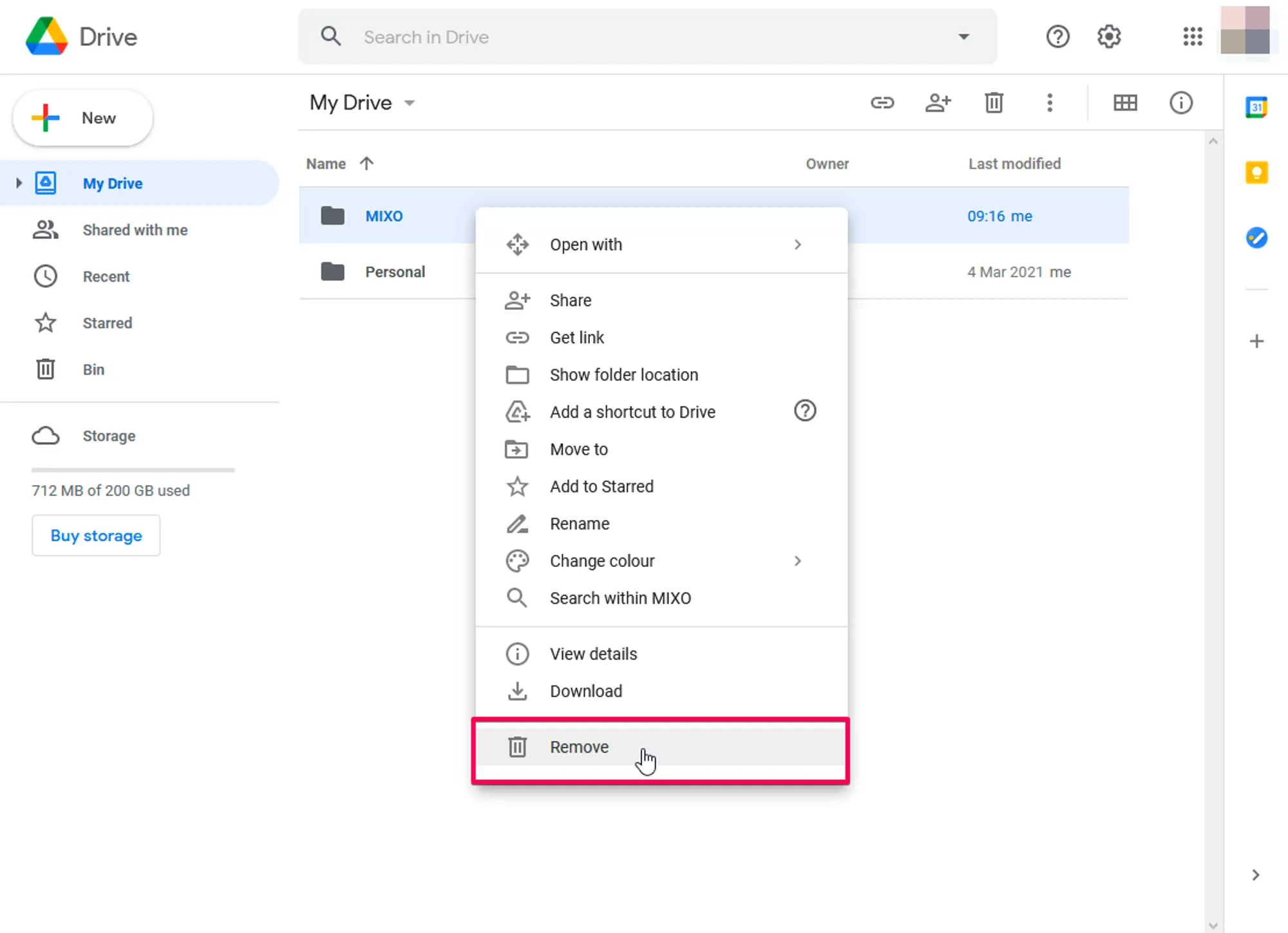
1. Log in to your Google Drive account 2. Select the MIXO Folder in "My Drive" 3. Right-click and select "Remove"
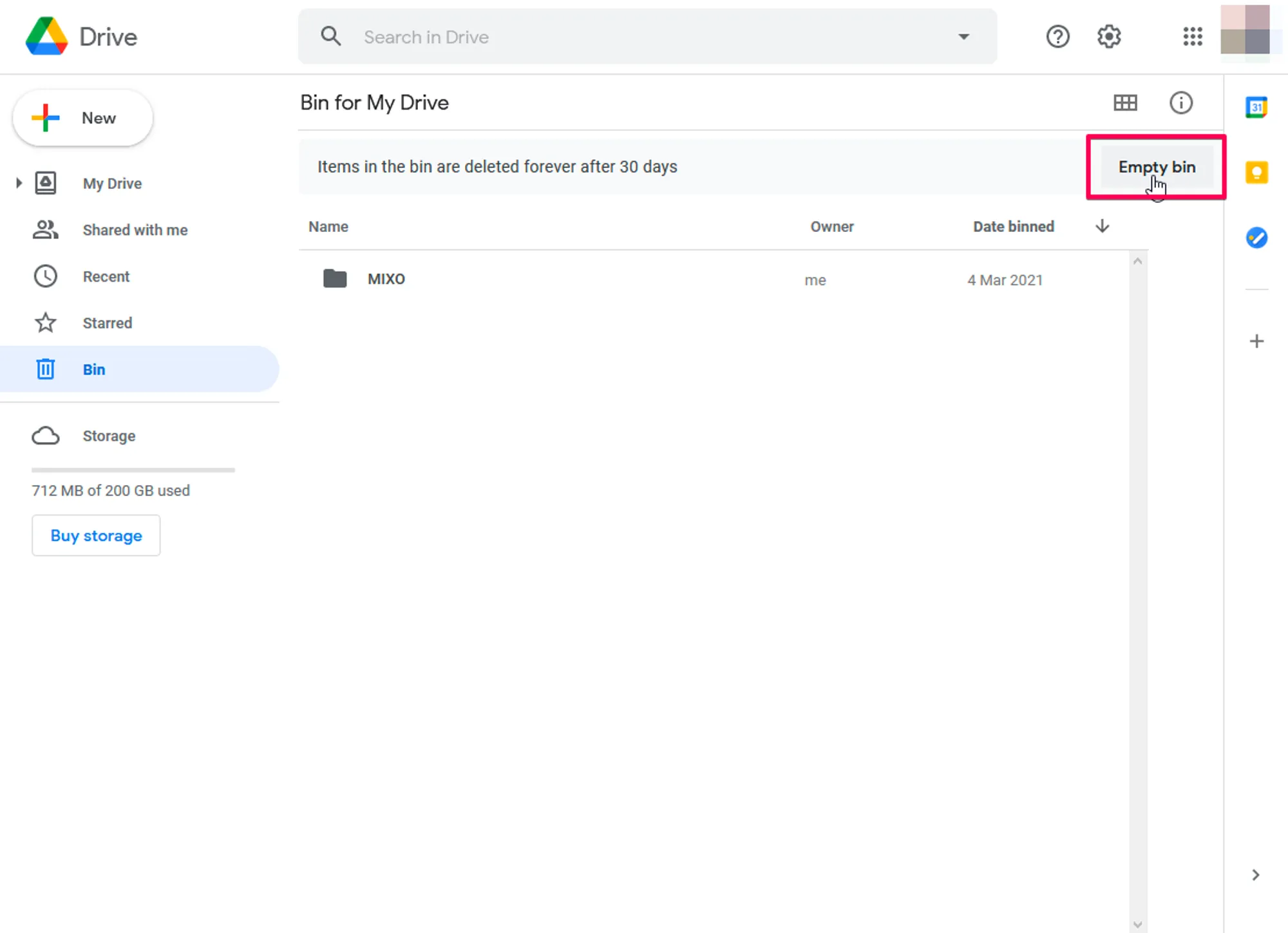
4. Go to Trash and click Empty Trash
If you would also like to remove access for MIXO please follow these steps:
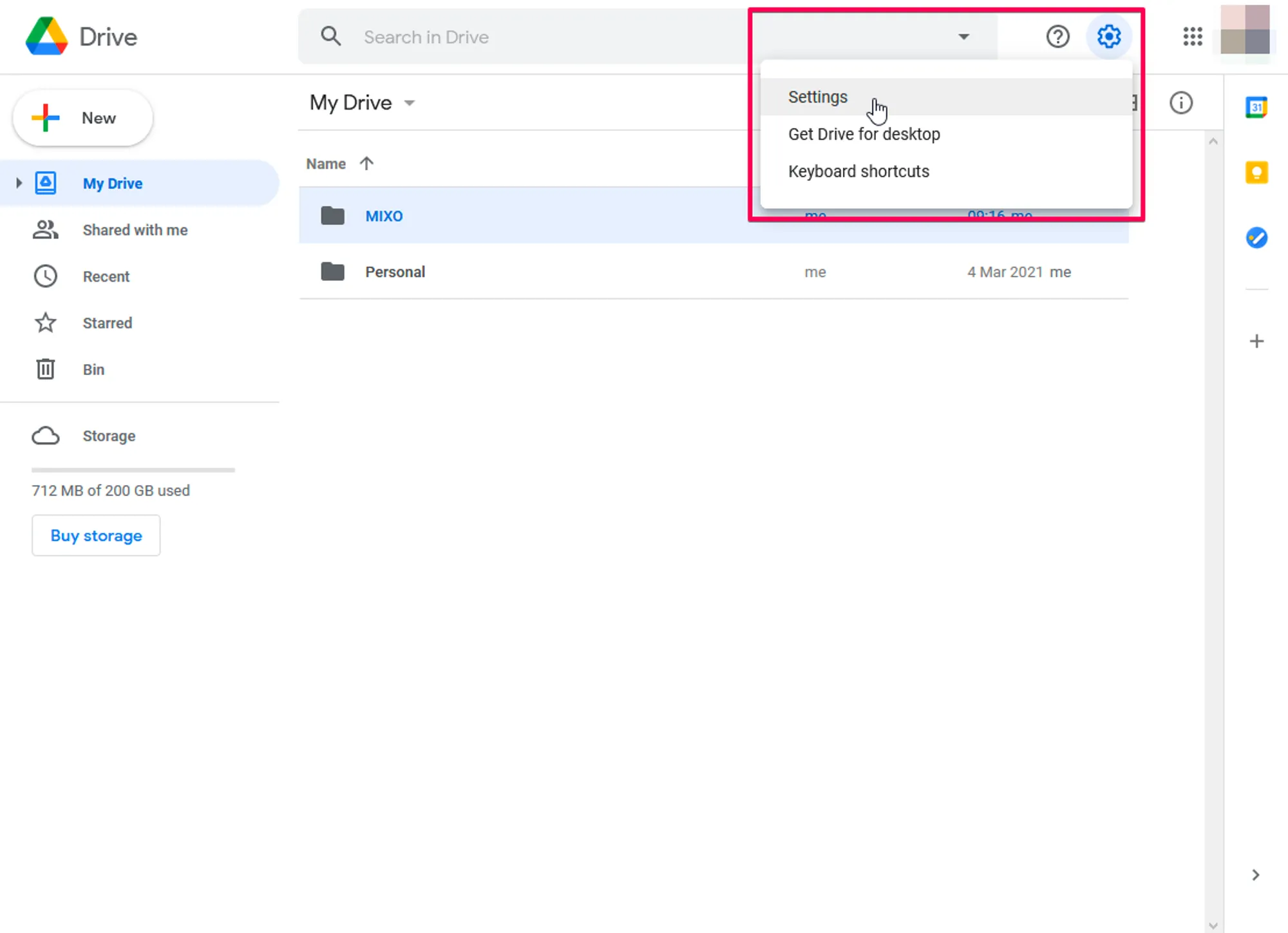
1. Click on the Cog icon in the top right
2. Click Settings
3. Go to Manage Apps
4. Scroll down until you get to MIXO and click the Options dropdown
5. Select Disconnect from Drive