HOW TO DELETE THE MIXO FOLDER IN DROPBOX
- Log in to your Dropbox account
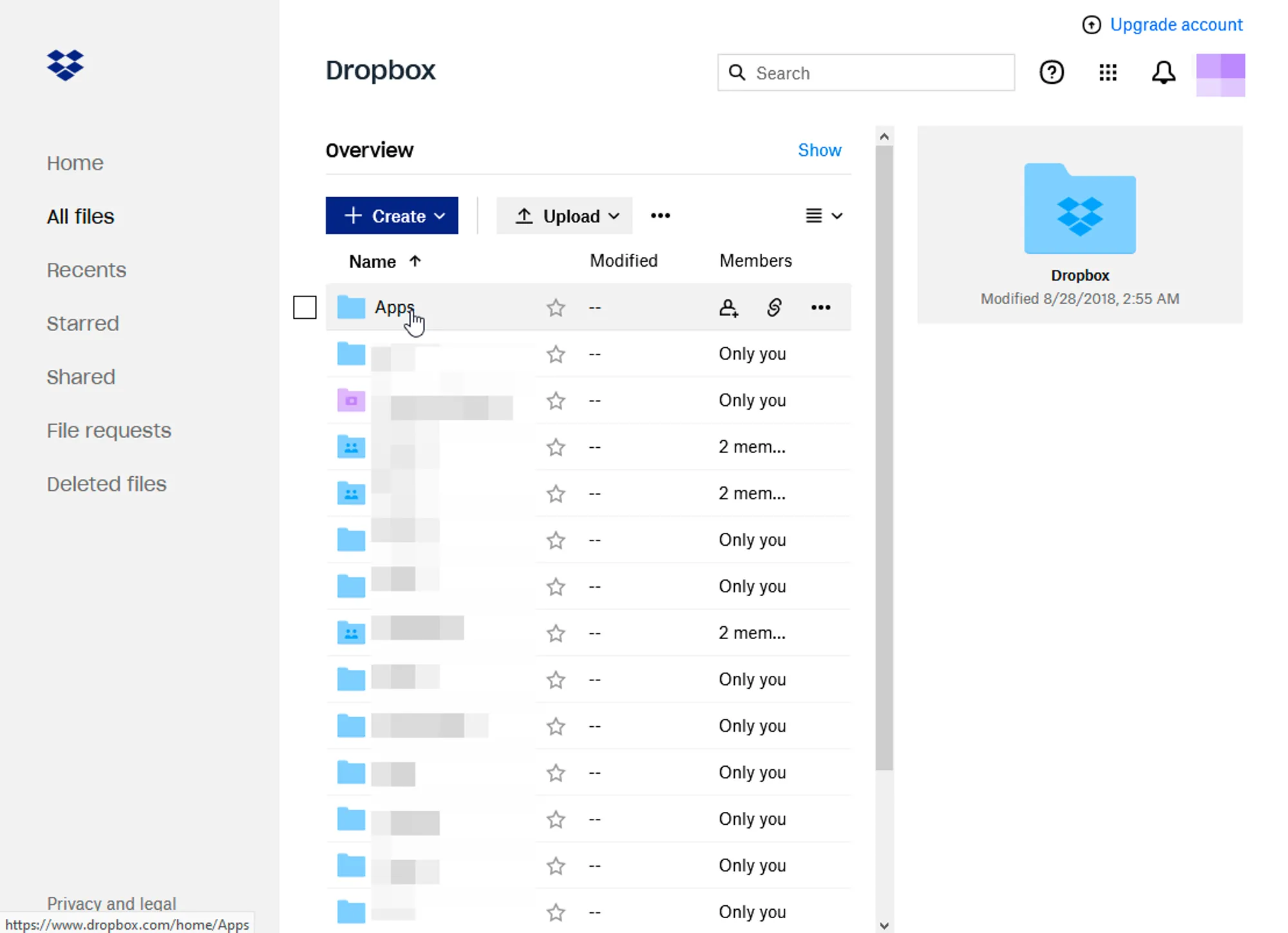
- Go to All Files > Apps
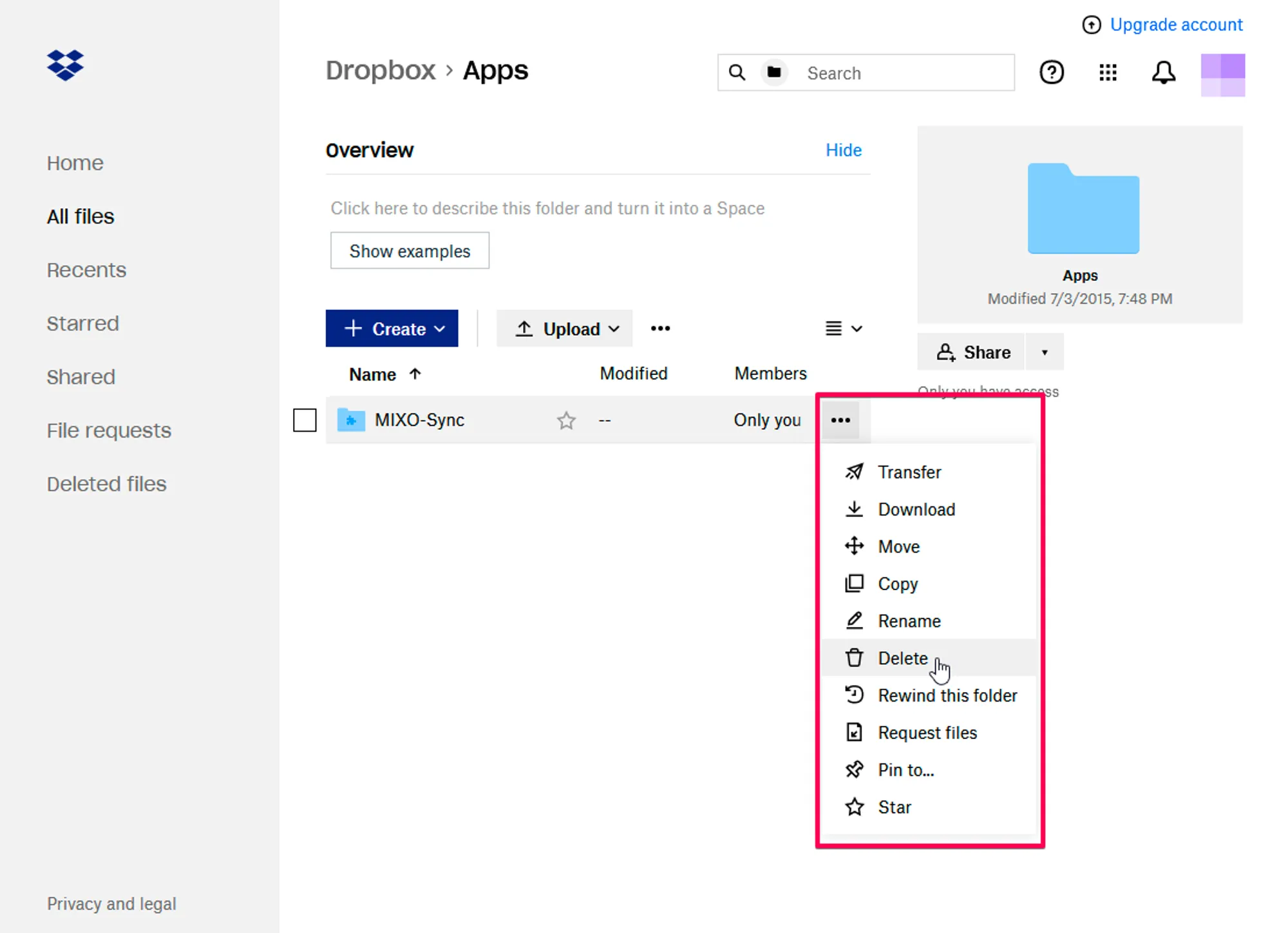
- Click the three dots on the right-hand side and select Delete
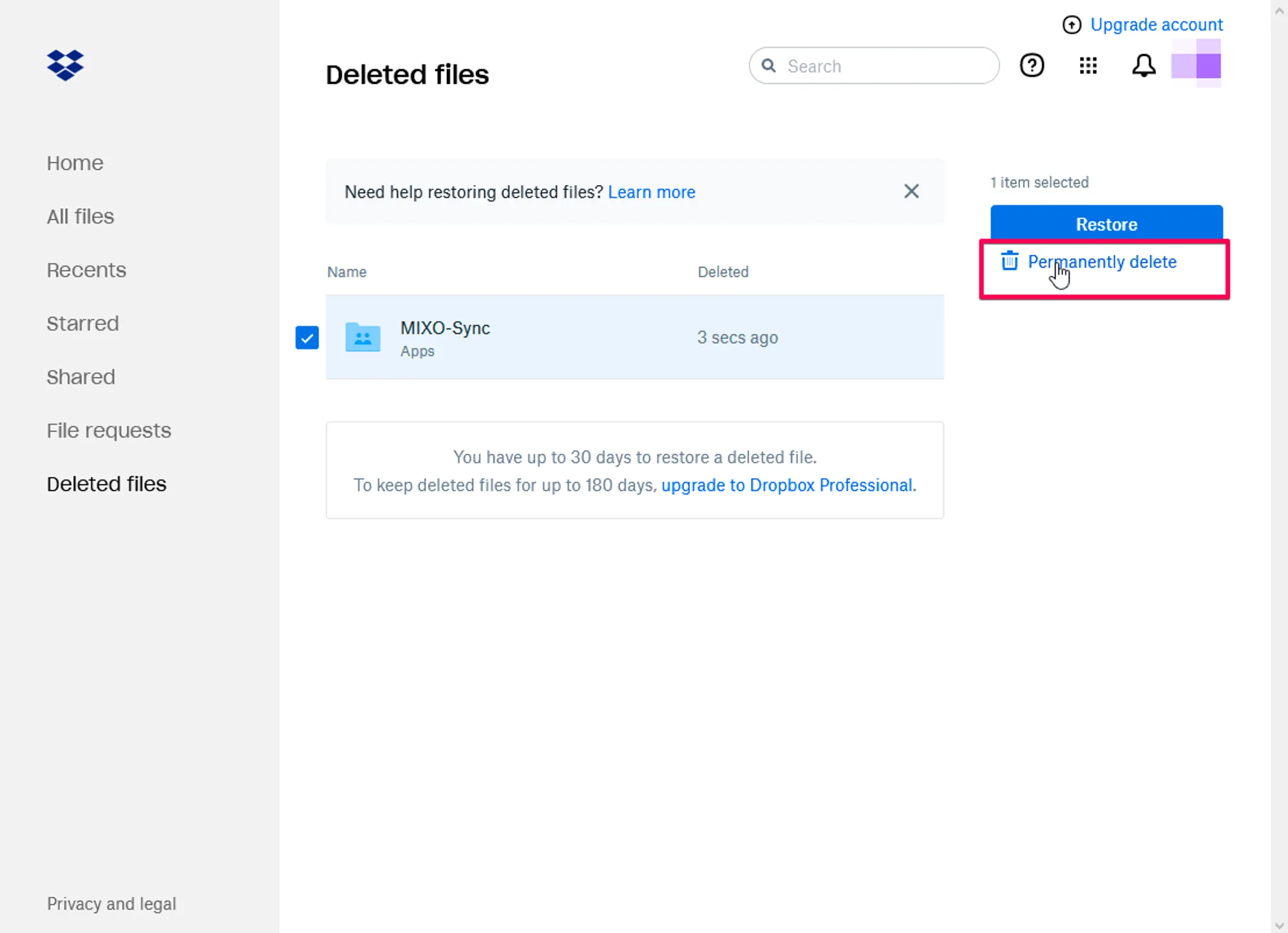
- Go to Deleted Files and again select the tickbox by the MIXO-Sync folder
- Click Delete permanently on the right-hand side
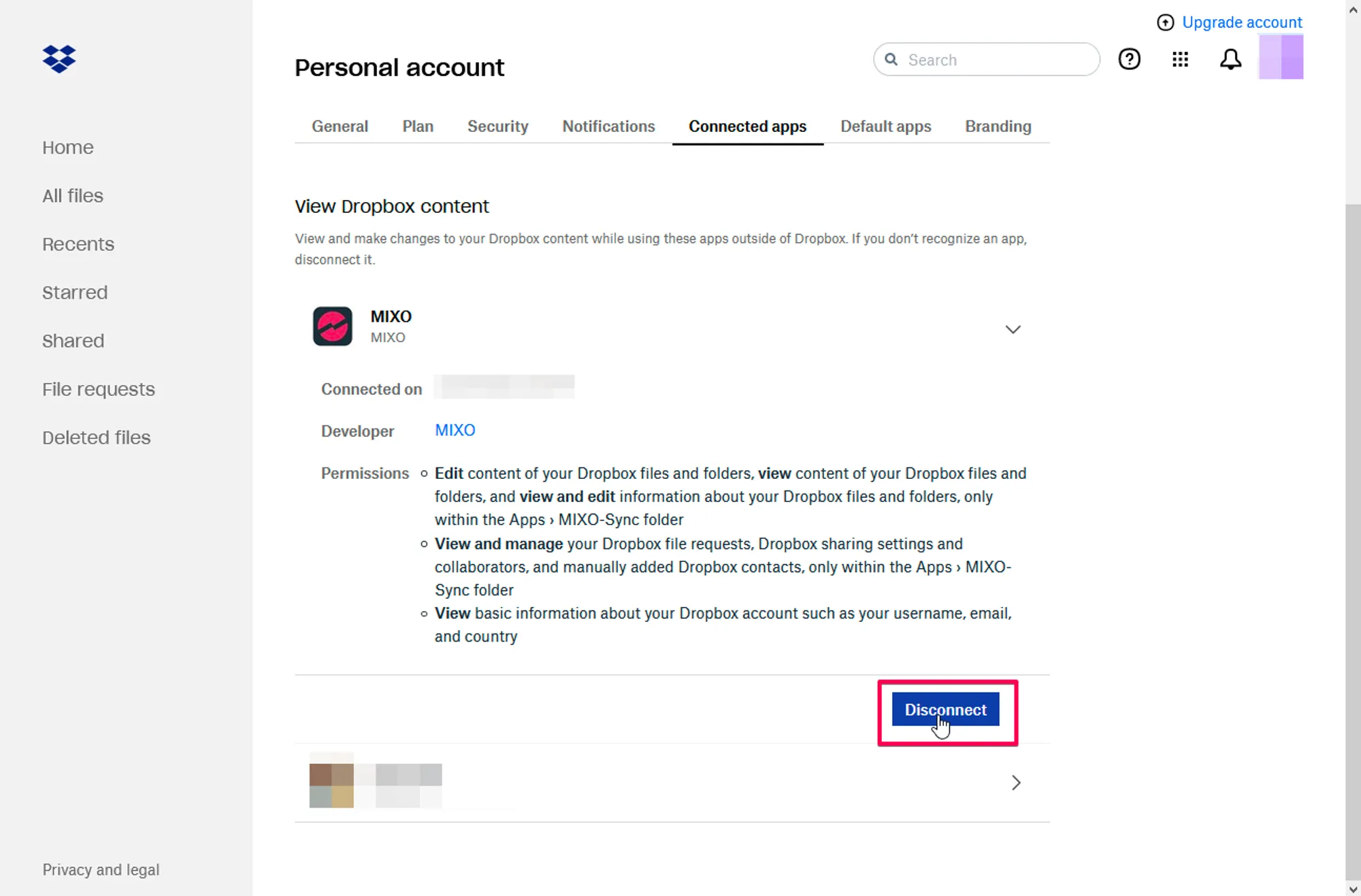
Remove MIXO access from Dropbox
If you would also like to remove access for MIXO please follow these steps:
- Click on your user icon in the top right
- Click Settings
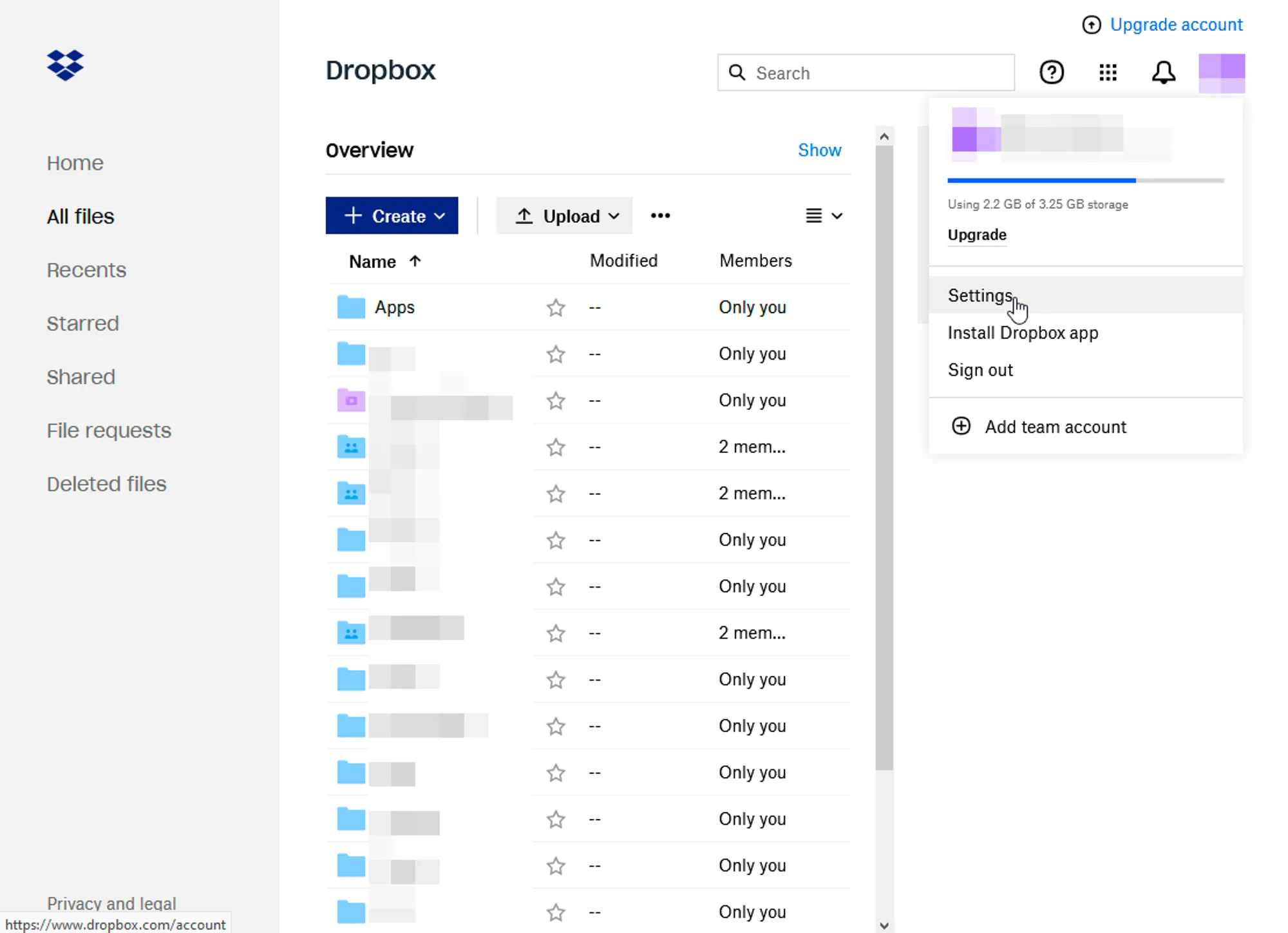
- Go to Connected Apps
- Click on MIXO and select Disconnect