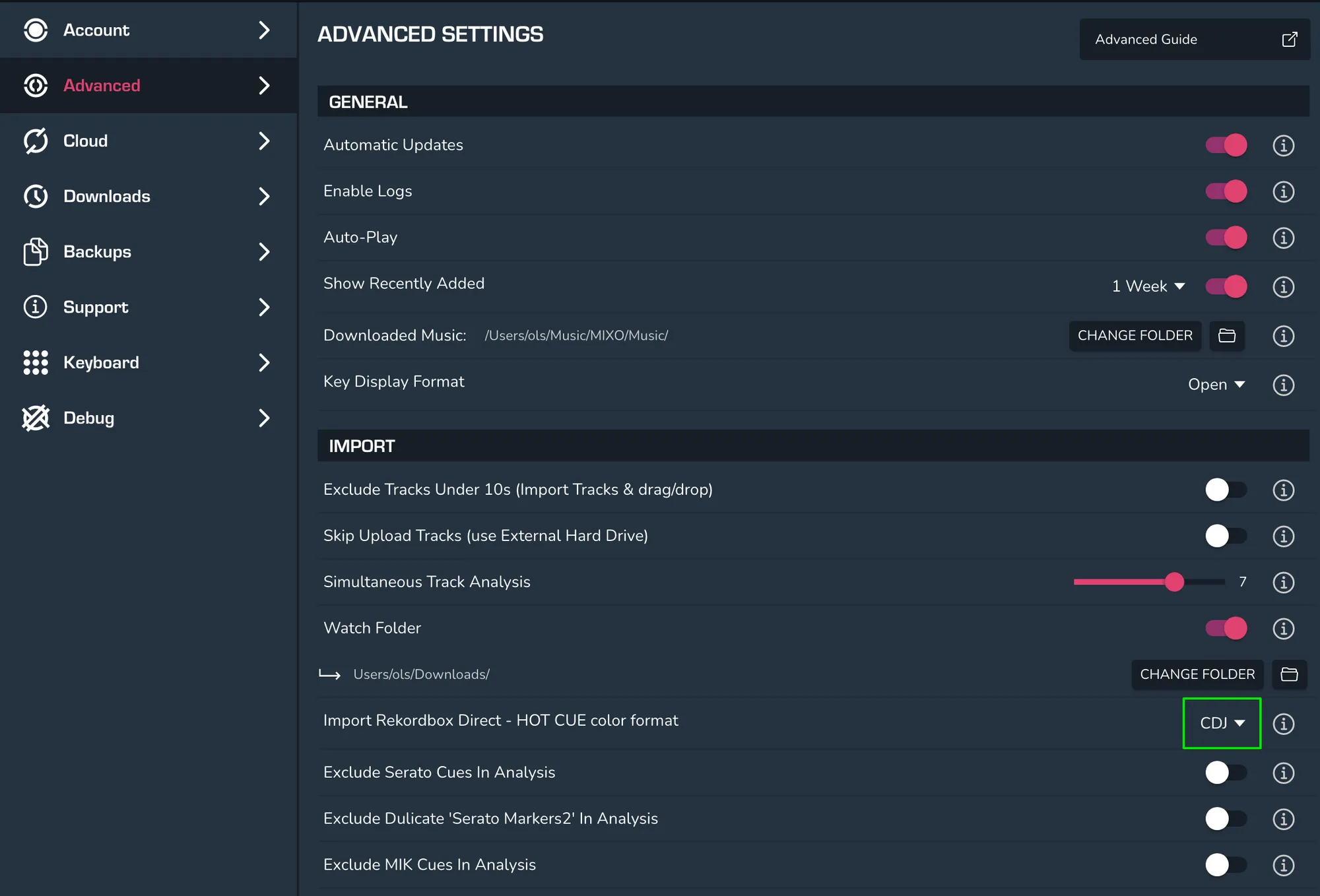
HOW TO CHANGE HOT CUE COLOUR FORMAT WHEN IMPORTING WITH REKORDBOX DIRECT
In order to change hot cue colour format when importing with Rekordbox Direct, head into MIXO and then go to Settings > Advanced > Import > Import Rekordbox Direct - Hot Cue Colour Format and then click on the drop down menu to change the colour format.