FIND & REPLACE
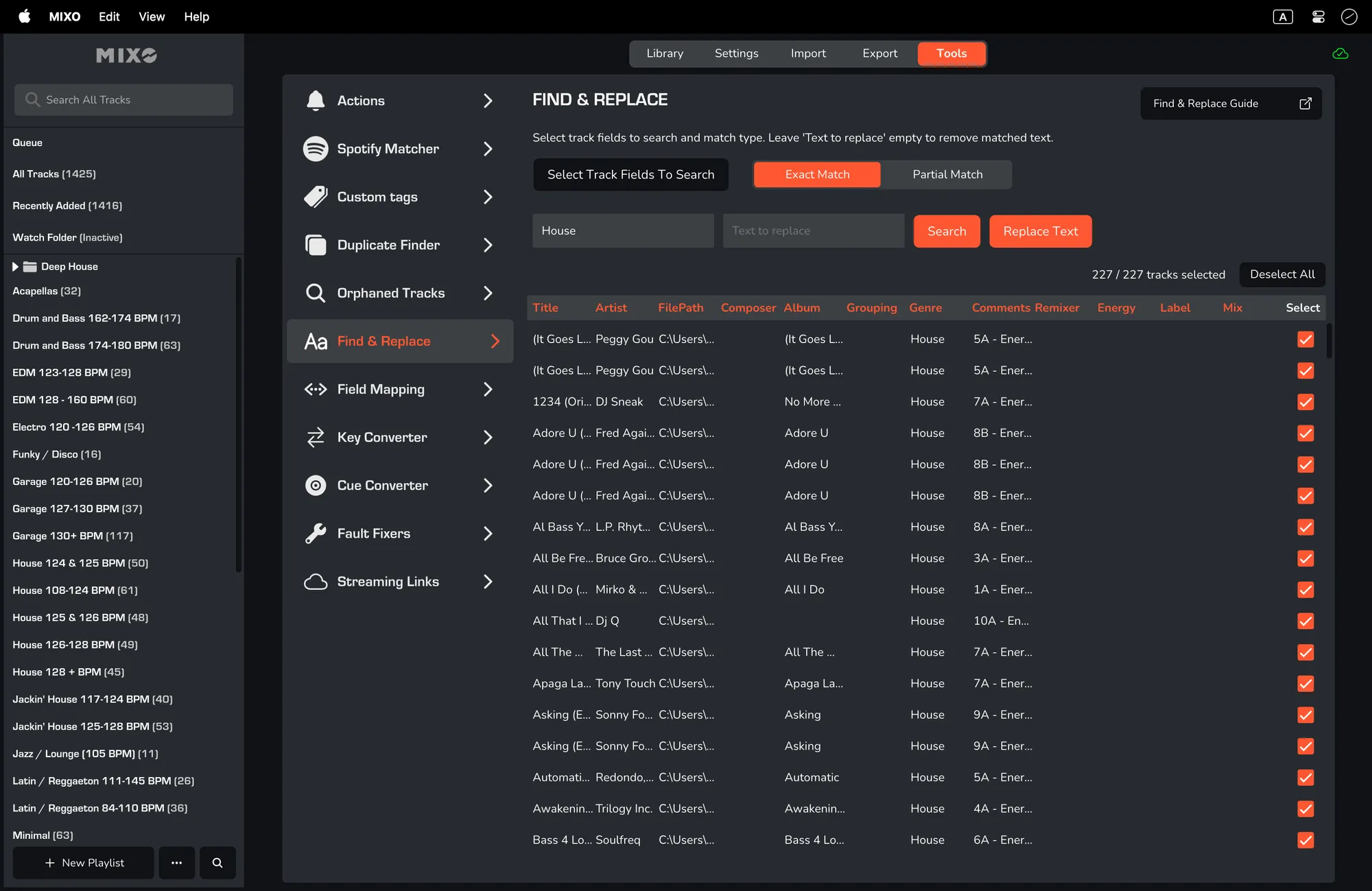
The MIXO Find & Replace tool is a useful feature that allows you to quickly find all instances of a string of text in any column and replace it with something else (or just remove it).
HOW TO USE THE FIND & REPLACE TOOL
- Select the columns you wish to search (fewer is faster).
- Then choose the match type - "EXACT MATCH" (which is exactly equal to the input text) or "PARTIAL MATCH" (which includes the input text).
Please bear in mind that this is case-sensitive.
- Enter the "TEXT TO MATCH" and "TEXT TO REPLACE" alternatively, leave "TEXT TO REPLACE" empty to simply delete the matched text. and click ‘Search’.
- MIXO will show all matches found.
- When you're ready, click "REPLACE TEXT". MIXO will then update all metadata for the selected tracks and fields.