Export USB Mobile
Export Mobile supports Pioneer/AlphaTheta Device Library and OneLibrary formats.
PLEASE NOTE:
- This is a beta feature so please provide feedback!
- Existing Rekordbox content will be overwritten.
- The device must be formatted to FAT32.
- The playlist must be downloaded first and the total time is dependent on the number of tracks that need to be transferred to your USB device and the speed of the device itself.
Step By Step Guide:
1. Insert your USB device (formatted to FAT32).
2. Select one or more downloaded playlists (total track count must not exceed 999 tracks).
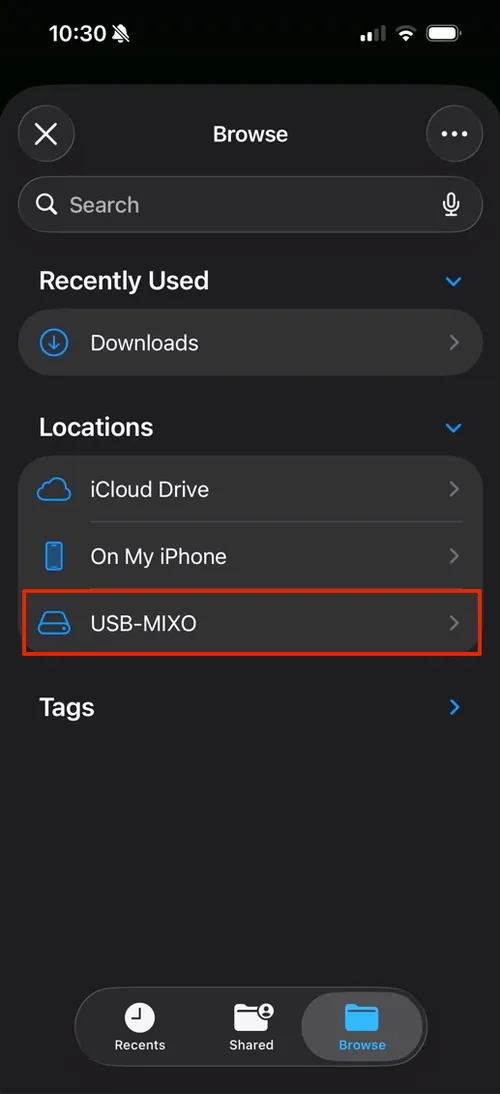
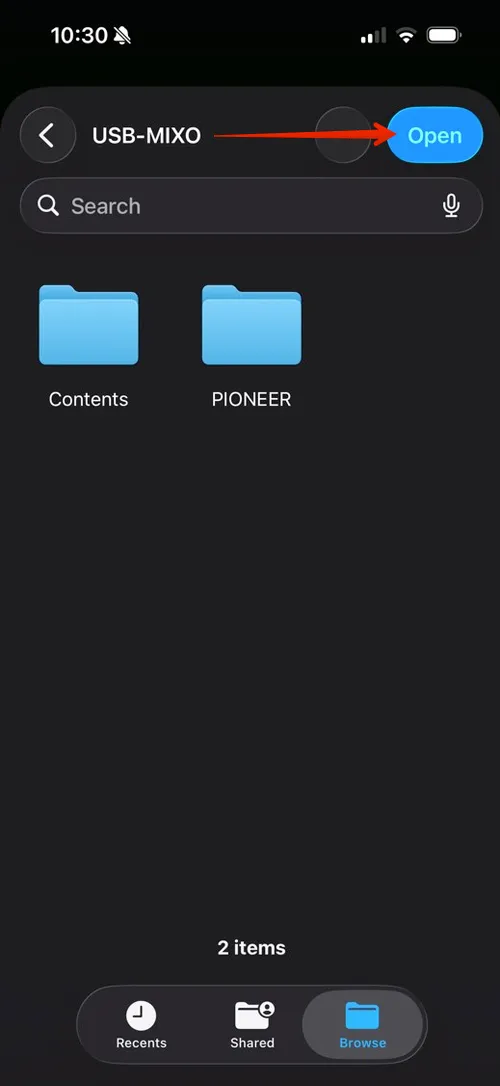
3. Click Export -> you will then be prompted to select your USB device.
4. You may need to page back to find your USB drive in the list, then click "Open" when you have selected the root of your USB drive.
5. When complete, you can use your USB in your controller!