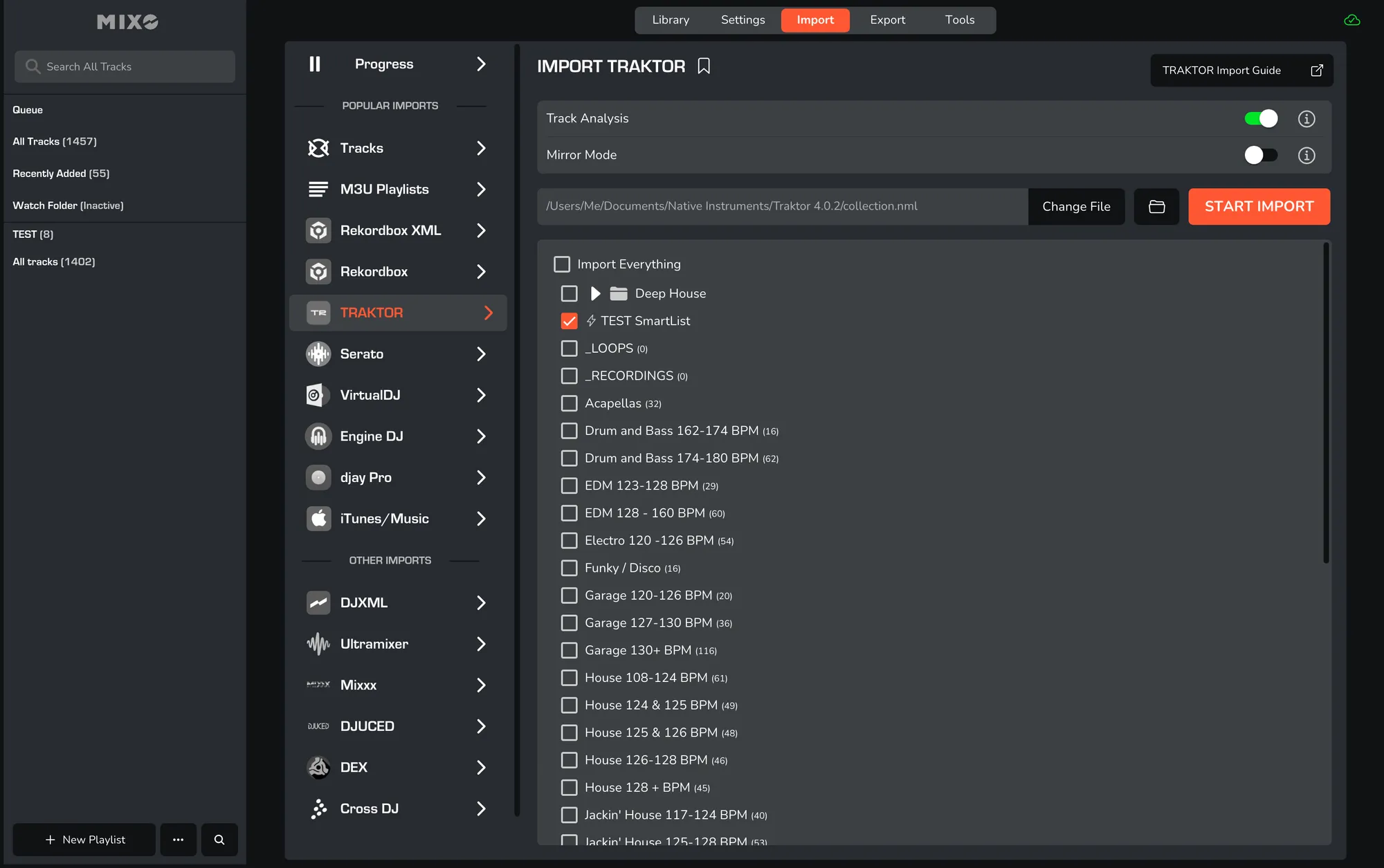
EXPORT TRAKTOR SMARTLISTS
Export from Traktor
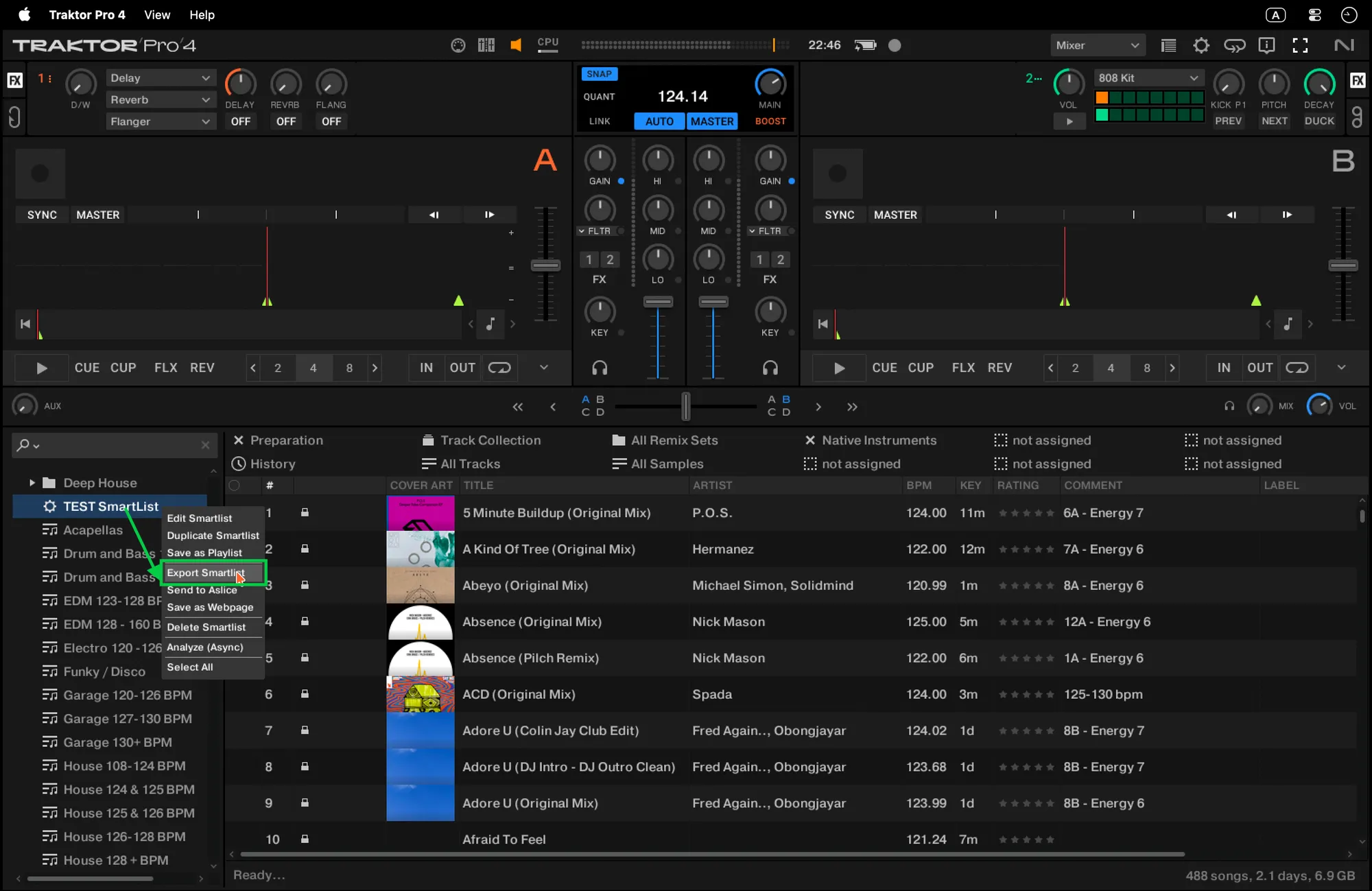
- Export from Traktor: right-click the Smartlist you'd like to export and select "Export Smartlist".
- Select format when the dialogue box opens, make sure to export the file in NML format.
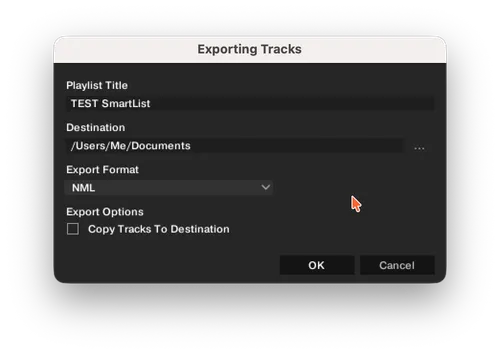
- Finish export: there's no need to copy tracks to the destination, so you can uncheck that box.
Import into MIXO
- Now, you can import the smartlist.nml file as usual in MIXO via Import -> Traktor.