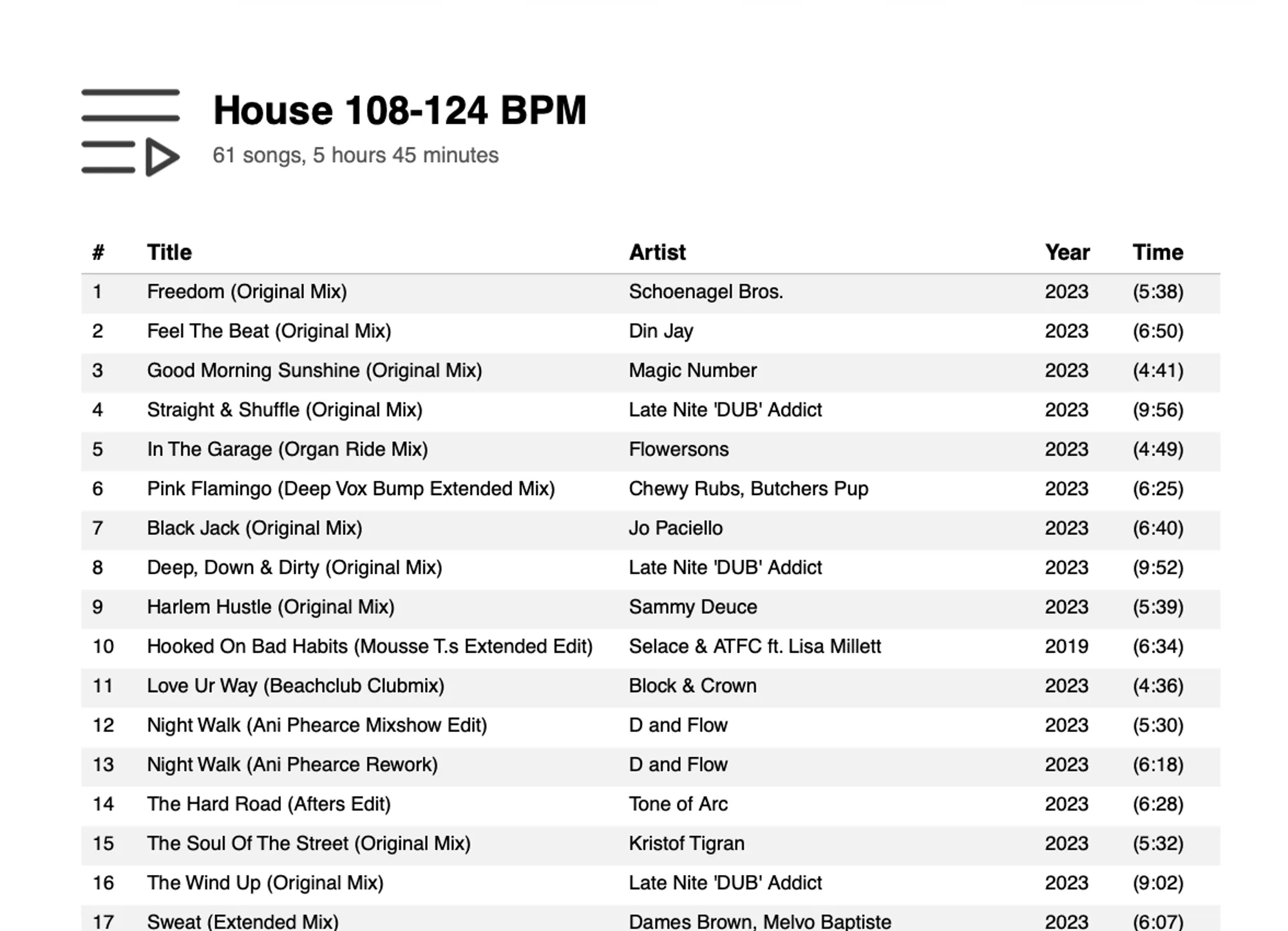
EXPORT PLAYLISTS IN PDF FORMAT
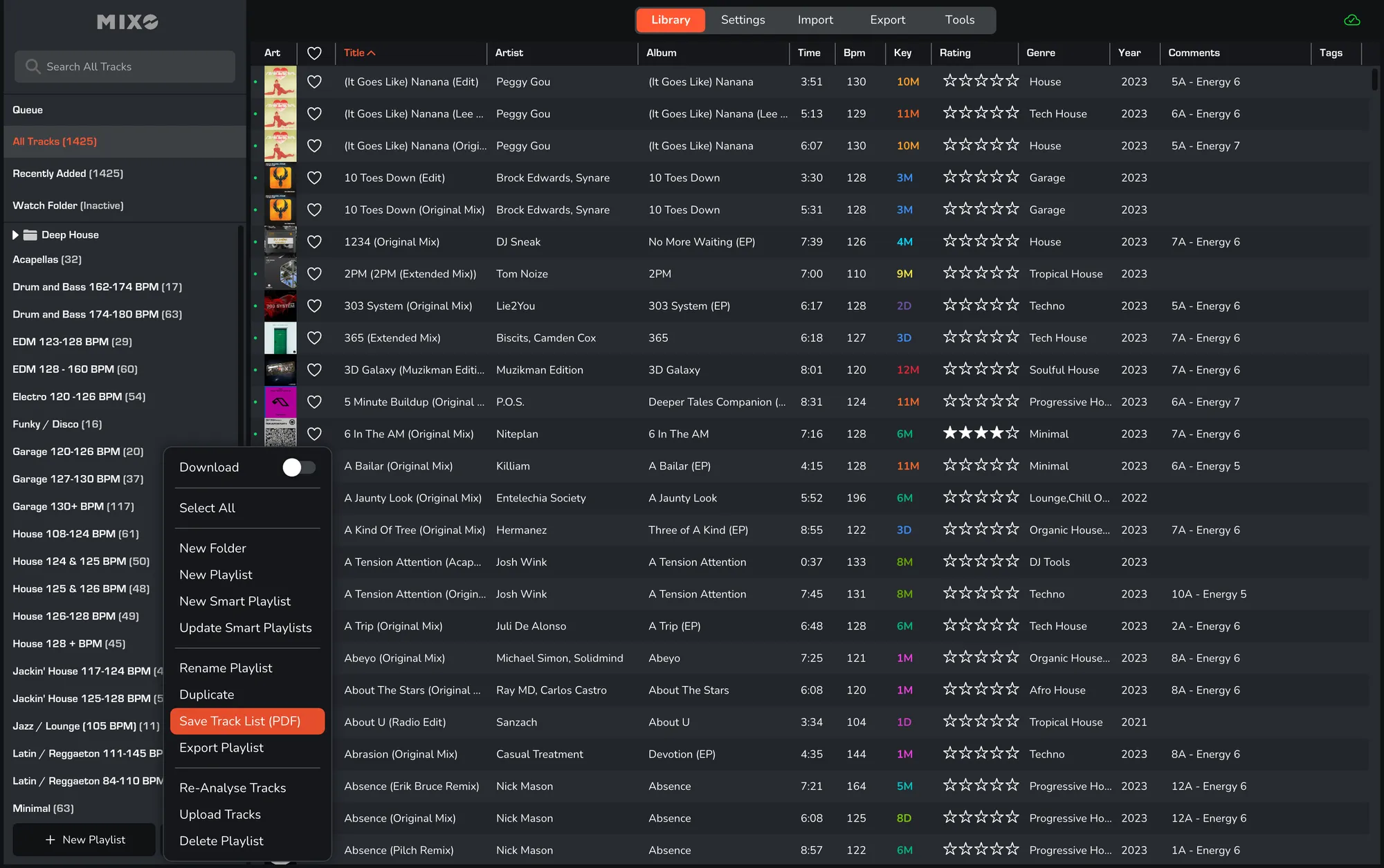
1. Select Playlist.
2. Right-click on the playlist name and select ‘Save Track List (PDF)’.
3. Choose your destination folder in the system dialog and click ‘Save’ to confirm.
Exporting to PDF offers several professional advantages over standard text or spreadsheet formats:
- Send a clean, read-only setlist to clients or event organizers without sending editable files.
- Easily submit accurate track logs to performance rights organizations.
- Print a physical list of your tracks to keep in the DJ booth as a fail-safe reference if screens or hardware fail during a gig.
- Share your Top(s).