EXPORT PLAYLISTS TO DJMXL
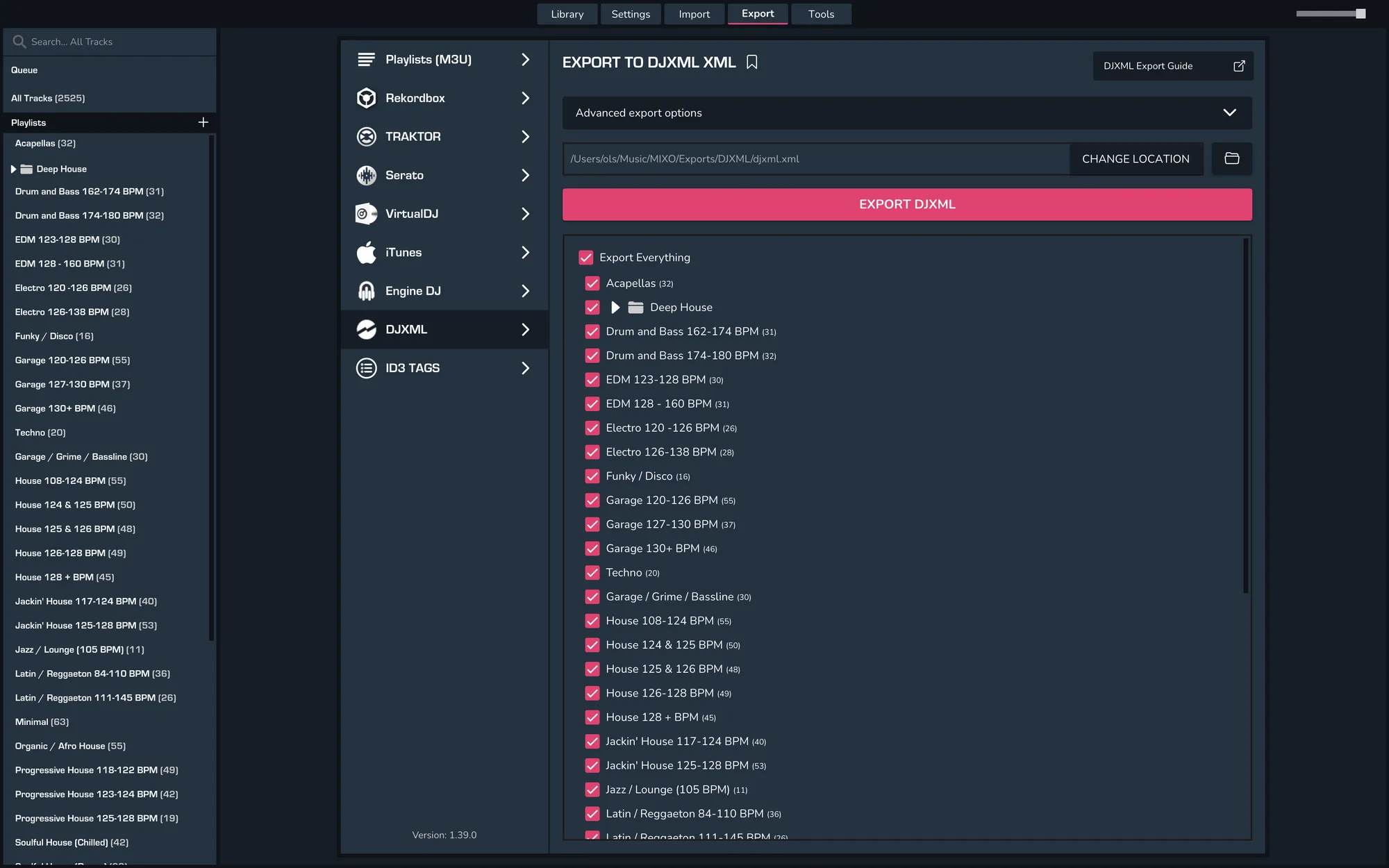
In MIXO, go to Export > DJXML
Check/change the export location.
Select either 'Export Everything' or the playlists you want to include in the file.
Click Export DJXML
Backups
MIXO will automatically backup your DJ Libraries every time you export.
It's also a good idea to regularly backup your source library and computer.