EXPORT ITUNES XML
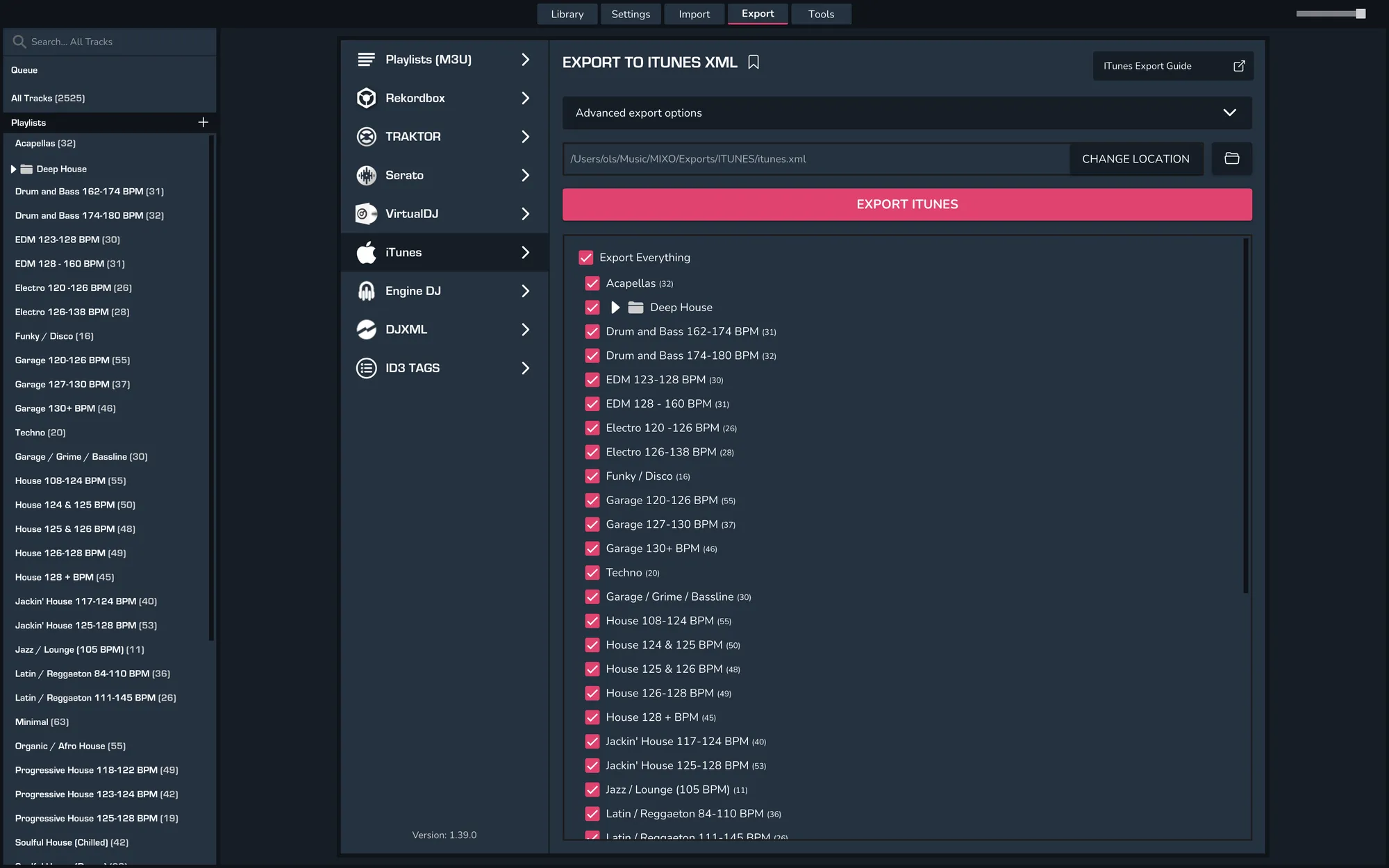
Export Your Library from MIXO to iTunes XML
- MIXO > EXPORT > ITUNES
- Choose which playlists should be exported or the whole library
- Click EXPORT
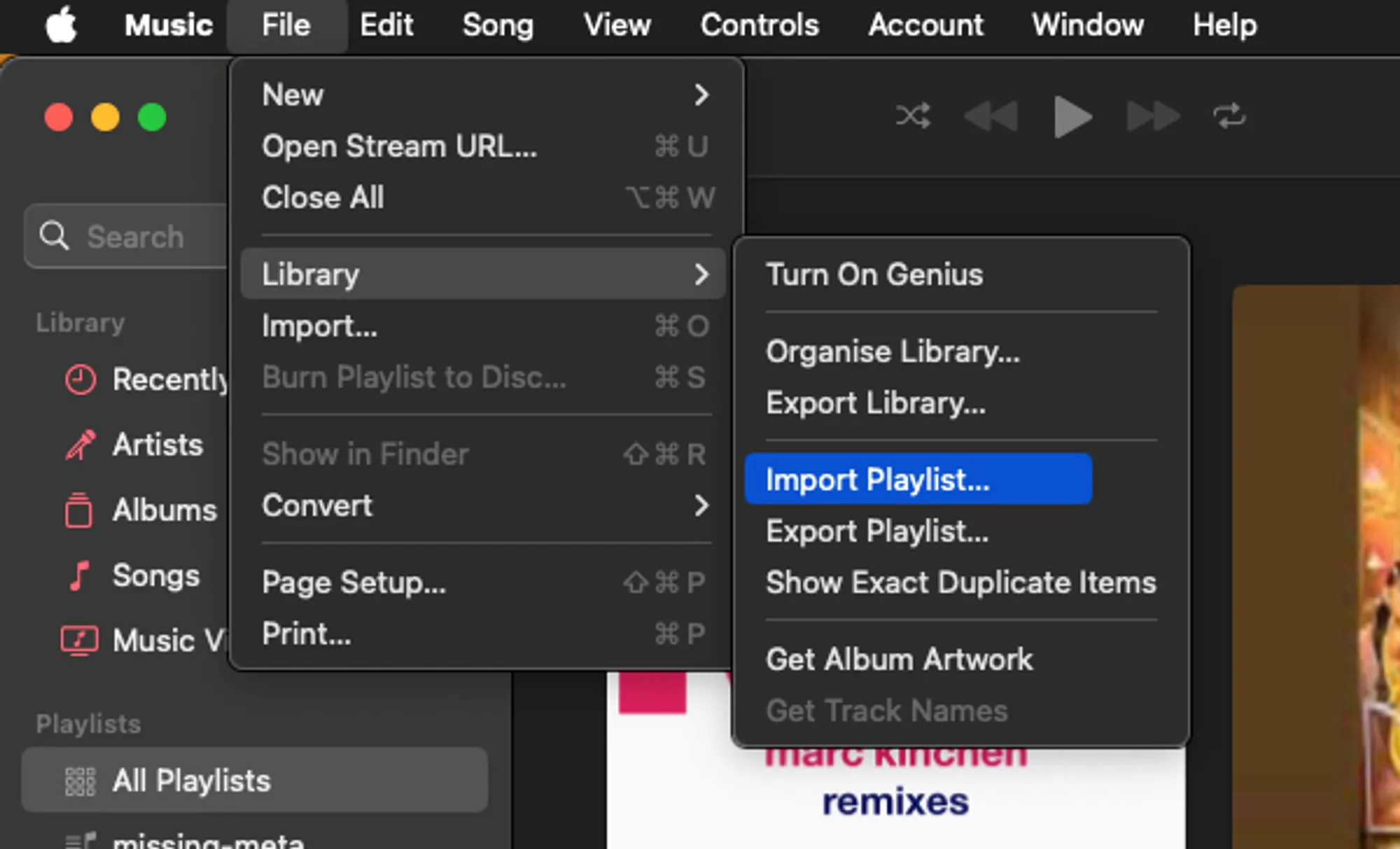
Import your XML into iTunes or Apple Music
- Open the Apple Music app or iTunes and go to File -> Settings -> Import Playlist
- Import the playlist.xml you just exported from MIXO.