EXCLUDE SERATO CUES DURING TRACK ANALYSIS
To prevent Serato cue points from being imported during analysis, follow these steps:
- In MIXO, navigate to SETTINGS -> ADVANCED -> IMPORT.
- Toggle the option ‘EXCLUDE SERATO CUES IN ANALYSIS’.
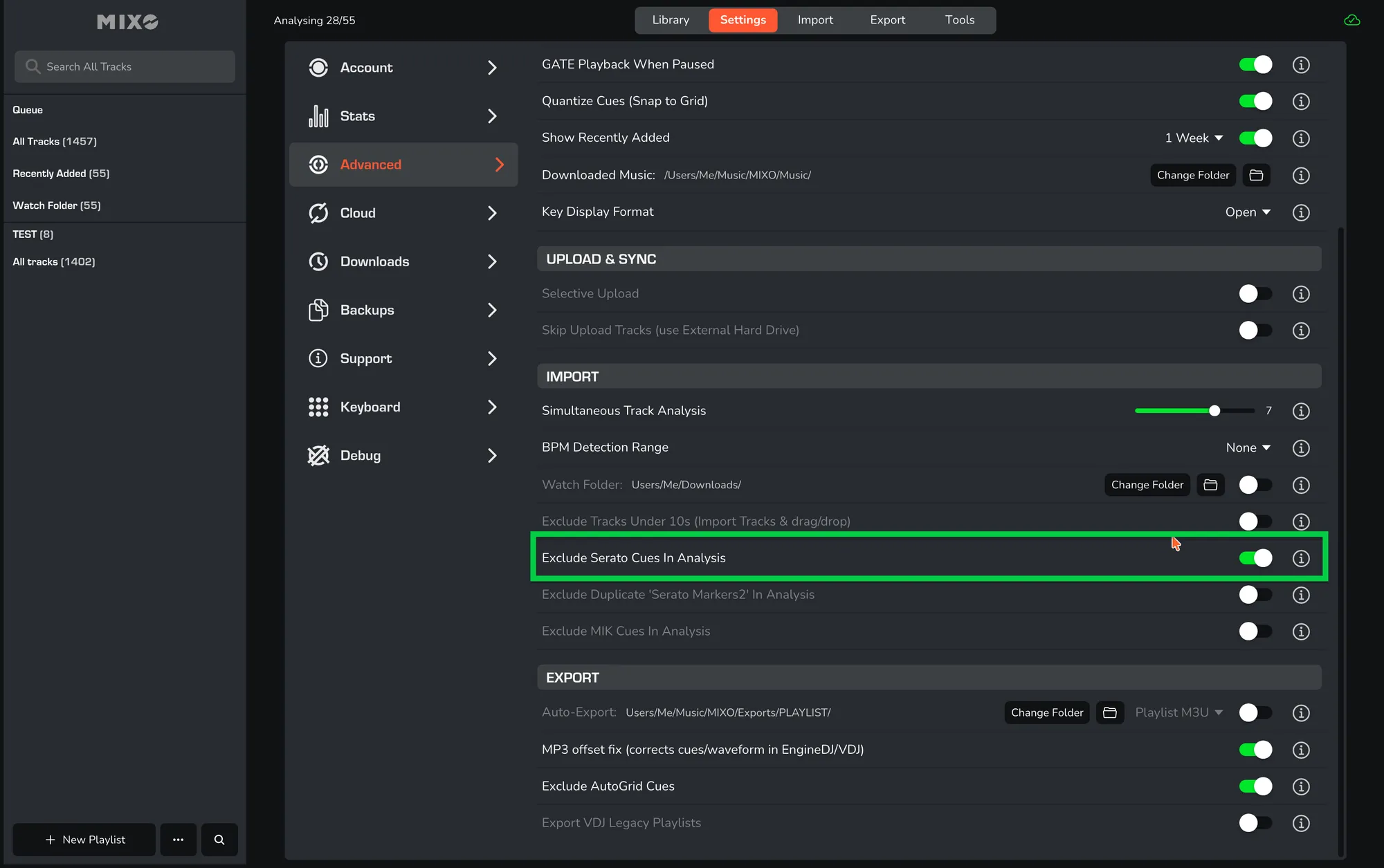
This setting allows you to exclude Serato cues and only import MIK (MIXED IN KEY) cues instead.