ENGINE DJ TO DJAY PRO
1. Importing your Engine DJ playlists to MIXO
- Make sure Engine DJ is closed
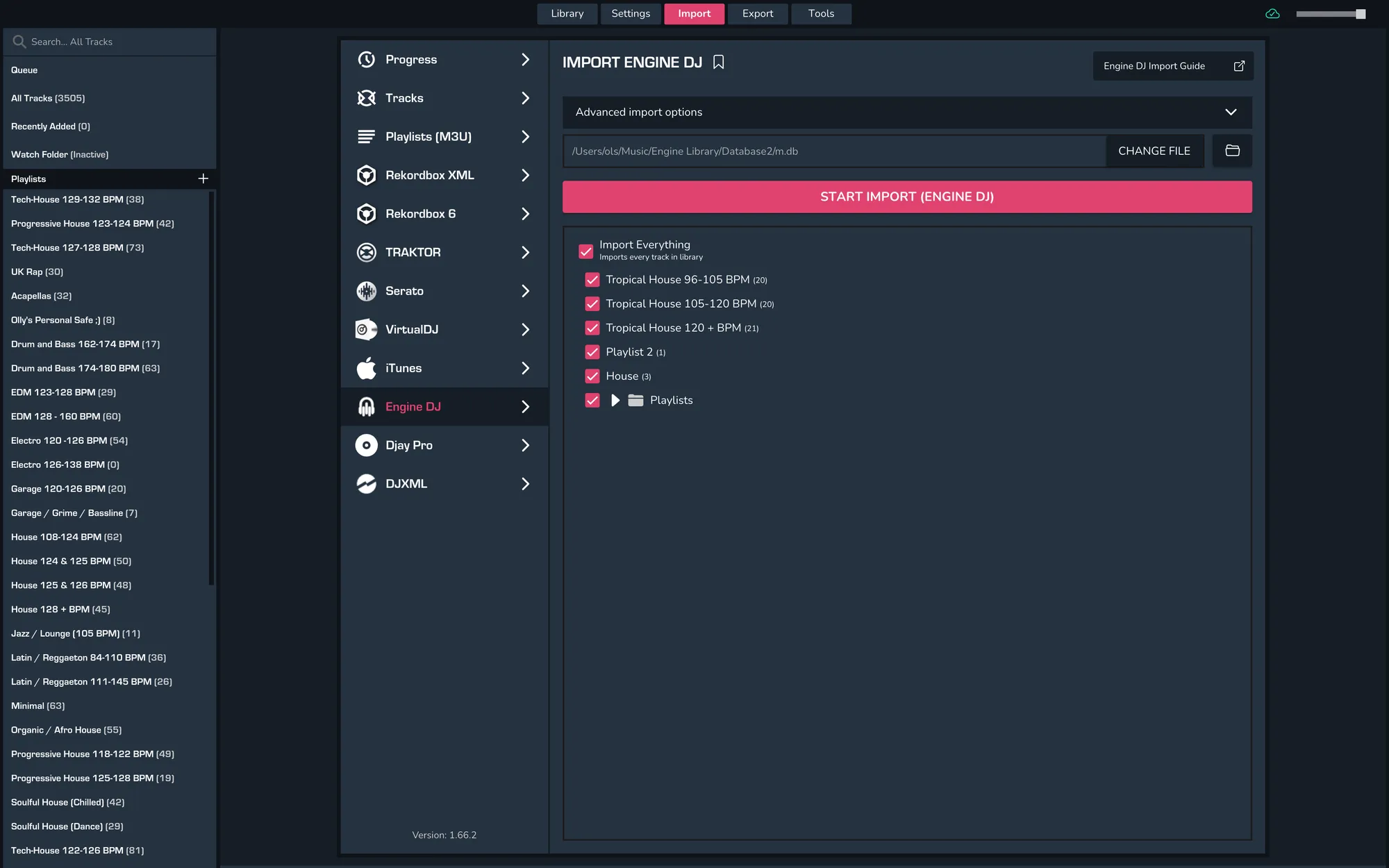
- Import > Engine DJ
- Wait for the page to parse, then select your playlists and click ‘Import Engine DJ’.
- When re-importing from Engine DJ, MIXO will check each file to see when it was last updated and only re-analyses tracks if they have been updated more recently than the existing track in MIXO
- Existing playlist and playlist tracks are also updated automatically, so any changes to playlists are reflected in MIXO.
2a. Exporting from MIXO to Djay Pro (Windows)
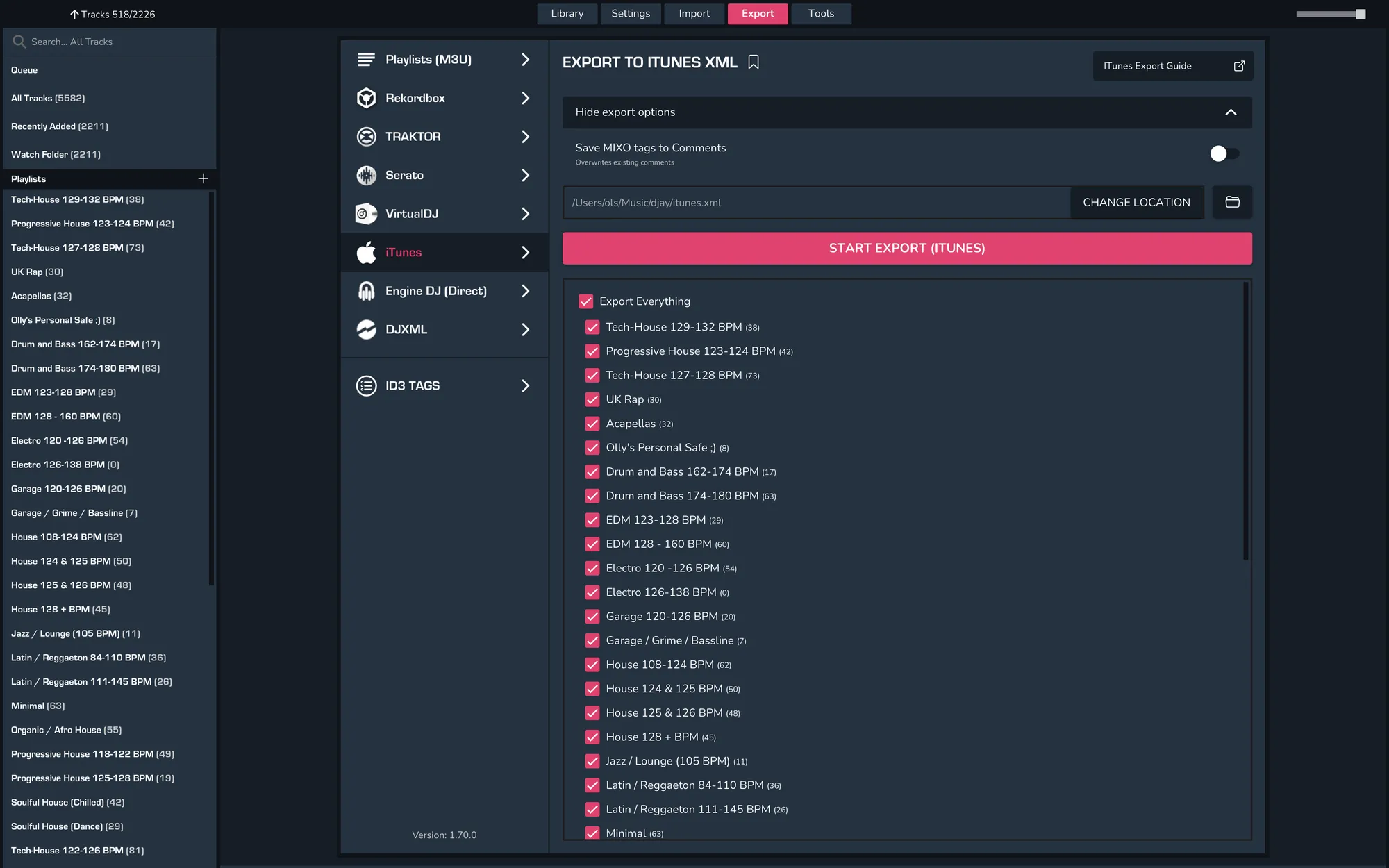
- EXPORT > ITUNES
- Choose to export individual playlists or your whole library.
- Click EXPORT
2b. Exporting from MIXO to Djay Pro (Mac)
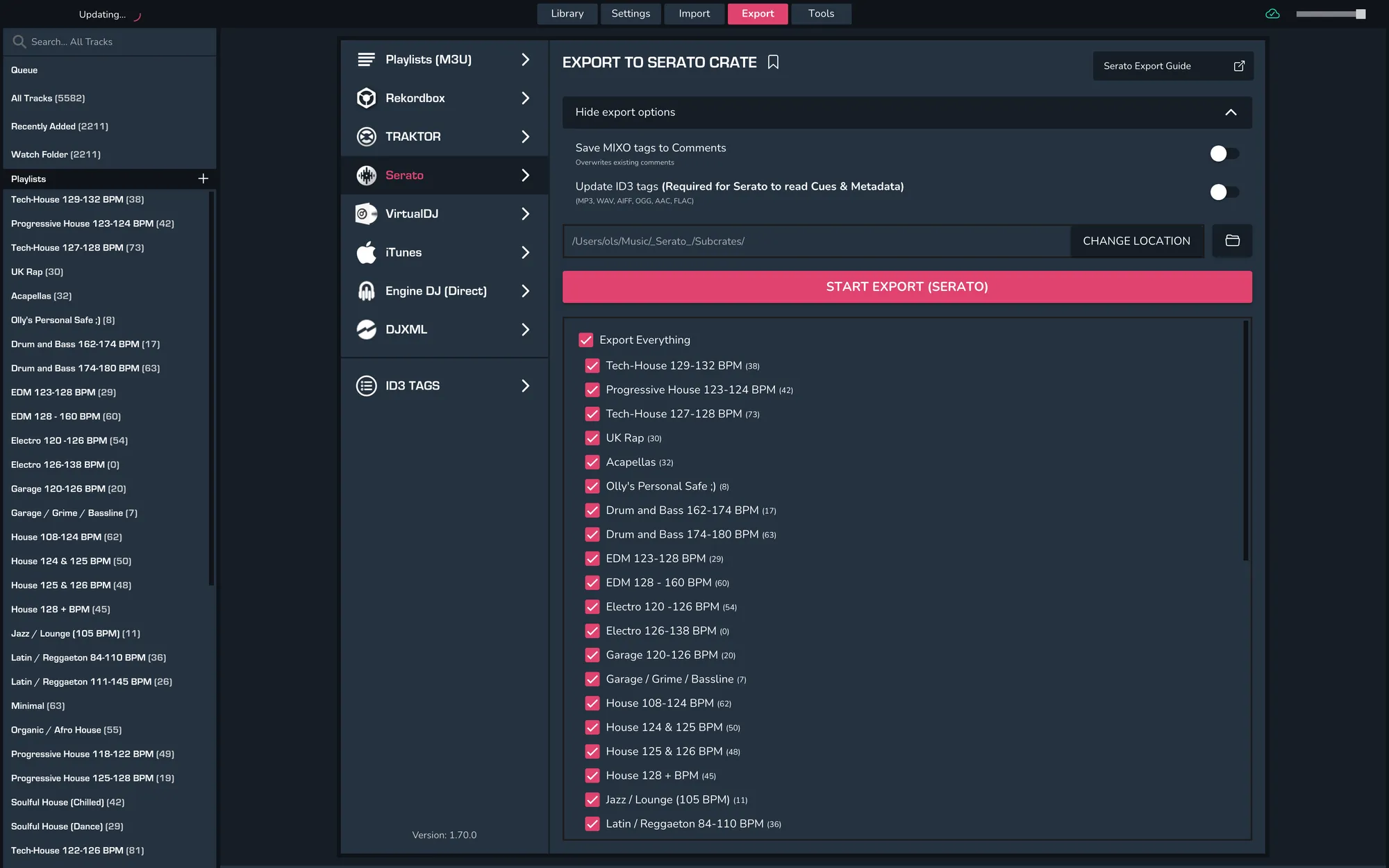
- EXPORT -> Serato
- Choose to export individual playlists or your whole library.
- To save cue points to tracks, turn on "Update ID3 Tags" in advanced export options.
- Click EXPORT
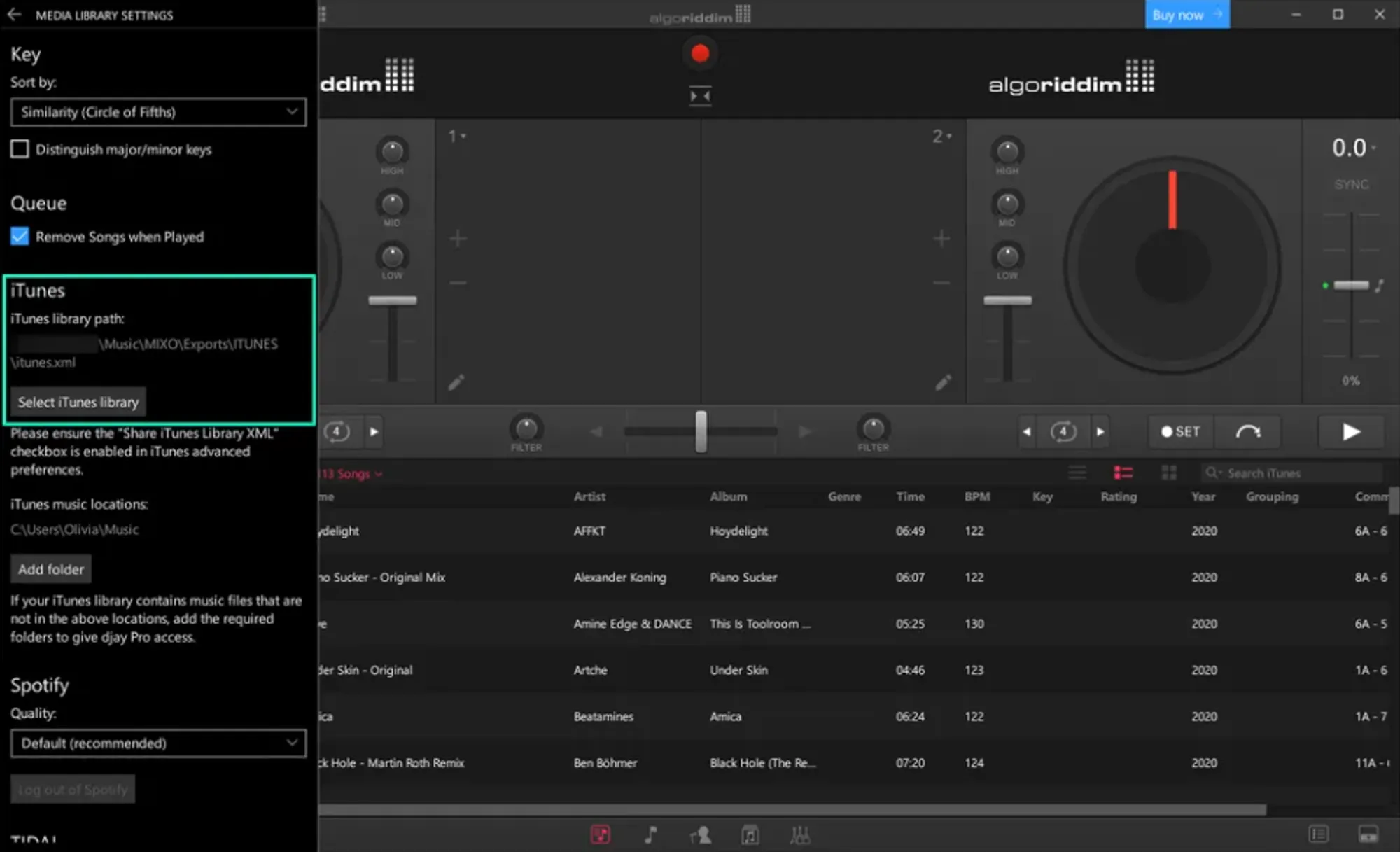
3a. Importing into Djay Pro (Windows)
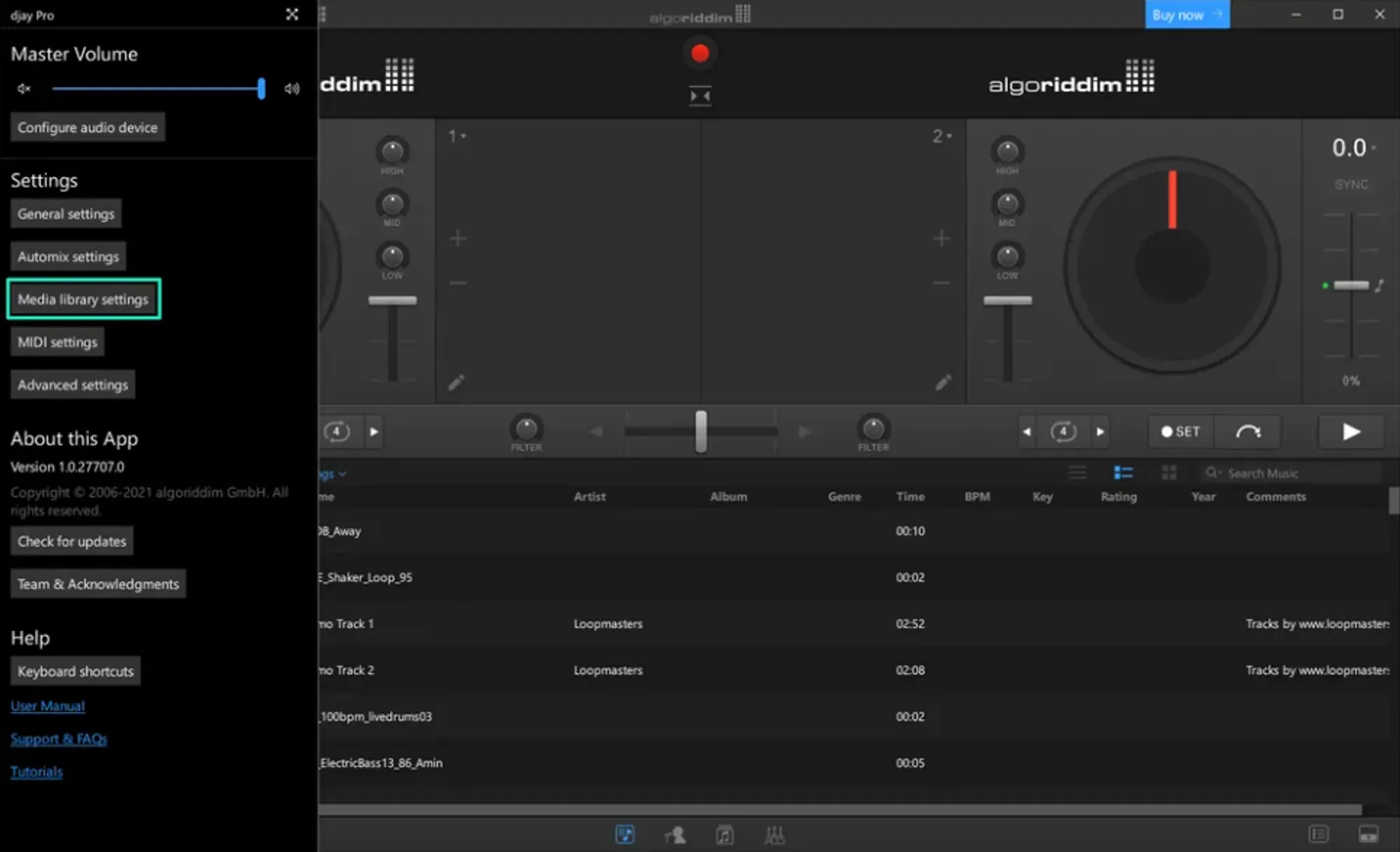
- Open Djay Pro and open the menu in the top left
- Select Media library settings
- Click the Select iTunes library button
- Select the file exported from MIXO and click Open. By default this is found in Music > MIXO > Exports > ITUNES
- Your MIXO library will now show in the iTunes tab of Djay Pro
3b. Importing into Djay Pro (Mac)
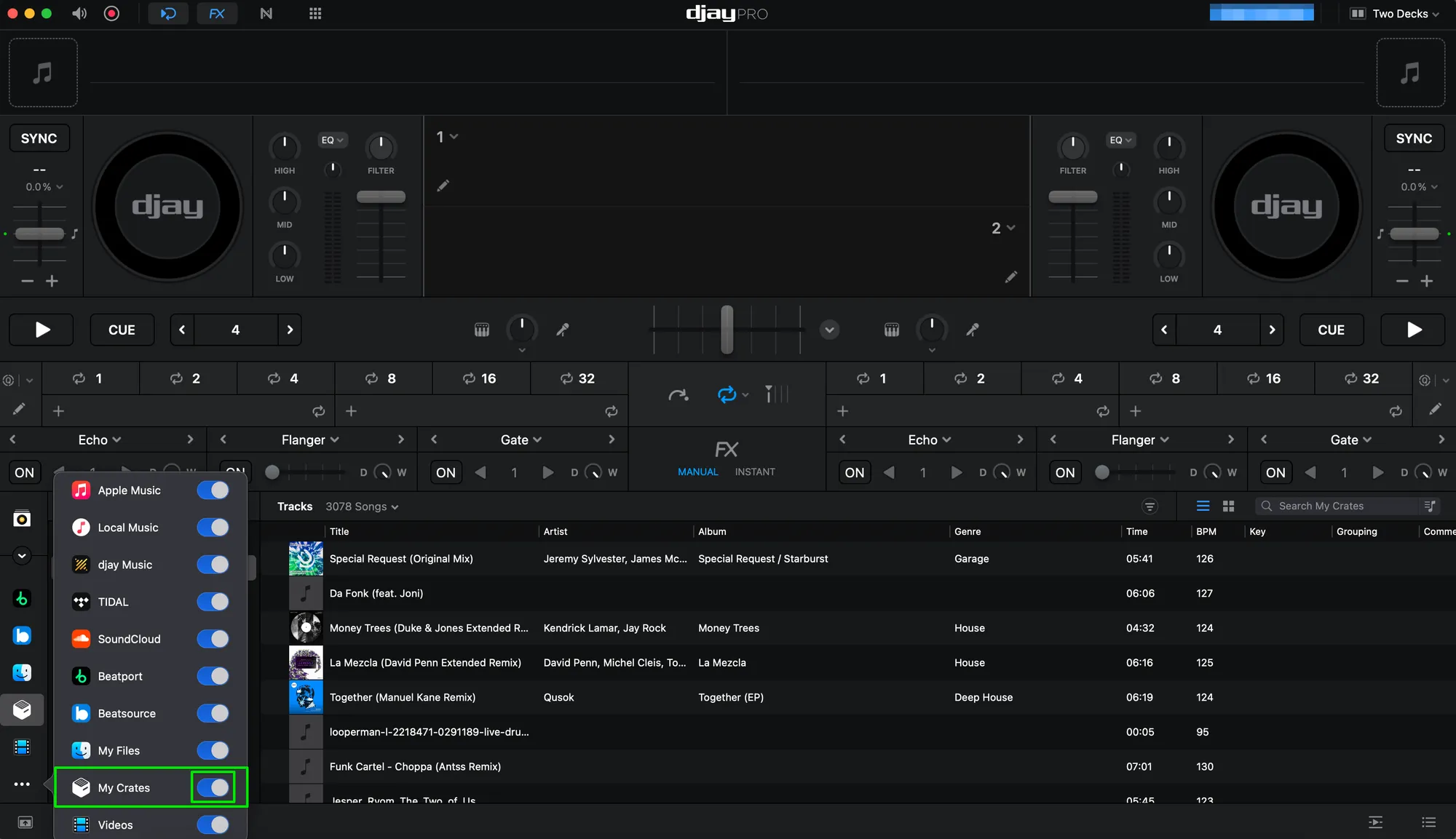
- Open Djay Pro.
- Scroll through the integration options in the bottom-left hand corner and click on the three dots.
- Ensure that 'My Crates' is enabled.
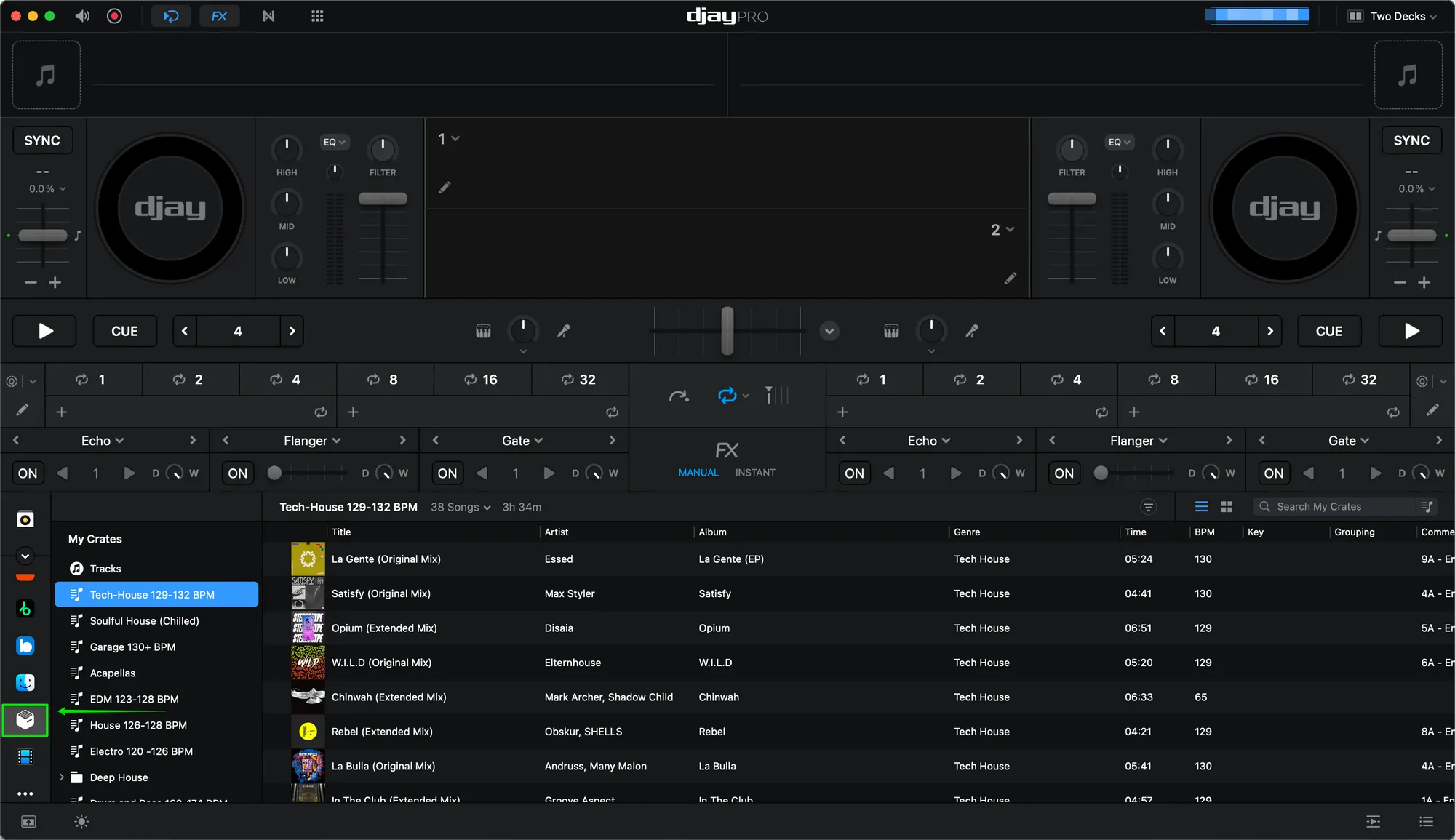
- Select the 'My Crates' icon and this will have imported your Serato Crates into Djay Pro when you exported them from MIXO.
Notes
To export Cue Points from MIXO you need to tick the box in Advanced Export Options for "Update ID3 Tags" which will save the tags directly into each file. These will then be read by Djay Pro.
Backups
MIXO will automatically backup your DJ Libraries every time you export.
It's also a good idea to regularly backup your source library and computer.