DUPLICATE FINDER V2
The Duplicate Track Finder is a simple, fast tool for clearing out duplicates in your library.
When importing tracks, MIXO checks for duplicates based on filePath. However, over time tracks may get copied to other folders, or you may have duplicates of the same track in different formats.
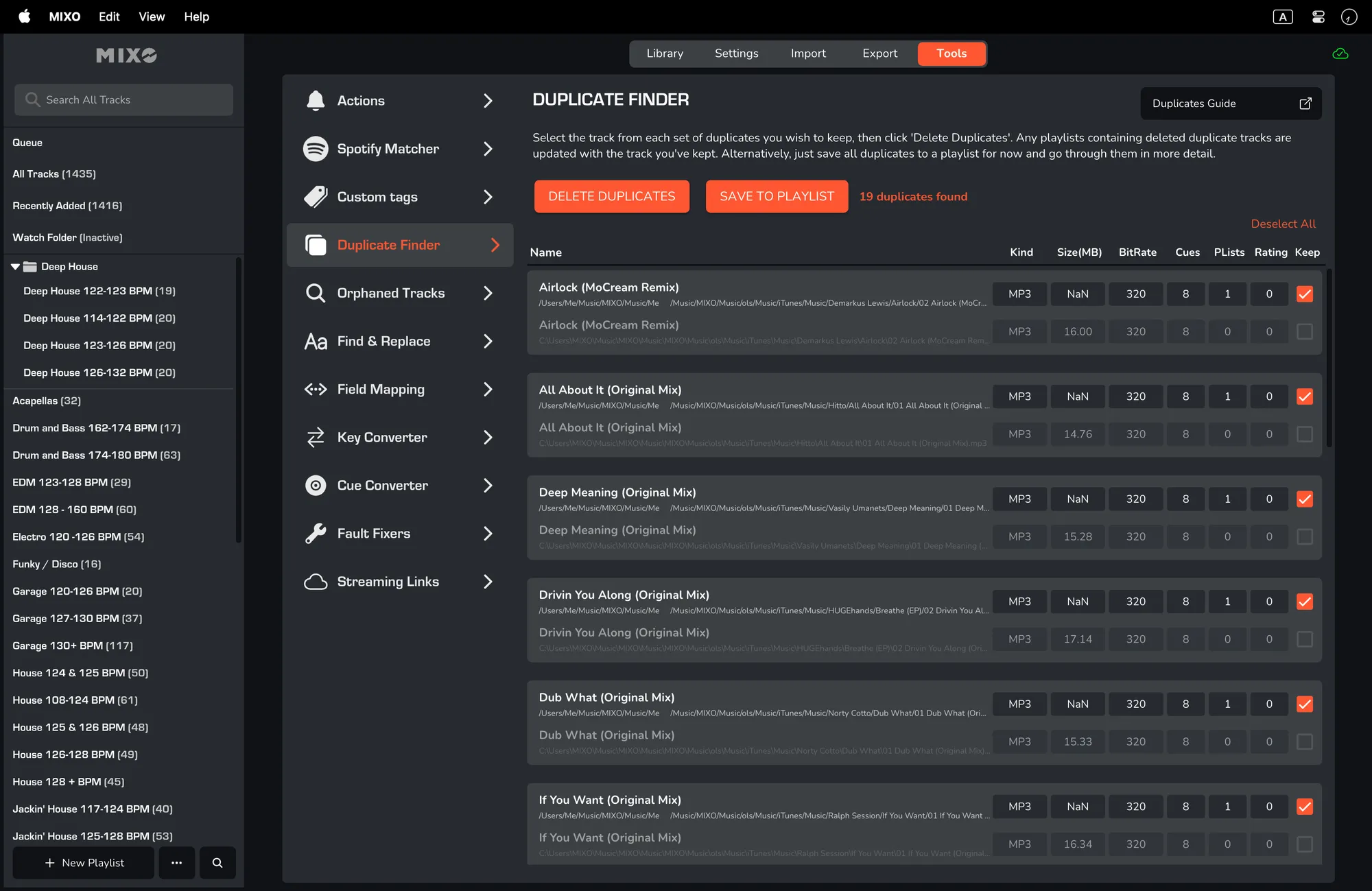
How it Works
The MIXO Duplicate Finder looks for tracks with the same duration where the track titles begin the same and have a partial match for the artist.
It works on different file types and displays the number of cues each track has, including how many playlists the track appears in.
For example, the following tracks would show as a match:
- Feel the heat.MP3 (3:57)
- Feel the heat (Ft. DZ).AIFF (3.57)
Using the Duplicate Finder
- Click 'CHECK FOR DUPLICATES'. This process is very fast and will display results in a matter of seconds, even for several thousand tracks.
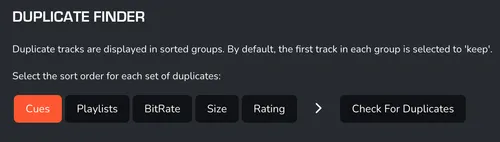
- Duplicate tracks are displayed in sorted groups. By default, the first track in each group is selected to keep. Before running the scan, you can select the sort order for each set of duplicates.
Options for sorting include 'CUES', 'PLAYLISTS', 'BITRATE', 'SIZE', and 'RATING'.
- The first track in each set of duplicates is selected to keep by default. Double check the duplicates before deleting any tracks, just in case the match isn't quite right. Only greyed-out tracks are deleted (when one is selected in that group). To exclude a group of duplicates when deleting, simply uncheck the selected duplicate in that group.
- To remove the unchecked duplicates, click 'DELETE DUPLICATES' and wait for the process to finish. The track selected to keep will be used to replace playlist tracks for any removed duplicates. Please bear in mind that playlists cannot have more than one of each track, so if your playlist has multiple duplicates of the same track, they will all get removed except one.