DELETE A TRACK IN MIXO
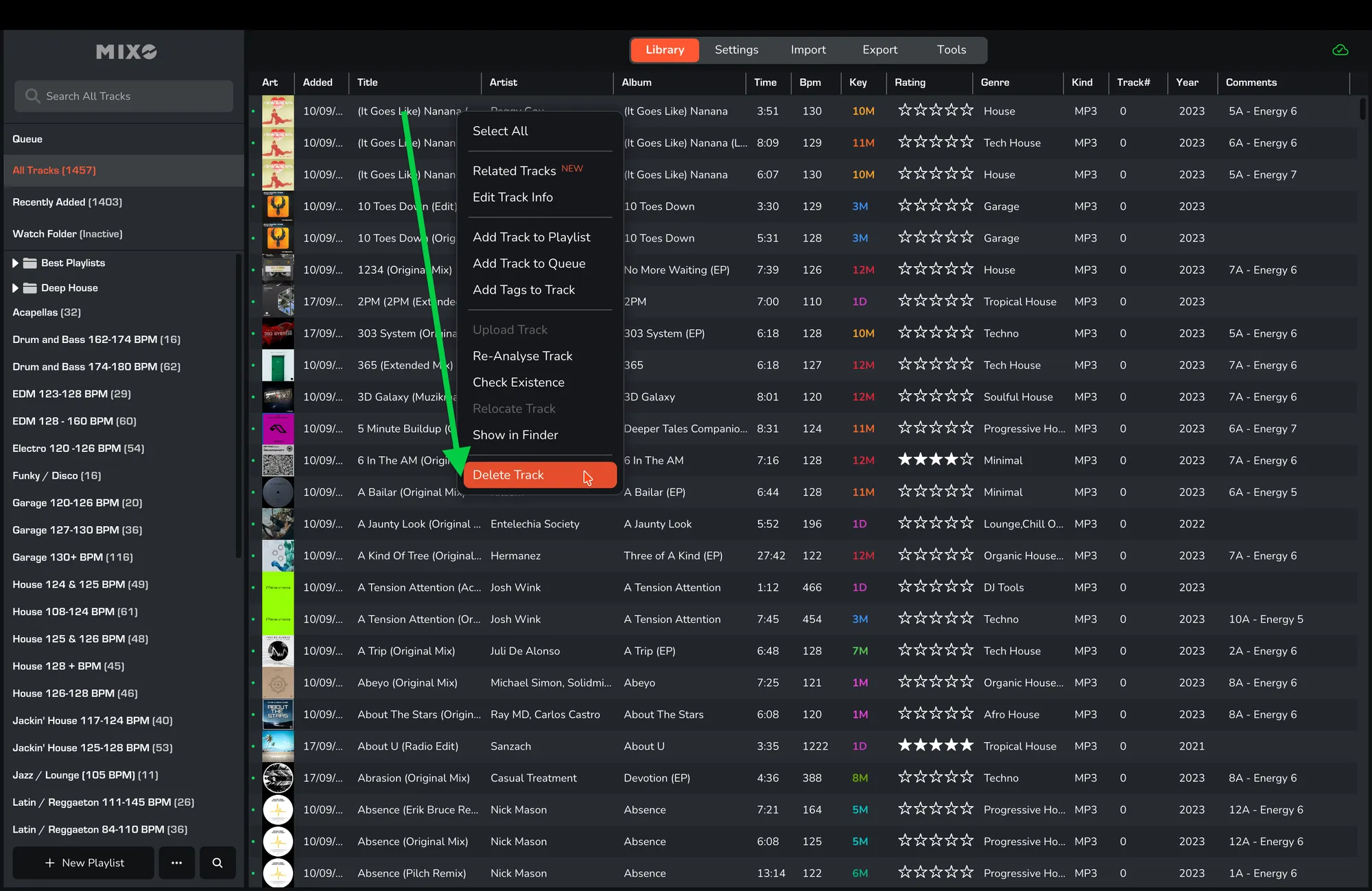
1. In MIXO navigate to the TRACK you wish to remove or select a few tracks.
2. RIGHT-CLICK the track and select ‘DELETE TRACK’.
3. Confirm the action by selecting ‘DELETE TRACK’ again.
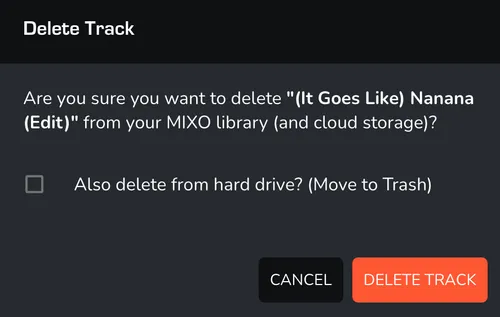
Note: You will also have the option to delete the track from your hard drive at the same time.