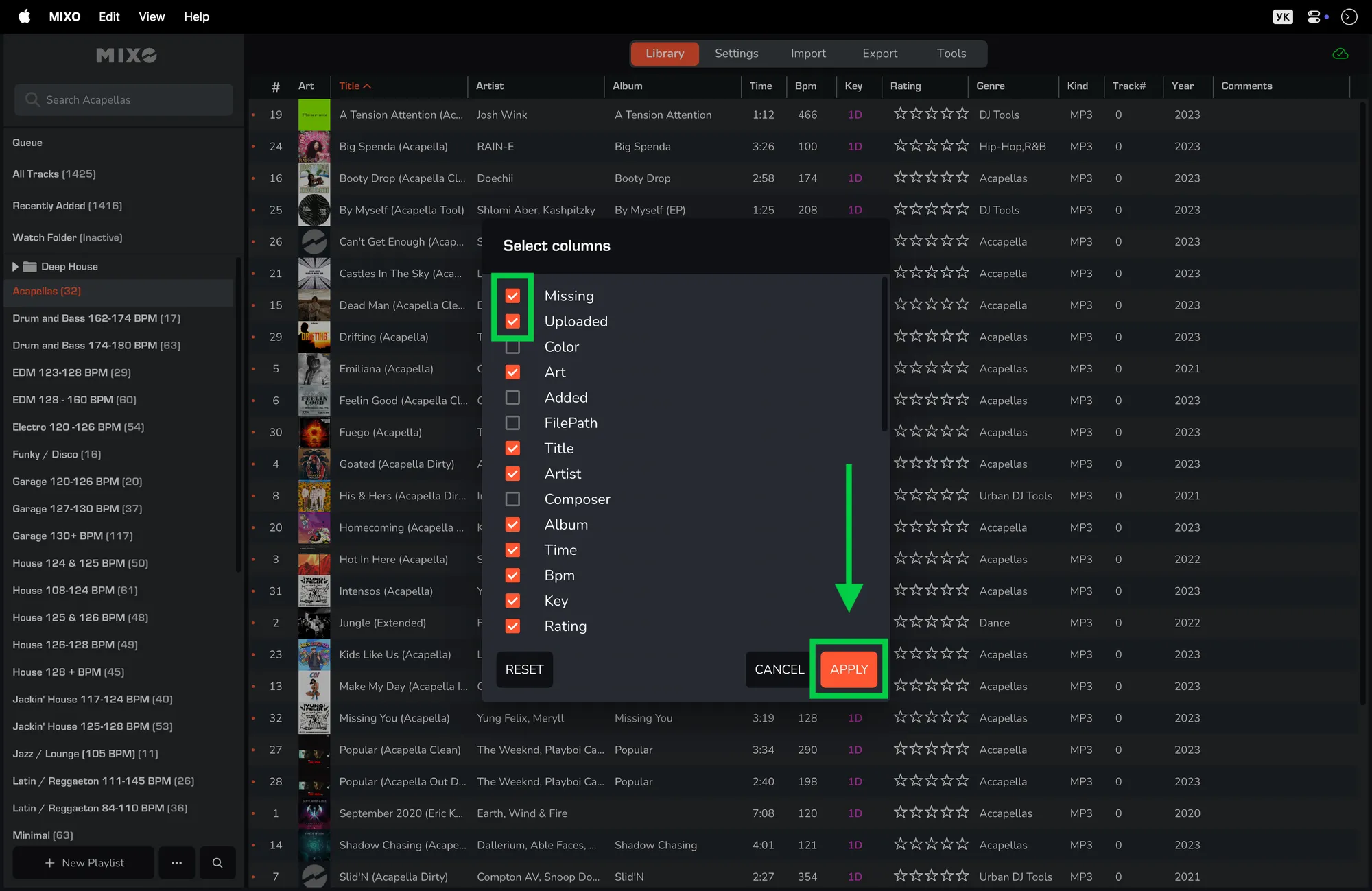
CHECK MISSING TRACKS
- Navigate to the ‘TOOLS’ tab -> Actions
- Click the ‘Re-Check Library’ button.
A dialog box “Check for Missing Tracks” will appear.
- To start the check, click the ‘CHECK NOW’ button.
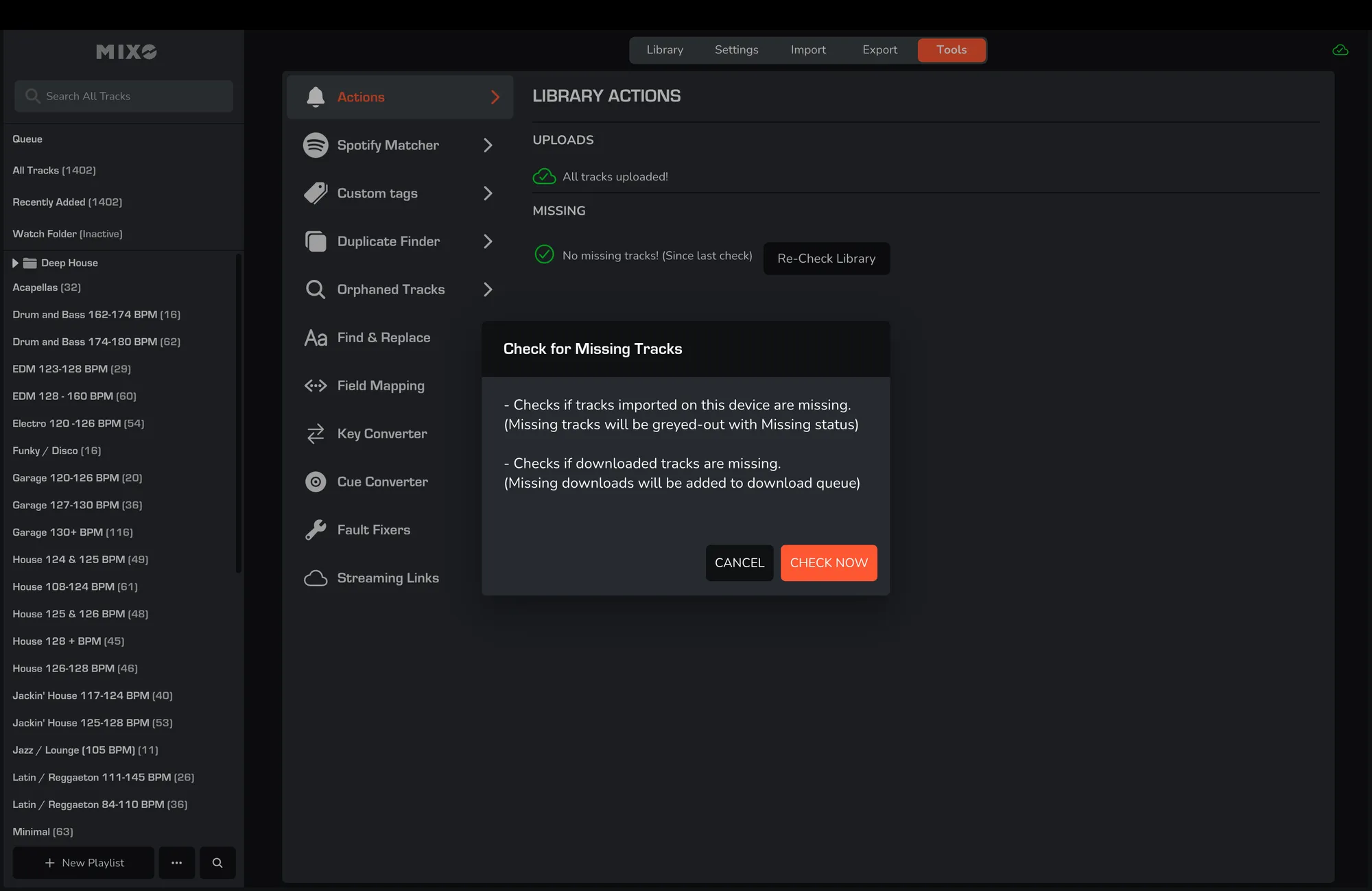
This tool checks if imported/downloaded tracks on this device are missing:
- Missing tracks will be greyed-out with a Missing status.
- Missing downloads will be added to the download queue.
MISSING TRACK-LIST COLUMN
You can also add the 'MISSING' column to the track list:
- Go to the ‘LIBRARY’ tab.
- Right-click the headers located at the top of your track list.
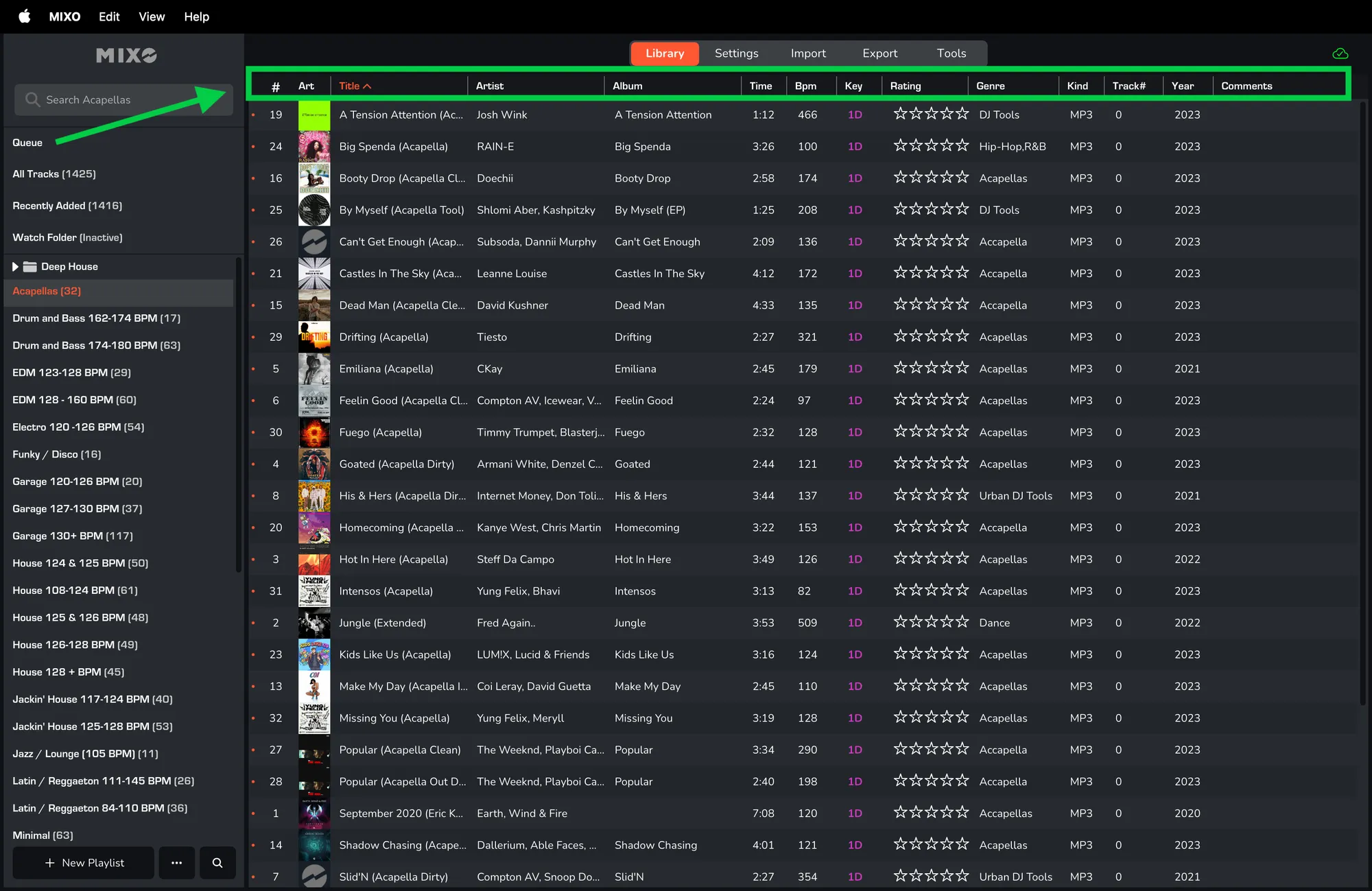
- If you don't see the new options, click 'RESET' first.
- Check the box for 'MISSING' and/or 'UPLOADED'.
- Click 'APPLY'.