BACKUP ENGINE DJ LIBRARY
Built-in Tool (Automatic & Recommended)
This is the easiest way to create a secure point-in-time snapshot of your desktop library.
1. Open Engine DJ.
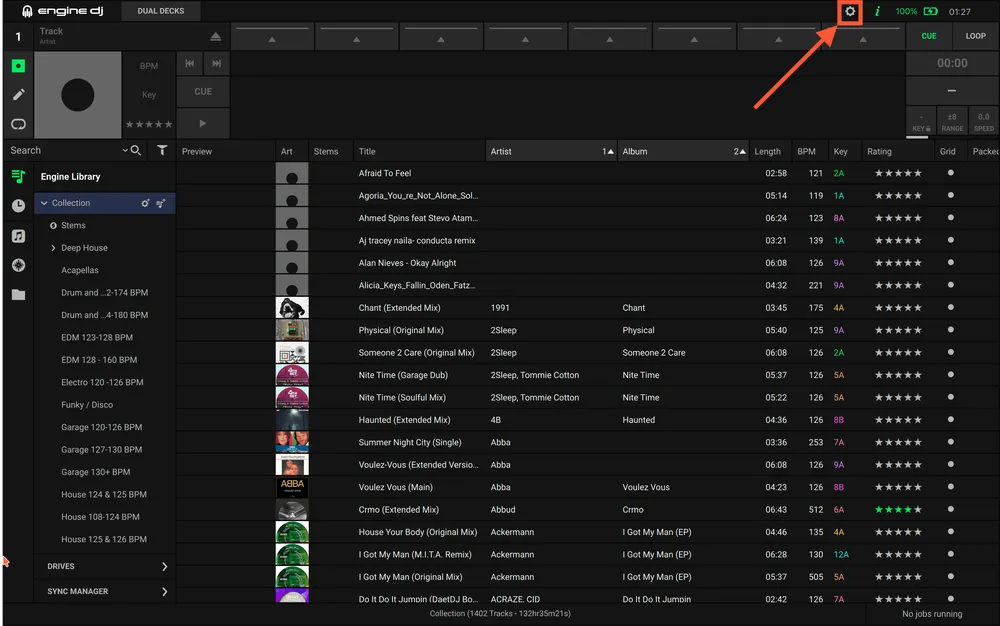
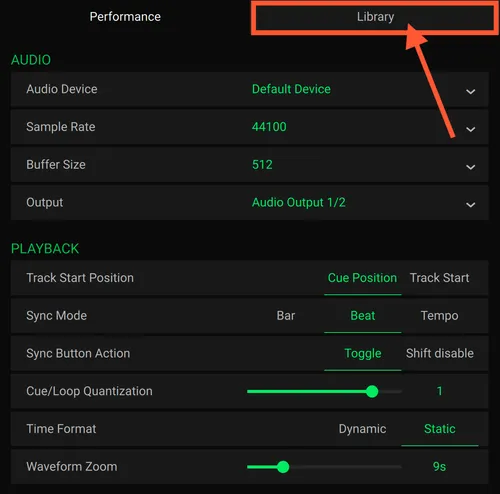
2. Go to Preferences (the gear icon) -> Library tab.
3. Scroll down to the System section and find Library Backup.
4. Click Backup.
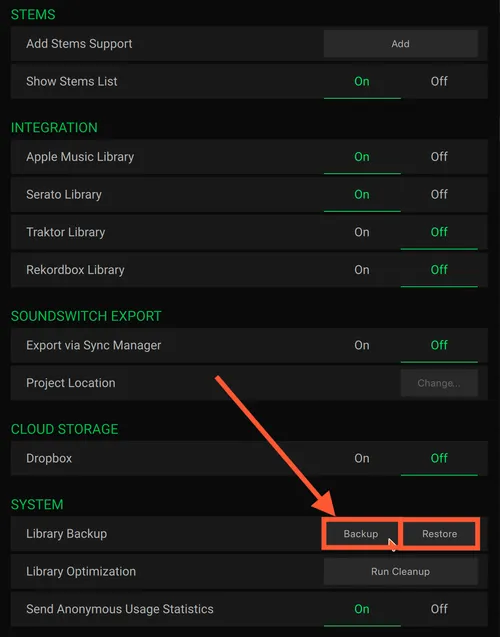
If you need to revert to a previous version, simply go back to Preferences -> Library -> System and click Restore. This will overwrite your current collection with the latest backup created by the software.
Manual Backup
Since the built-in tool only backs up your computer's local library, use this method for standalone USBs, SD cards, or manual file management.
1. Locate your Engine Library folder:
- On your computer: open your Music folder.
- On an External Drive: open the root of your USB/SD drive.
2. Navigate to Users -> UserName -> Music and find the 'Engine Library' folder.
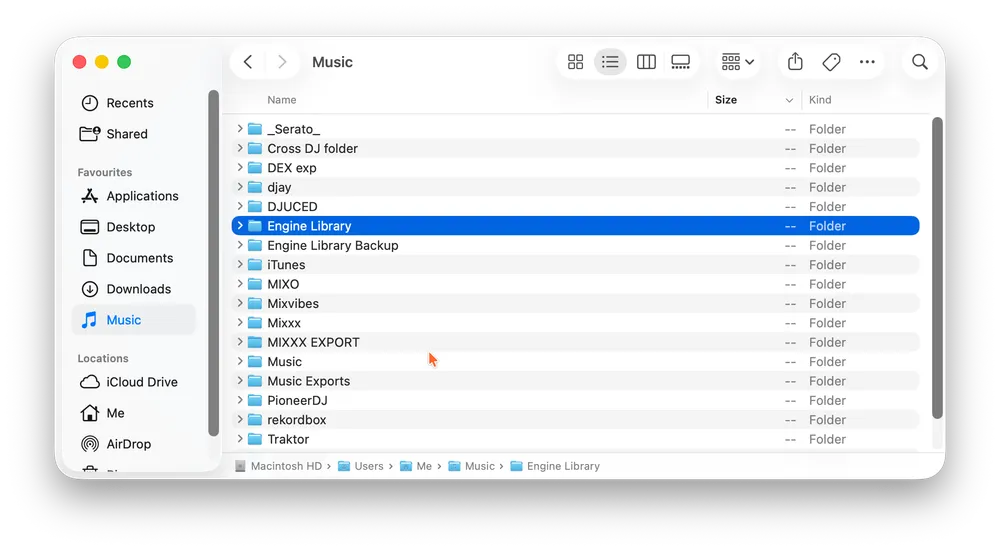
3. Copy the folder: right-click and select Copy, then Paste it into a secure backup location (like an external hard drive or cloud storage).