BACKUP CROSS DJ LIBRARY
Automatic Backup
The easiest way to safeguard your Cross DJ collection is using the built-in backup tool.
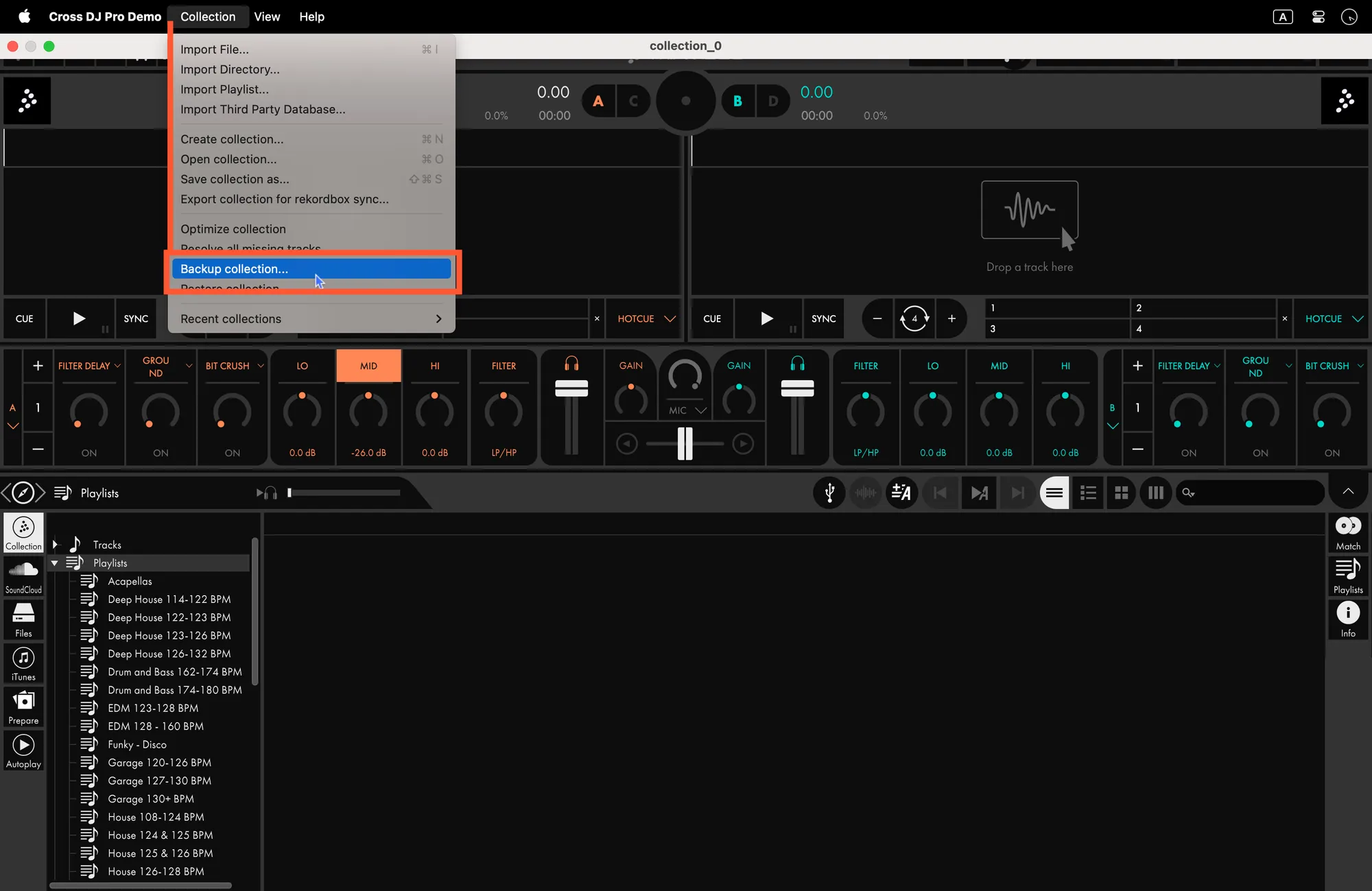
1. Run the Backup:
- Click Collection in the top menu bar and select Backup Collection…
- Choose a secure location to save the file.
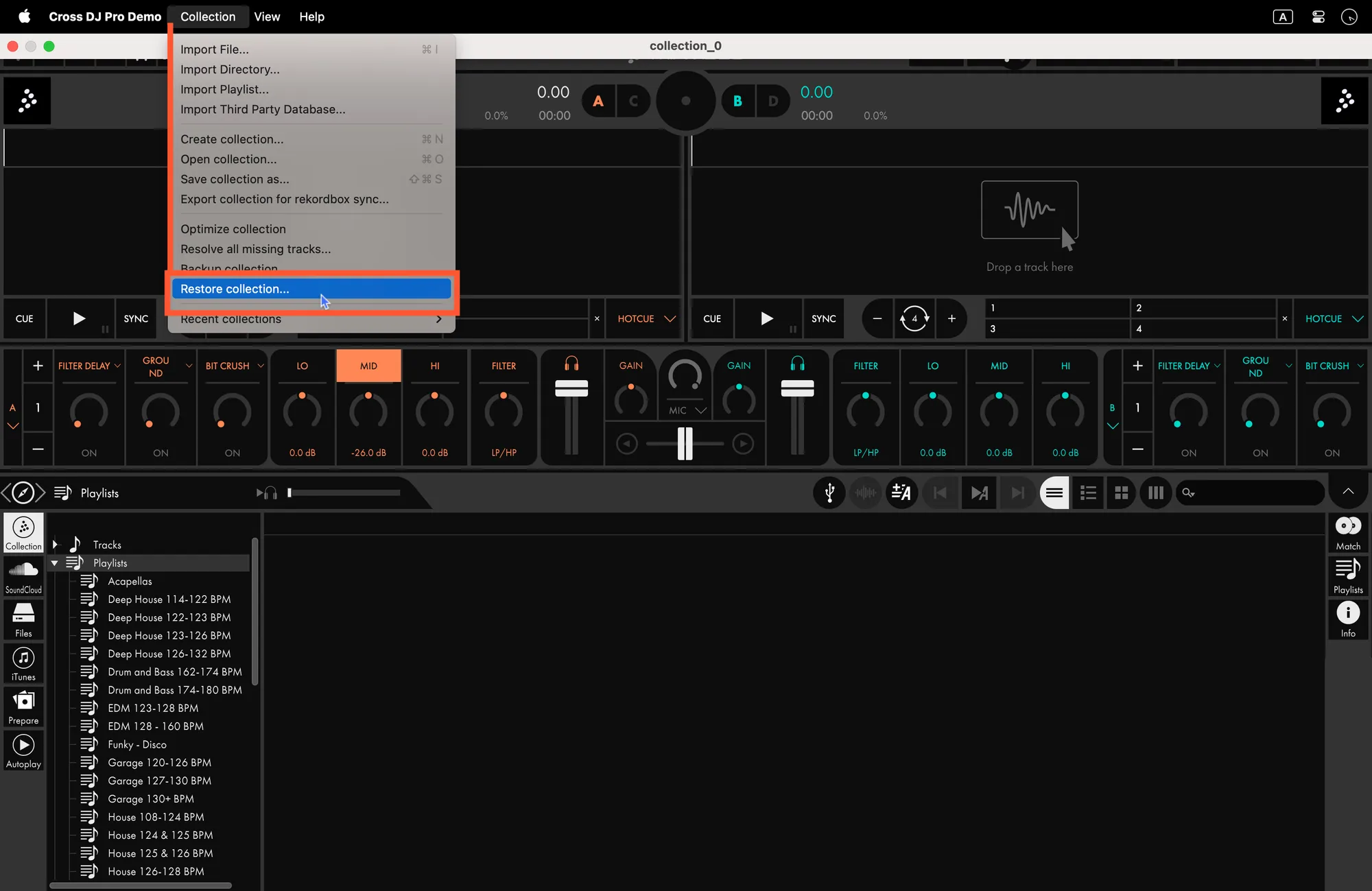
2. To Restore:
- Go to Collection > Restore Collection... and select your saved backup file.
Manual Backup
For a full manual backup on macOS, ensure you capture both the database and the hidden analysis files:
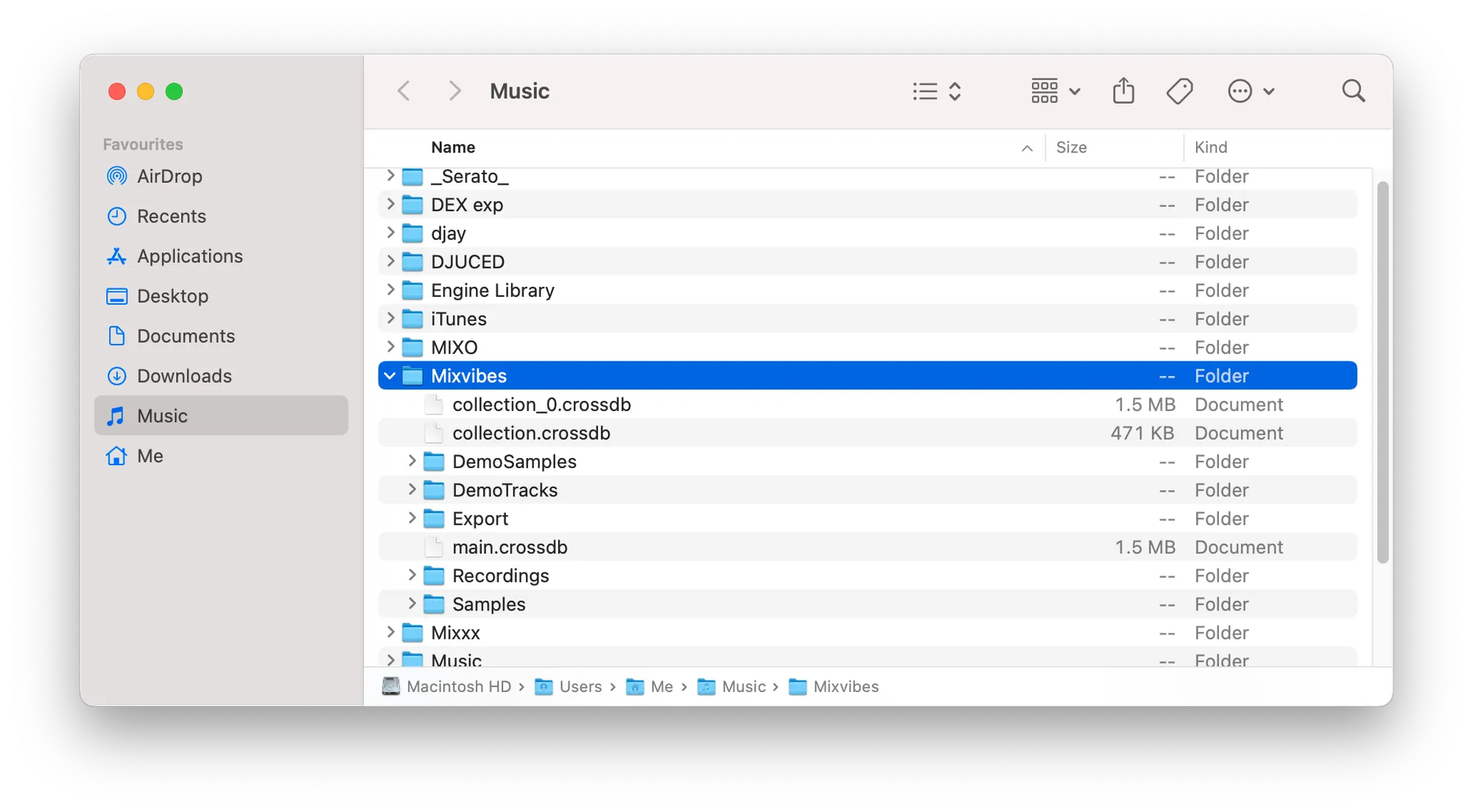
- Database Files: contains your playlists and library data.
Users -> UserName -> Music -> MixVibes
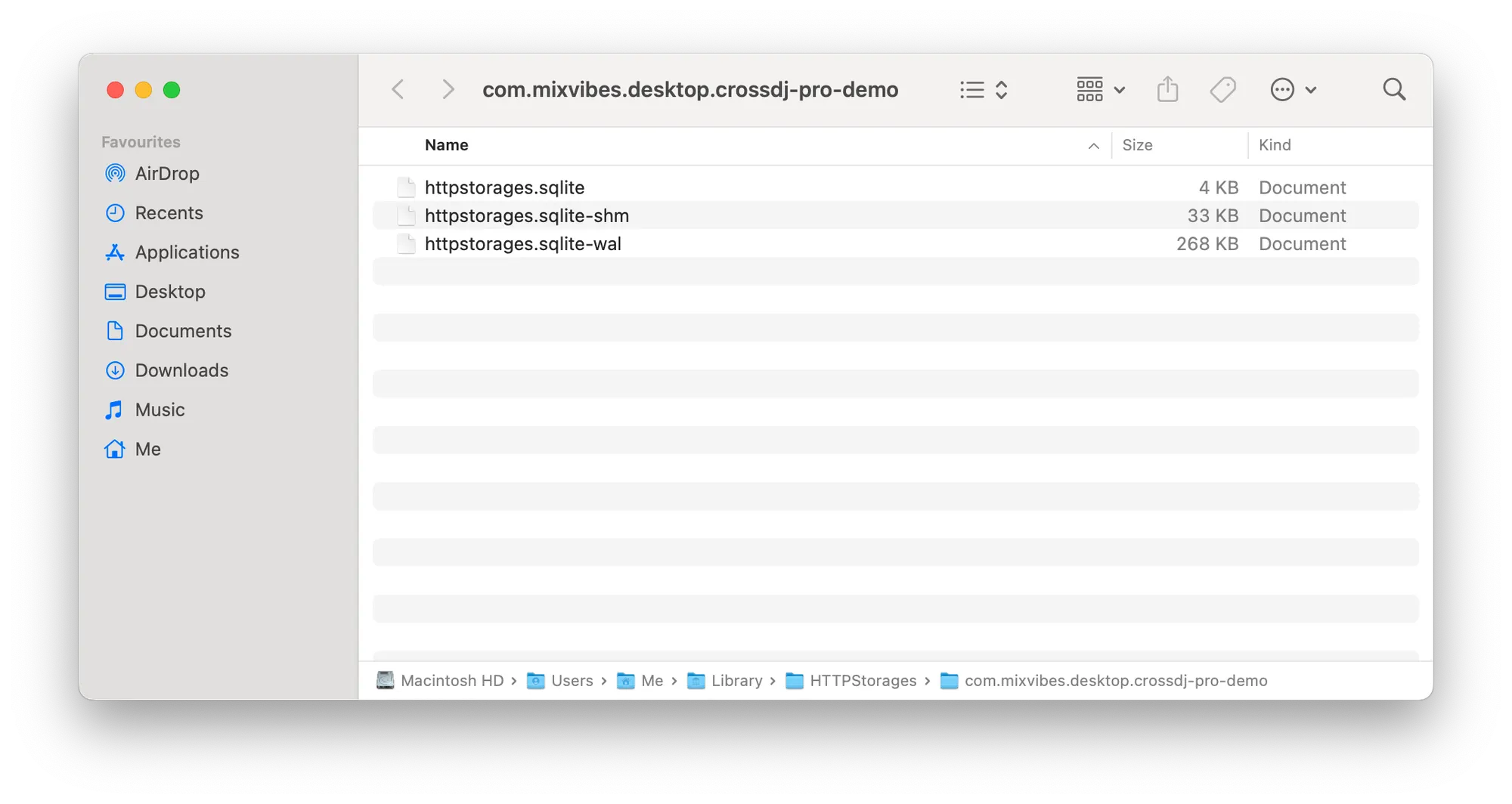
- Analysis Data: contains track analyses and metadata.
Users -> UserName -> Library -> HTTPStorages -> com.mixvibes.desktop.crossdj-pro
Restore: copy these folders from your backup and paste them back into the exact paths listed above.