AUTO EXPORT MAGIX DIGITAL DJ
- To turn on Auto Export, go to Settings > Advanced and toggle the option "Auto Export".

- After turning on Auto Export, select 'Playlist M3U' and then press 'OK’.
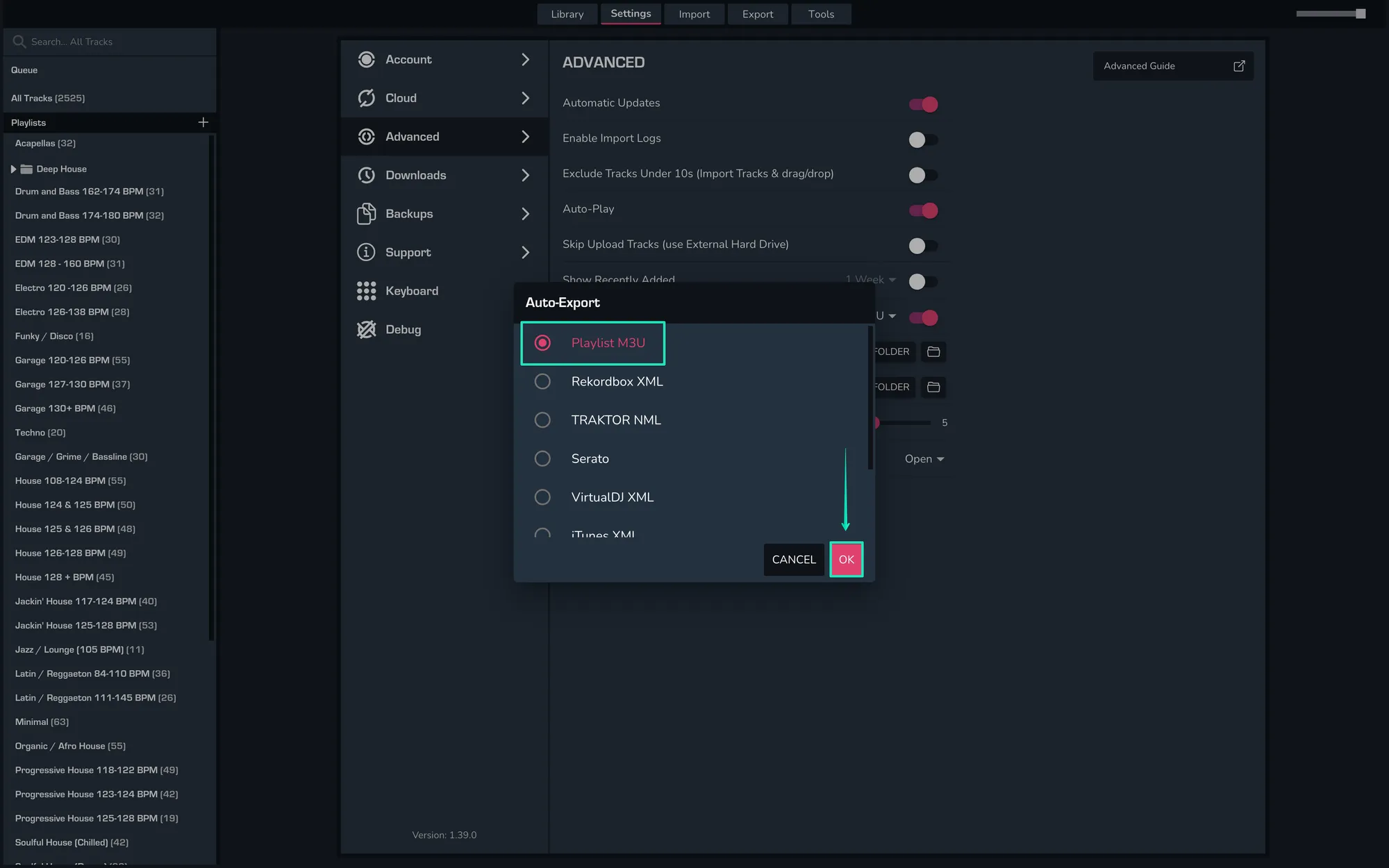
- By default MIXO will export your collection to Music/MIXO/Export/Playlists. Auto Export will occur approximately 20 seconds after each change has been made unless another operation is currently in progress.
Notes
MIXO will automatically export your Magix Digital DJ playlists to a local folder you define.
Magix Digital DJ does not import beat grids & cue points.
Backups
MIXO will automatically backup your DJ Libraries every time you export.
It's also a good idea to regularly backup your source library and computer.