ADD SONGS TO PLAYLISTS IN MIXO
You can add single or multiple tracks to a playlist using the right-click menu or by dragging and dropping.
Adding a Single Track
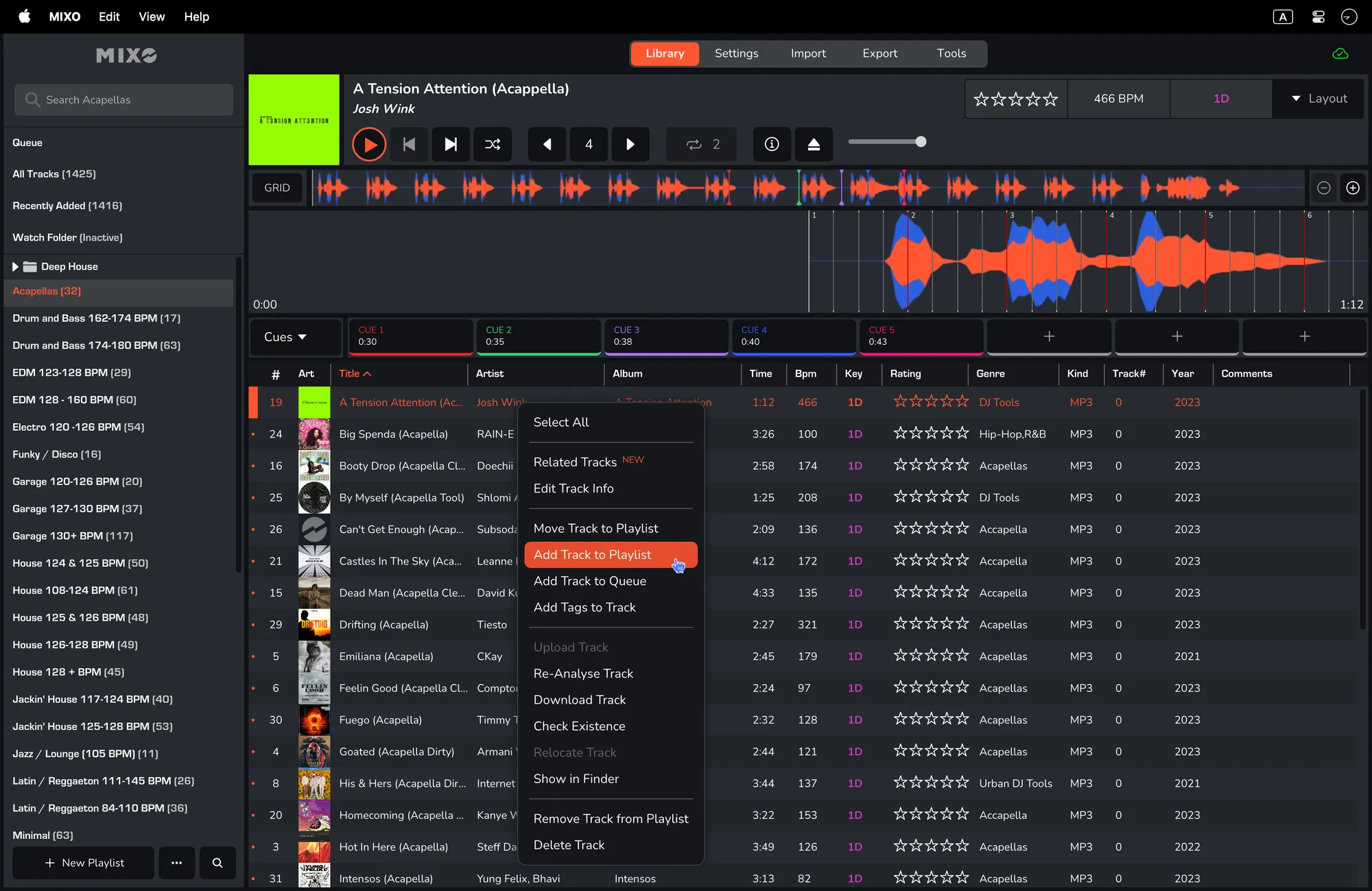
- Right-click on a song and click 'ADD TRACK TO PLAYLISt'.
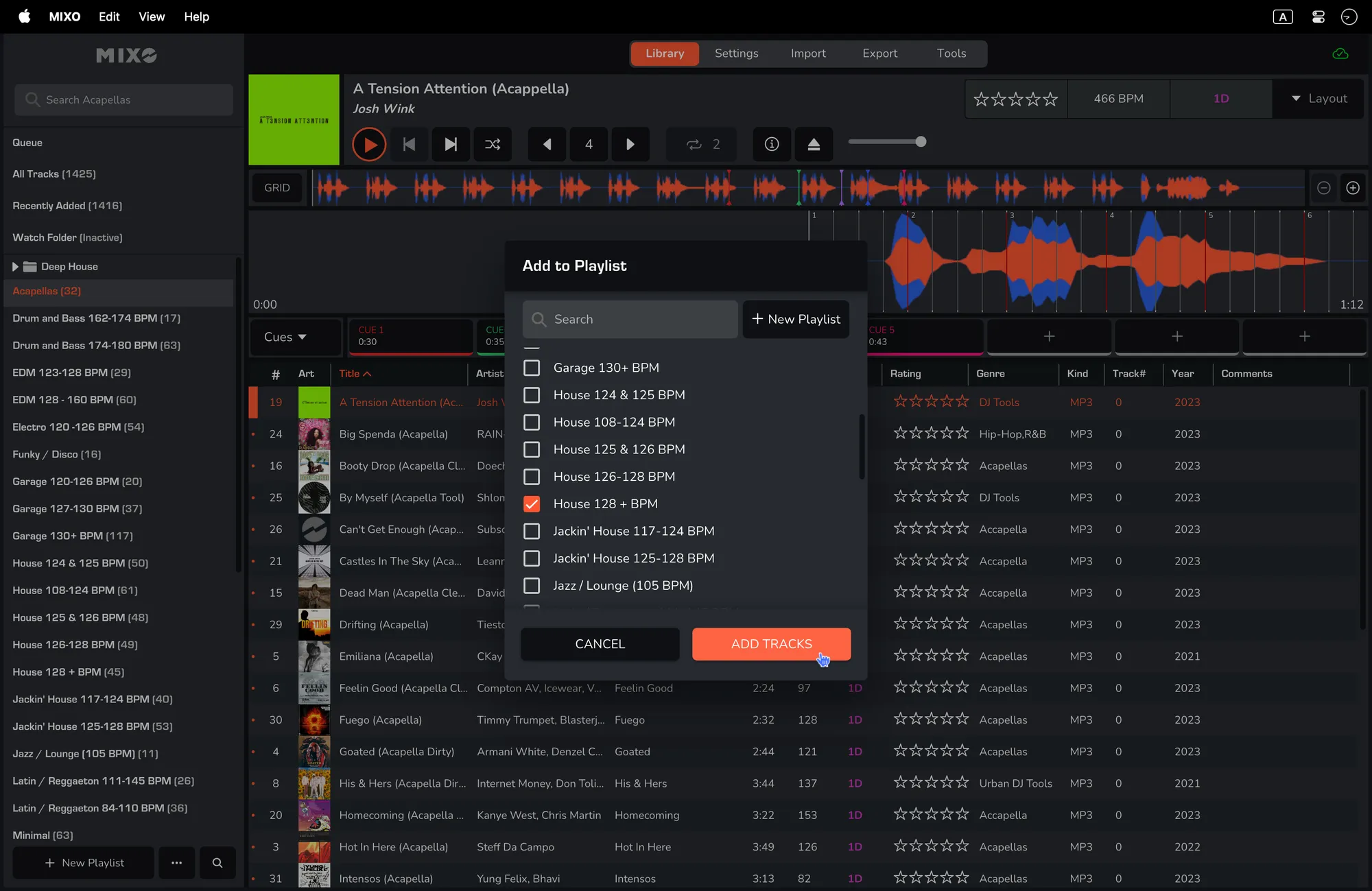
- Create a new playlist or select the desired playlist(s) and click 'ADD TRACKS'.
Adding Multiple Tracks
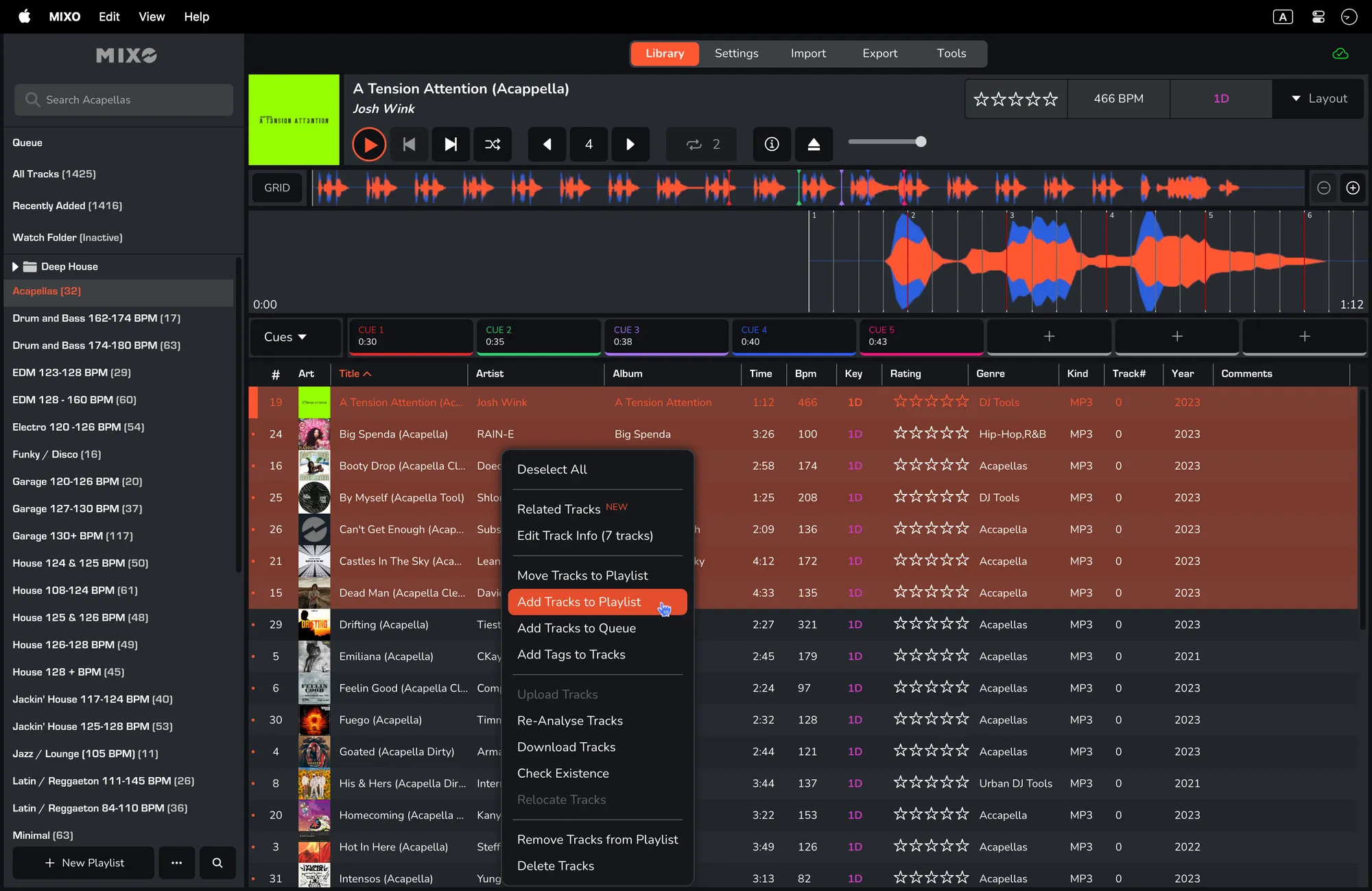
- Select all the tracks you would like to add.
- Right-click on one of the selected tracks and select 'ADD TRACKS TO PLAYLIST'.
Alternative Method (Drag and Drop)
Follow option ‘single track’ or option ‘multiple tracks’ from above and then drag these tracks to the desired playlist.